
From request to payment. In one flow.
Departments ask, buyers compare quotes, orders go out by email, goods are checked in, and bills fill themselves in. Every step linked to the last.
See every purchase, at every step.
Requests, quotations, orders, receipts, bills and payments in one view. Start anywhere: from a request, a quote or straight from an order.
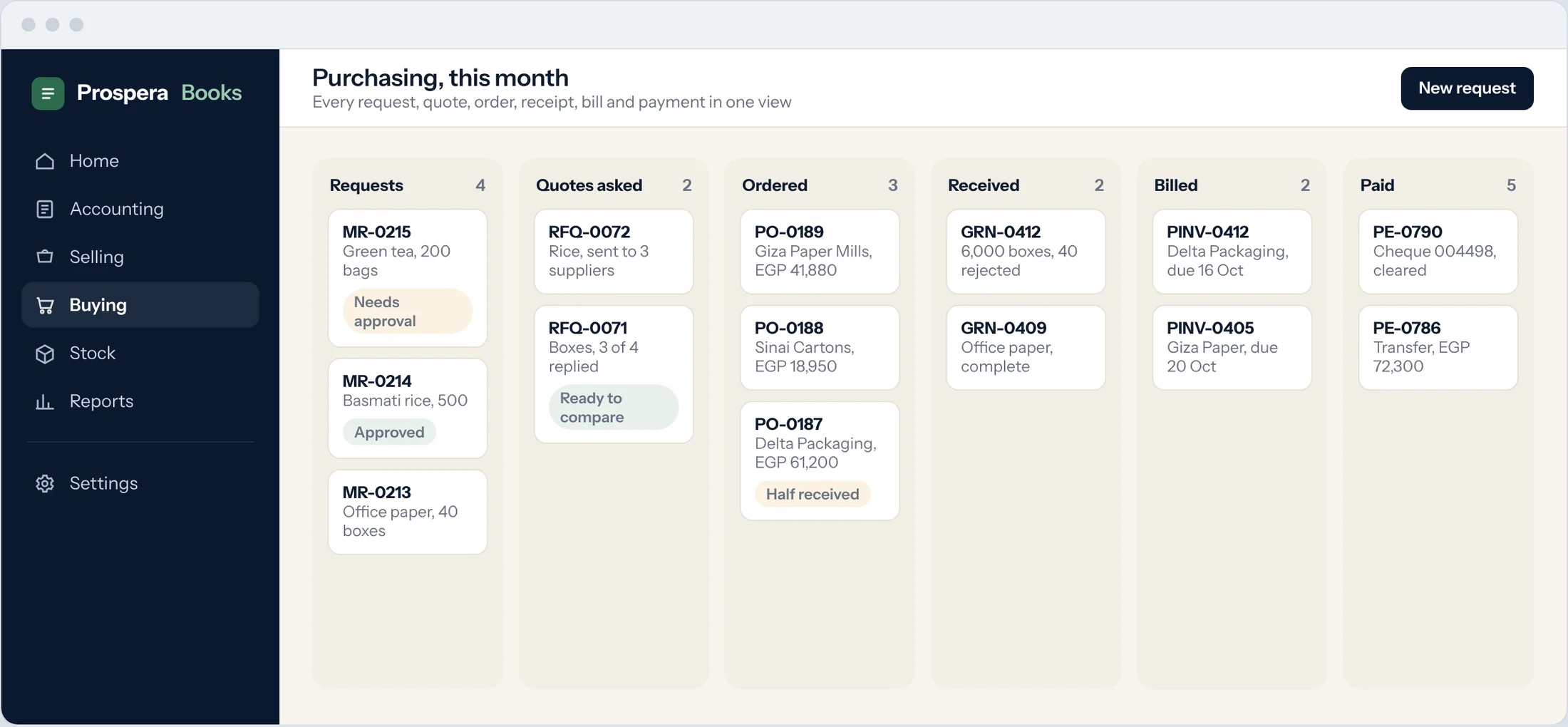
Start where you work
Use the full cycle, or begin at the order or the bill if that is how you buy.
Each step fills the next
Items, quantities and prices carry forward. Nothing is typed twice.
Nothing gets lost
Open orders, partial deliveries and unpaid bills are always in view.
Departments ask. Managers approve.
Teams raise what they need. Requests above your limit wait for approval, checked against the budget.
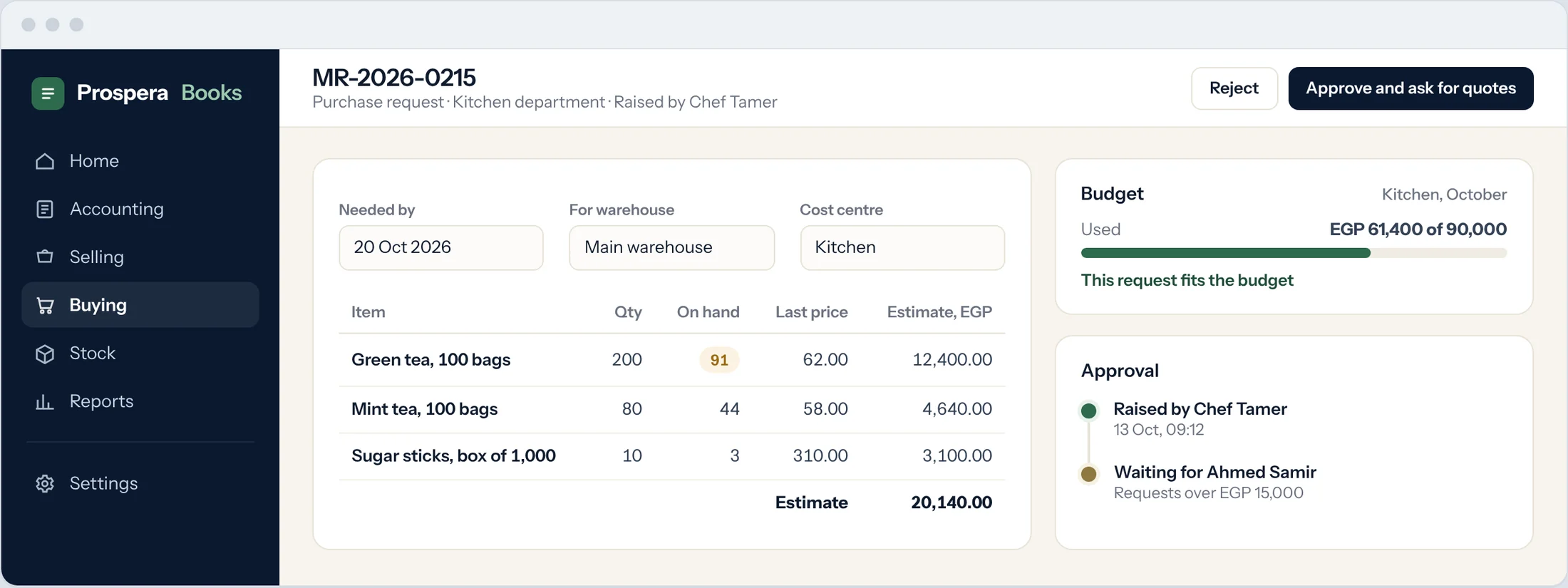
Requests from any team
Kitchen, office or warehouse raise requests with quantities and dates.
Approval rules
Limits by amount or department, with a clear trail of who approved.
Budget in view
See what is left in the budget before you approve. Stop or warn on Premium.
Compare the prices. Then choose.
Send one request for quotation to all selected suppliers, with quantities and dates. Compare price, delivery and terms side by side.
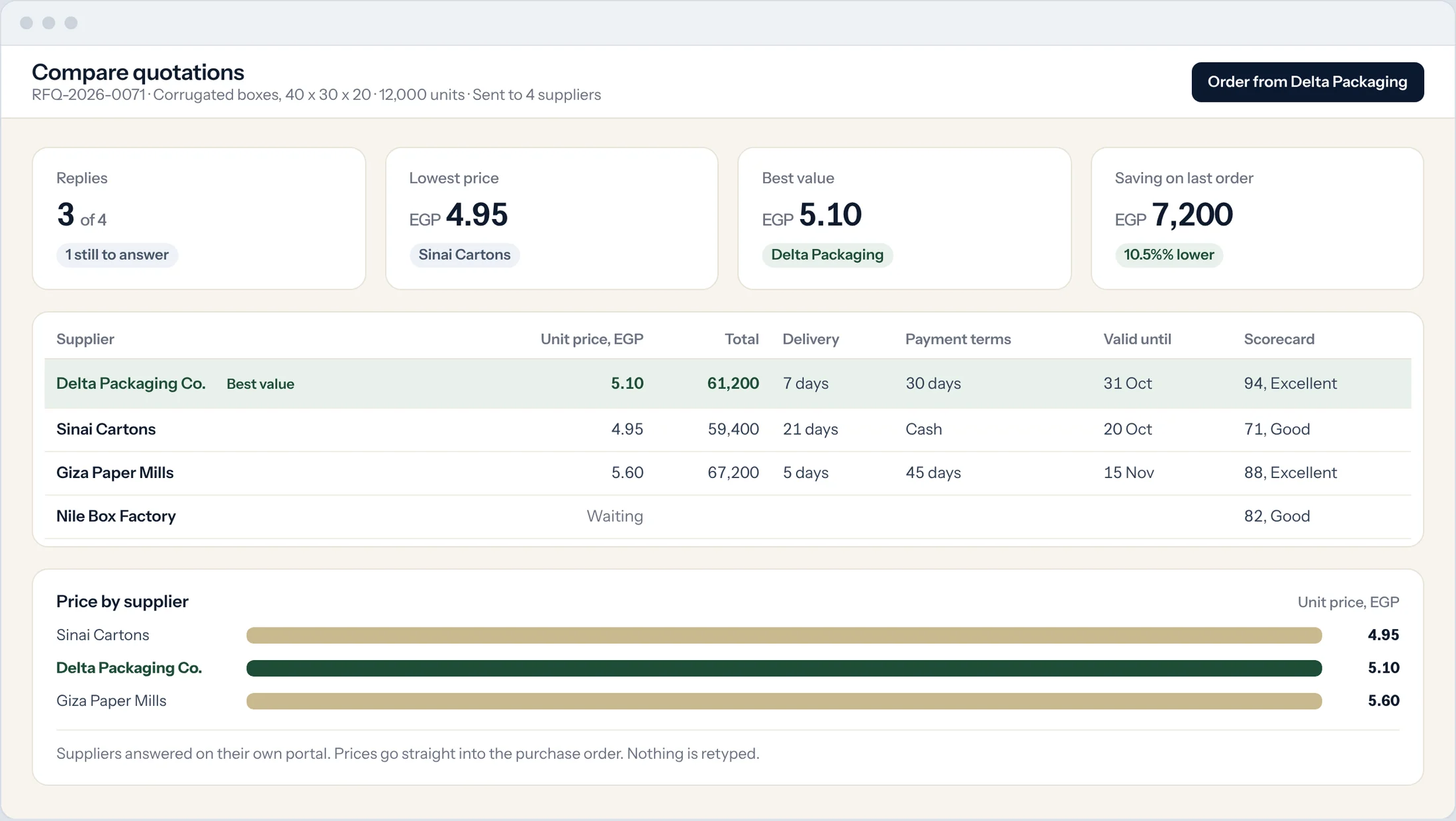
One click, every supplier
The request goes to each supplier by email, and they answer on their portal.
Side by side
Price, delivery time, terms and supplier score in one table.
Winner becomes the order
The chosen quote turns into a purchase order with its prices.
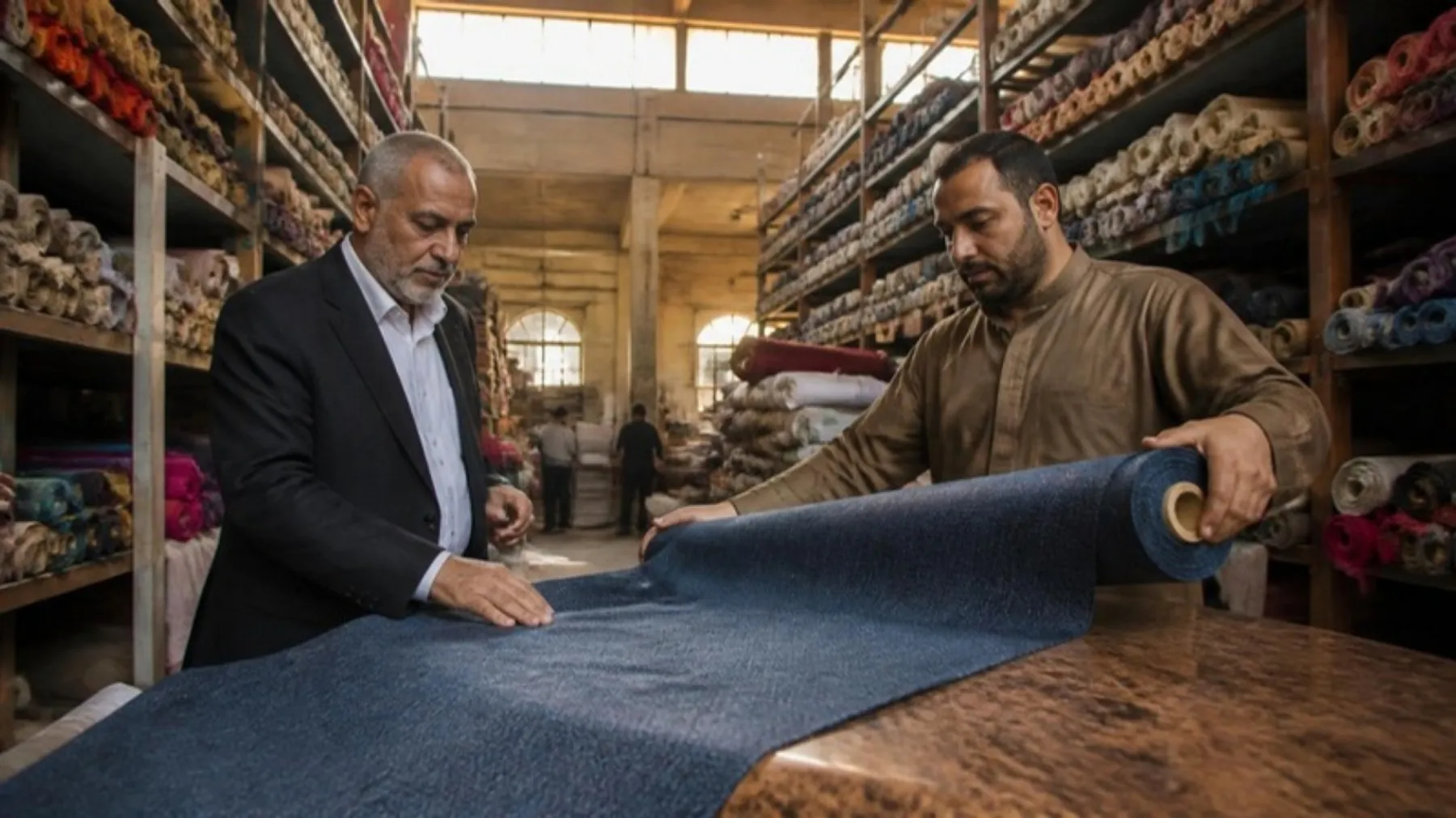
Buy well. Then prove it.
Every price you paid, every quote you turned down and every delivery you checked, kept on the record for your auditor and your next negotiation.
The order is in their inbox.
Email the purchase order from Prospera Books, with your layout and terms, and keep a copy on the record.
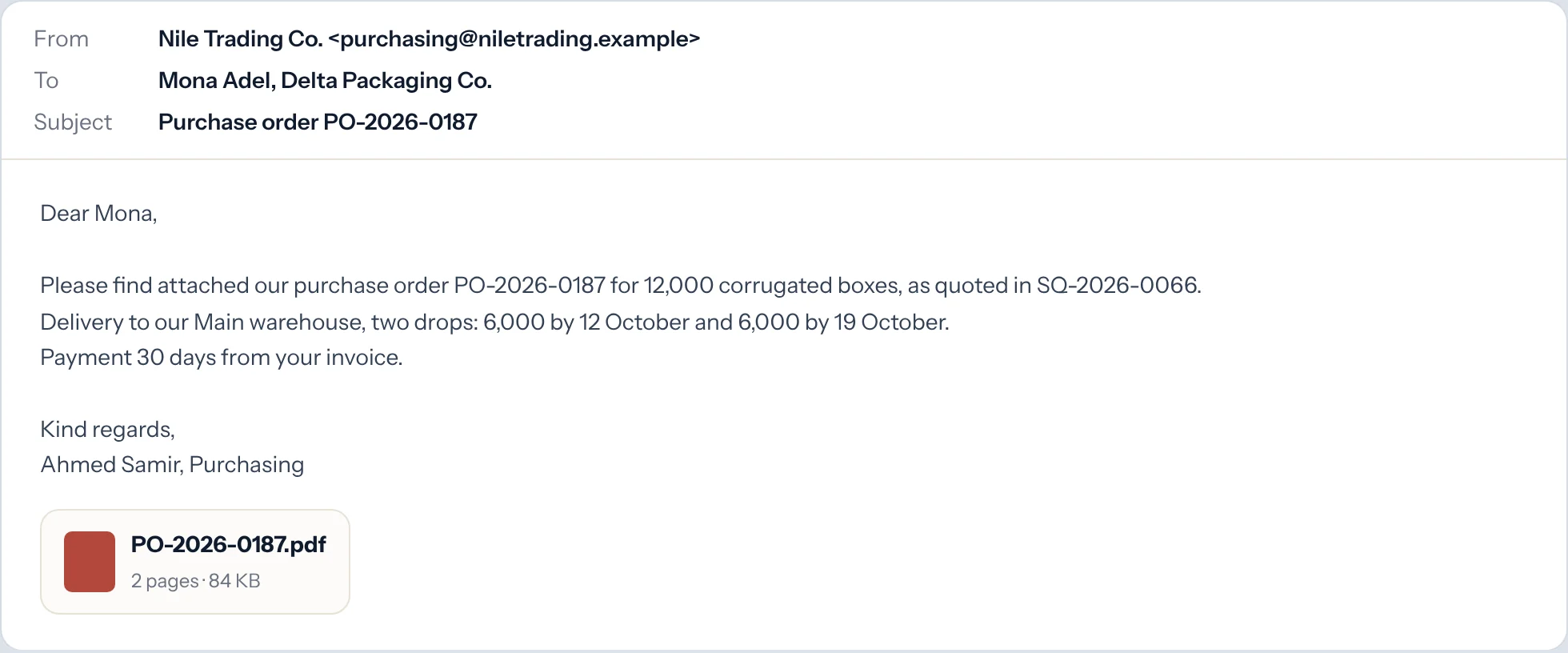
Sent from the order
The PDF goes to the supplier contact in one click.
Partial deliveries
Receive part now and keep the order open until it is complete.
Rejected goods
Record damaged or wrong items at the door. A debit note follows.
Keep the bills. Claim the tax.
Bills fill themselves in from the order and the receipt. Input VAT is recorded for your return, and withholding is worked out.
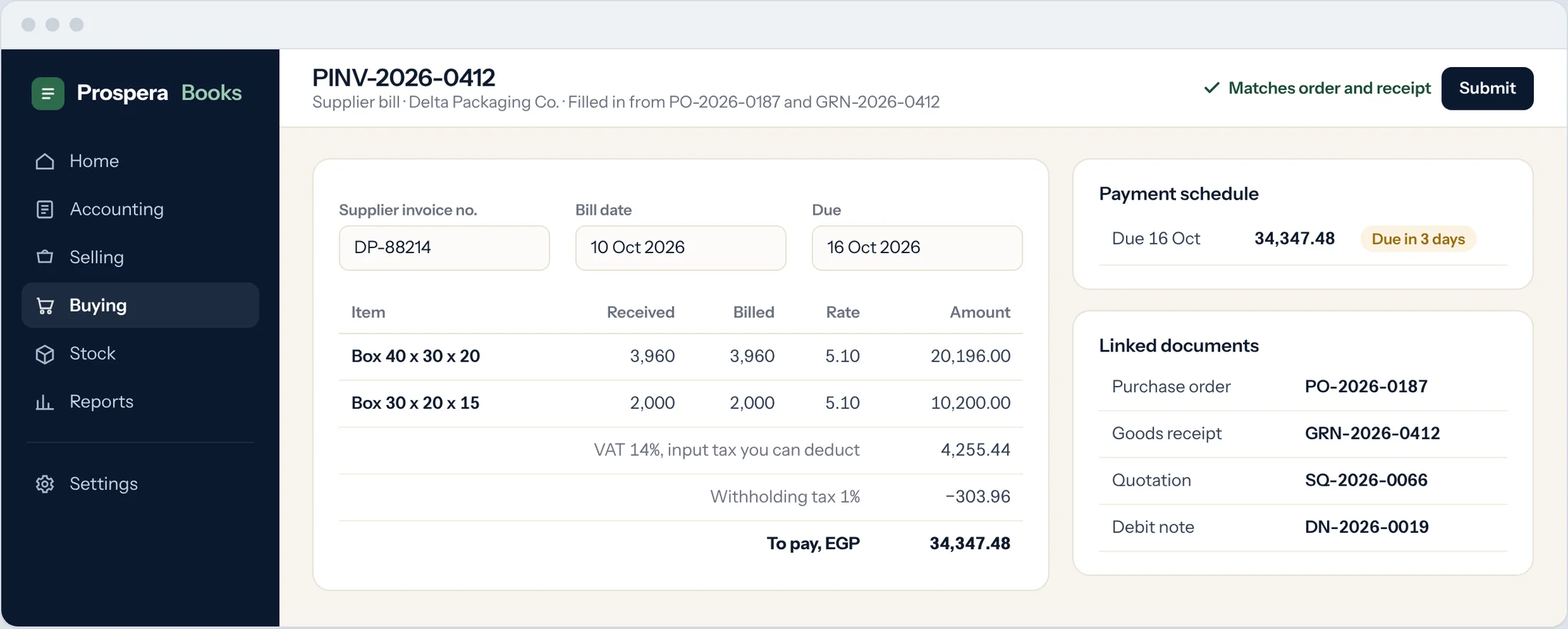
Filled in for you
Items, quantities and agreed prices come from the order and the receipt.
VAT and withholding
Input VAT you can deduct and withholding tax on every bill.
Payments and instalments
Track what is due, pay in parts, and see the status on each bill.
Know where the money goes.
Spend by month, supplier and item group, with open orders and what is still to arrive.
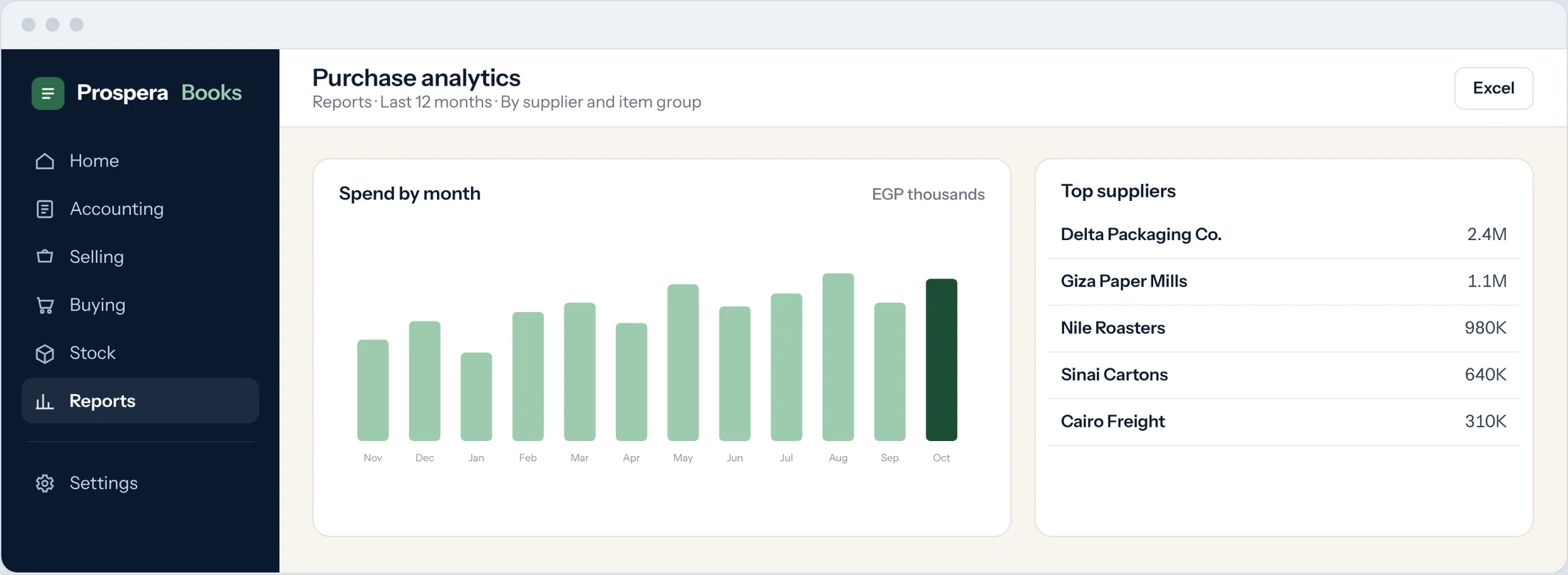
Purchase analytics
Spend trends by supplier, item and period.
What is still to arrive
Ordered against received, by order and supplier.
Export anything
Every report to Excel or PDF in one click.
No surprises between request and payment.
Agreed prices, respected budgets and every cost counted, on every order.
Yearly price agreements
Lock a supplier's price for the year. Every order against it uses the agreed price.
Requests that raise themselves
When stock runs low, the purchase request is raised for you.
Any currency
Buy in dollars or euros. Exchange differences post when you pay.
Returns and debit notes
Send goods back and the supplier's bill is reduced in the same step.
Landed cost
Freight, customs and clearing added to each item, so your margins are real.
PremiumBudgets that hold
Stop or warn when a request goes over its budget.
PremiumThe purchase cycle comes with Grow.
Grow adds purchasing, sales and stock to the full ledger, with three people included. Landed cost, budgets and approvals come with Premium.
Compare all three plansQuestions.
Can I link a supplier bill to its purchase order?
Yes. Create the bill from the order or the receipt and the link is kept both ways.
Can I send a quotation request to several suppliers at once?
Yes. Pick the suppliers or a supplier group and send one request to all of them.
Can I track payments and instalments on supplier bills?
Yes. Each bill has a payment schedule and shows what is paid and what is due.
Can a quotation become a purchase order?
Yes, in one click, with the quoted prices.
Can a purchase order become a bill?
Yes. The bill fills in from the order and what was received.
Is purchasing linked to stock?
Yes. Receipts add to stock in the right warehouse, and low stock raises new requests.
Can I receive part of an order and keep it open?
Yes. Receive in as many deliveries as needed. The order stays open until it is complete.
Buy smarter from next month.
Try it free for 14 days, or book a demo and we will map your purchasing steps with you.