
Every dollar, in its place.
A chart of accounts ready on day one. Journals that post themselves. And every invoice signed and sent to the Tax Authority the moment you submit it.And tax on every invoice worked out the moment you submit it.

A chart of accounts that fits on day one.
Start with a chart that follows Egyptian practice, loaded by our team, or bring your own from Excel. Then shape it as you grow.Start from a ready-made chart for your country or our standard chart, loaded by our team, or bring your own from Excel. Then shape it as you grow.
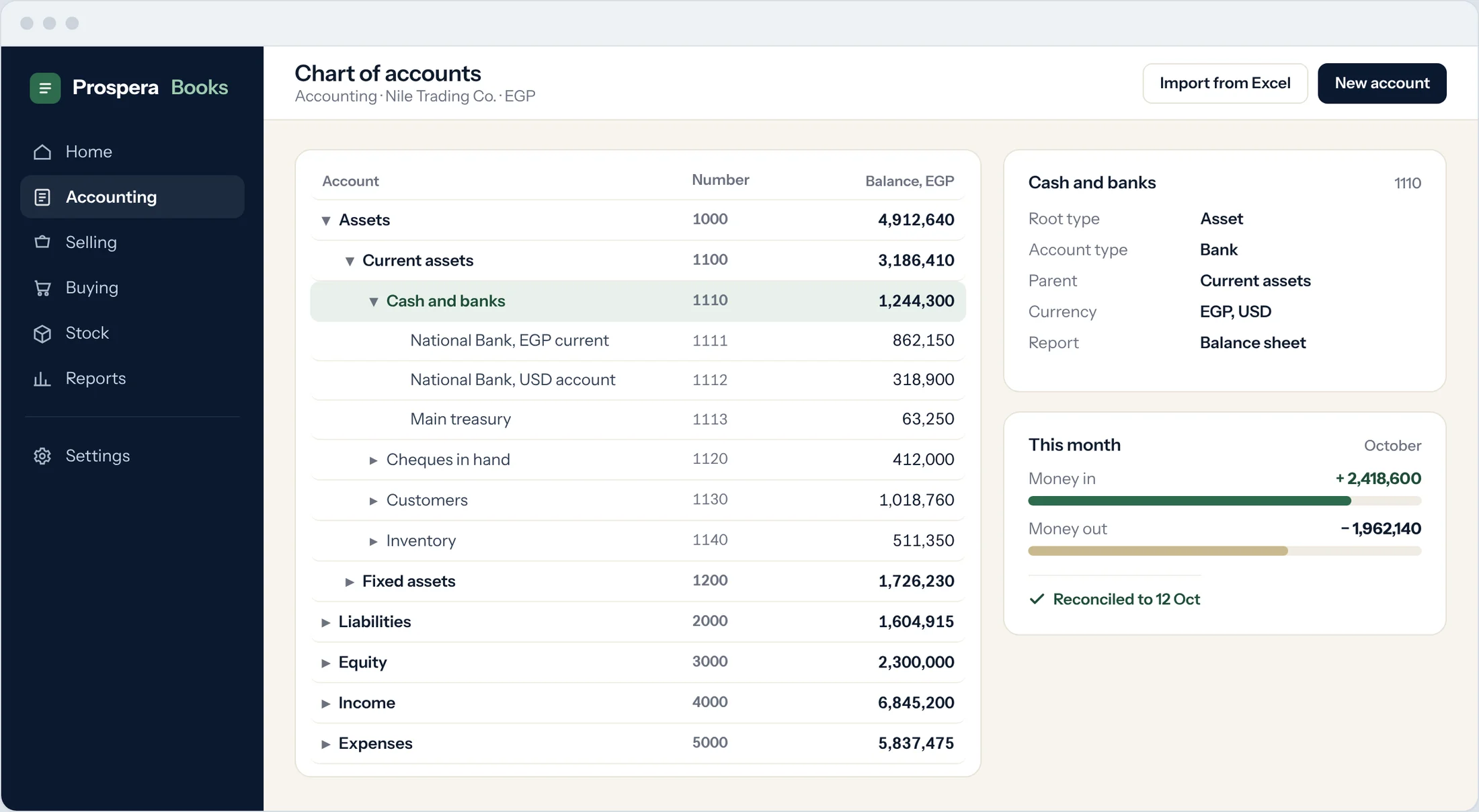
Ready-made, and fully yours
Groups, ledgers and account numbers you can add, rename, move or retire at any time. History stays intact.
Every account knows its job
Types such as Bank, Receivable, Payable, Tax and Stock put the right accounts in the right places, so nobody posts to the wrong one.
Freeze what is finished
Freeze a single account, or lock a whole month once it is closed. Only the roles you choose can change it.
Invoice once. The Tax Authority already has it.
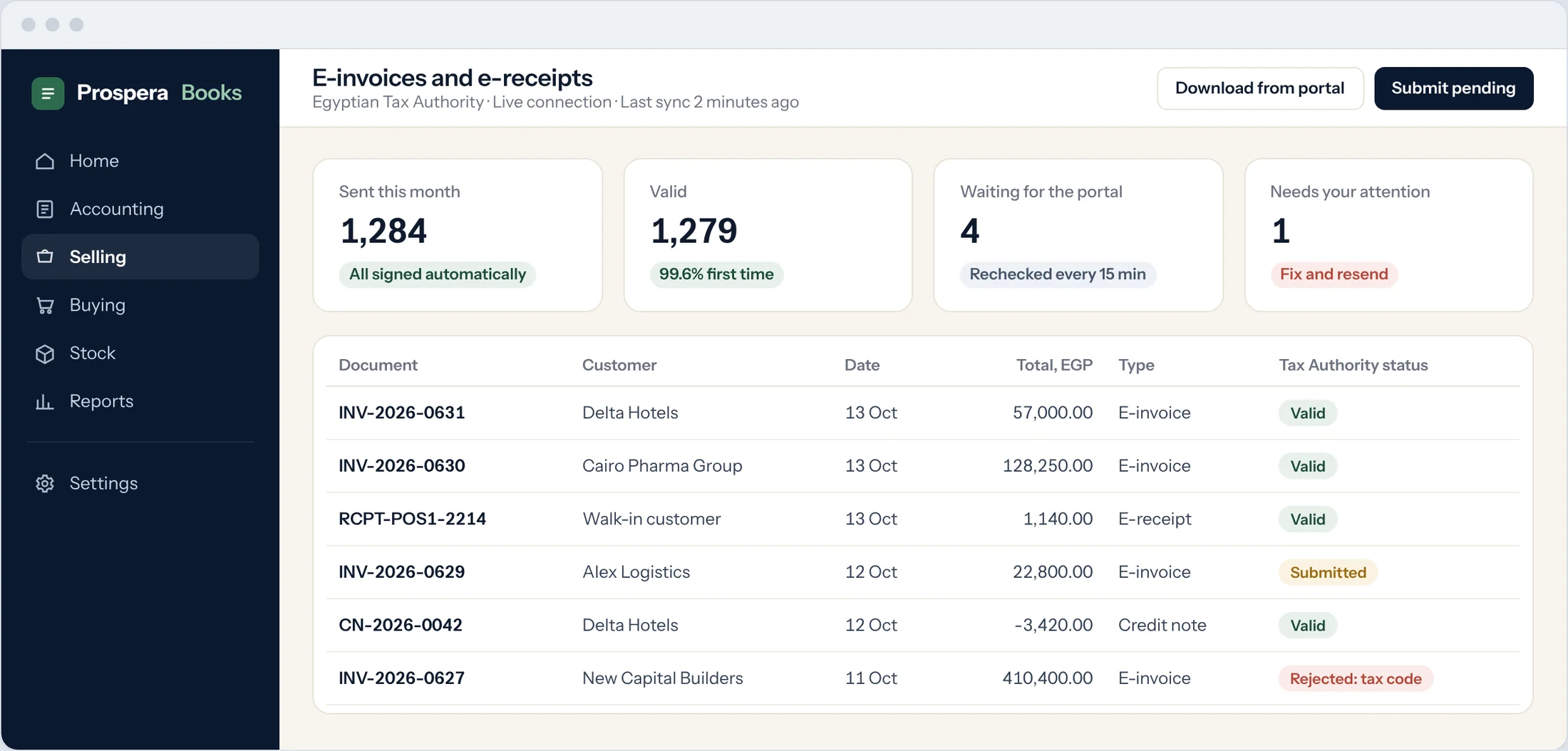
Prospera Books is fully integrated with the electronic invoicing system introduced by the Egyptian Tax Authority, and with Egypt's e-receipt system. You keep selling. The paperwork takes care of itself.
ETA-compliant, signed and sent
Invoices, credit notes and debit notes carry your electronic signature and go to your account on the Egyptian Tax Authority system the moment you post them. The status comes back to the document.
E-receipts at the counter
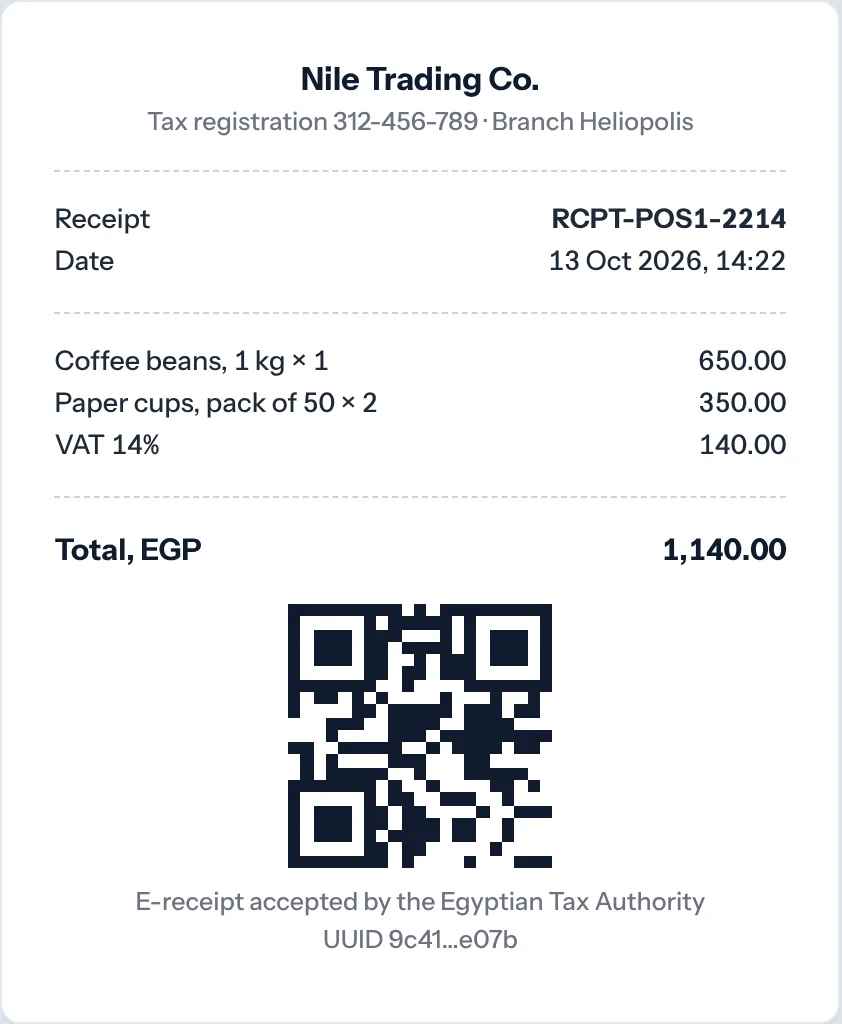
Issue e-receipts through the integration with Egypt's e-receipt system as each sale is made, with the QR code your customer can check.
Rejected? You see why
The reason shows on the invoice itself. Fix it, resend it, and the history is kept.
Your approved ERP on the portal
We add Prospera Books as the approved ERP system on your e-invoice portal account, generate the keys that link the two, and test with you before your first live invoice. For companies in Egypt, connecting costs nothing extra.
Journals that write themselves.
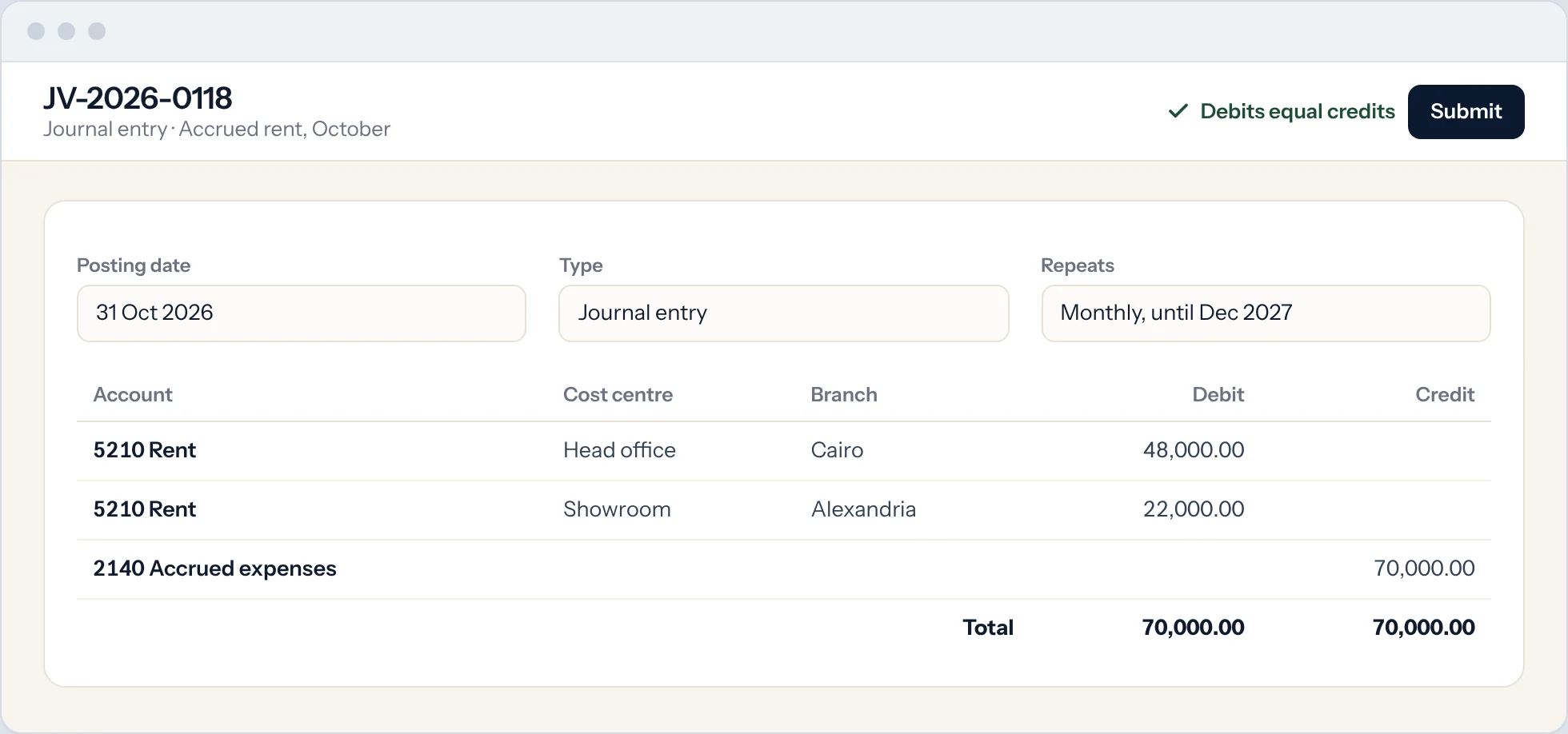
Every sale, purchase, payment and stock movement posts its own entry. You only write the ones that need a person.
Posted by the documents
Invoices, bills, payments, receipts and deliveries create balanced entries with the right accounts, taxes and cost centres.
Repeat on a schedule
Rent, accruals and depreciation repeat monthly on their own. Templates fill in the accounts you use every time.
Reverse in one step
A wrong entry is reversed, never deleted. Every correction leaves a clear trail for your auditor.
Every number, one click from its source.
Open the balance sheet, click a figure, and land on the invoice behind it. No exports. No guessing.
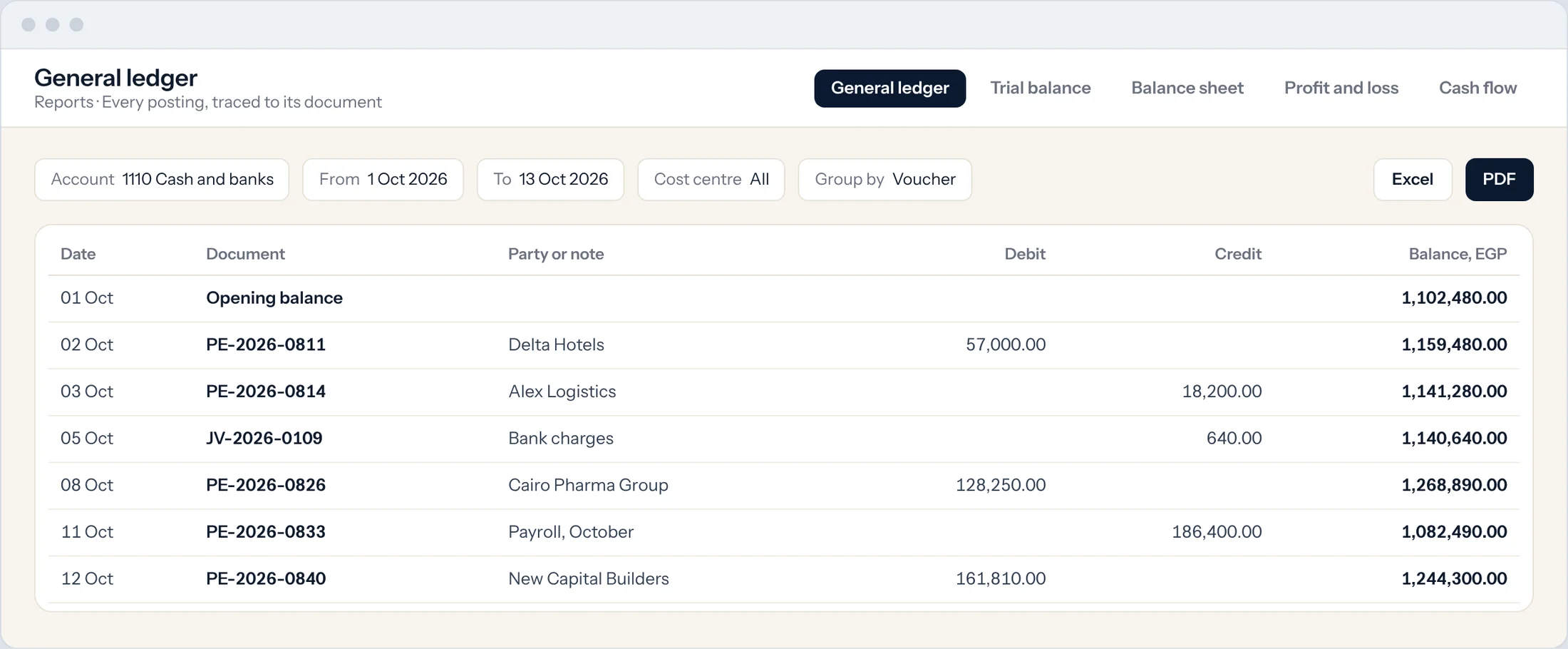
The statements you need
General ledger, trial balance, balance sheet, profit and loss, cash flow, and who owes you by age.
Sliced your way
Filter any report by cost centre, branch, project or company, and compare periods side by side.
Your layout, your board pack
Print or export any report to PDF and Excel in one click. Design your own statement layouts.
Banks and cheques, reconciled.
Import the bank statement and match it in minutes. Track every cheque from the day you receive it to the day it clears.
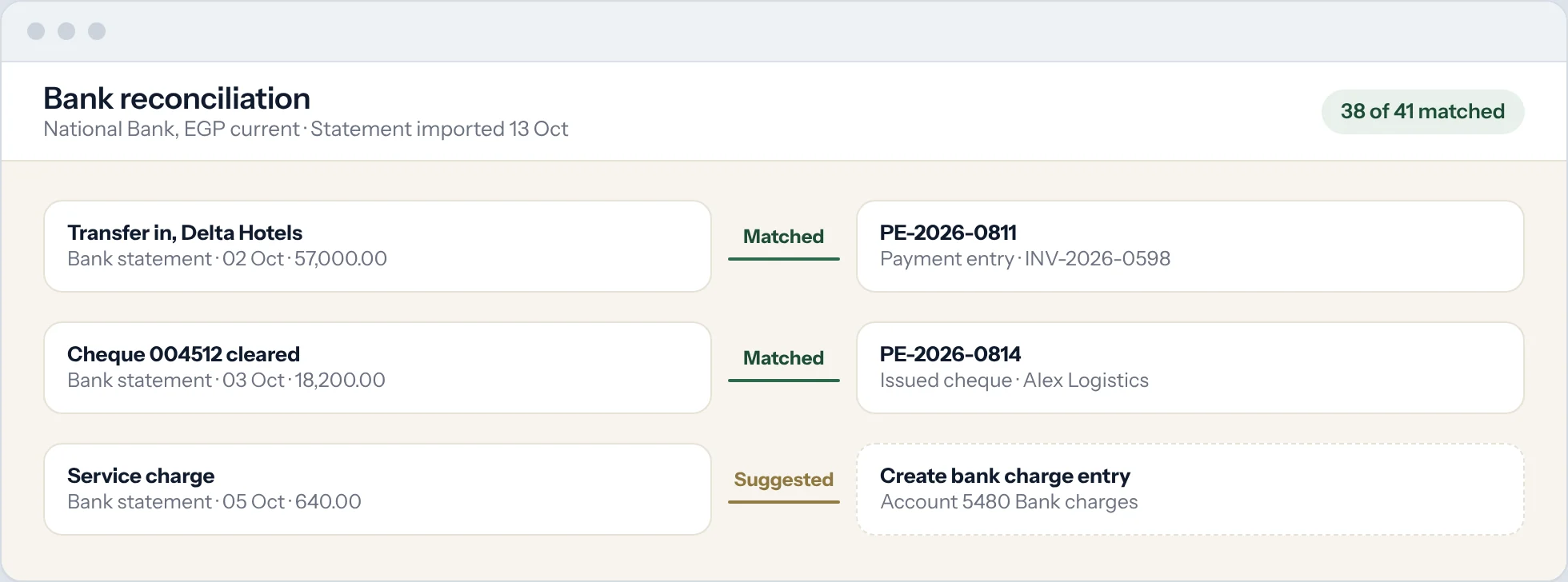
Match the statement
Statement lines are matched to payments and receipts. Anything left over becomes an entry in one click.
Cheques, printed and cleared
Record each cheque with its number and date, print it on your bank's layout, and clear it against the bank statement.
Every currency
Hold accounts in pounds, dollars and euros. Exchange differences are calculated and posted for you.
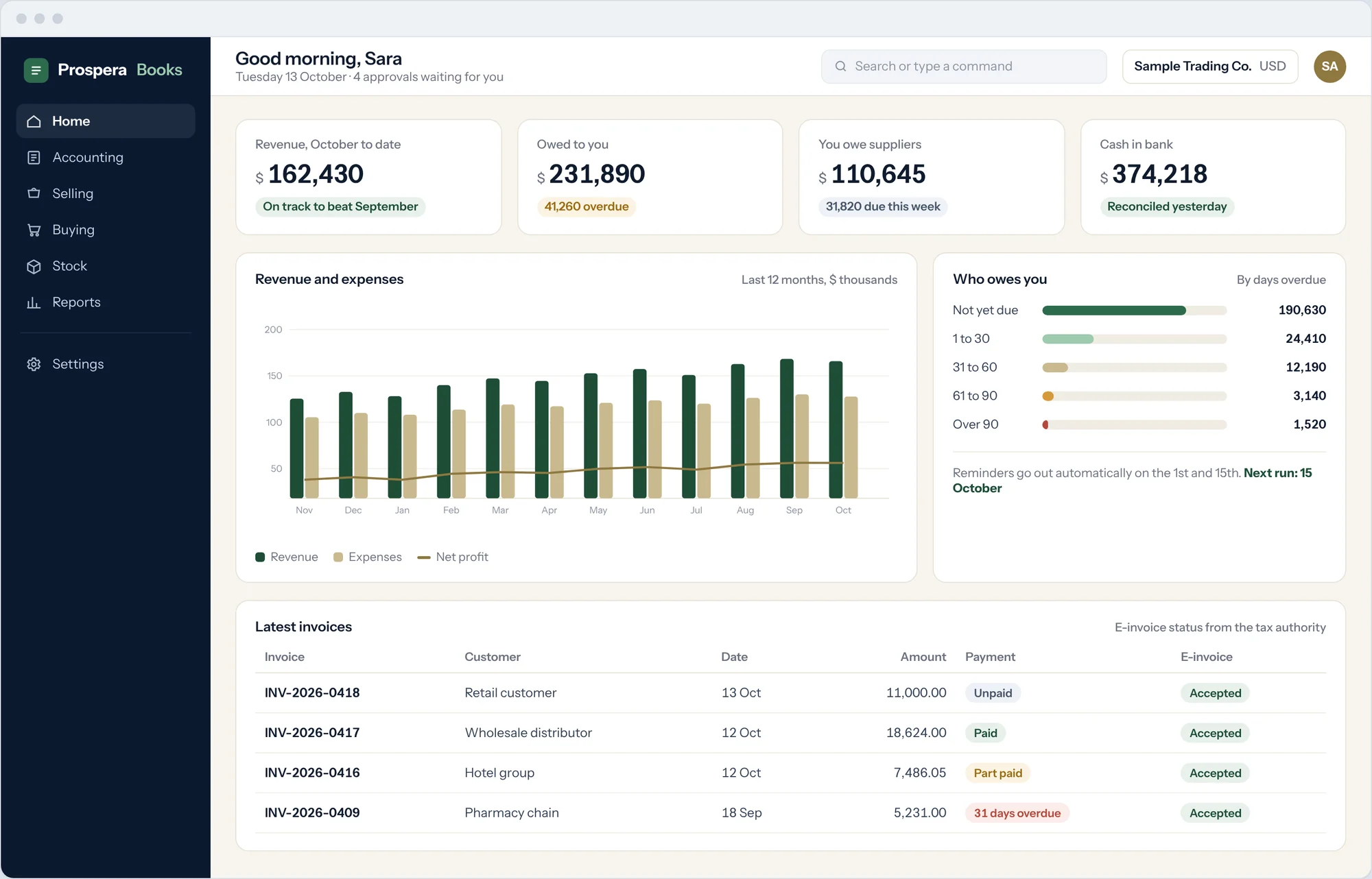
Know where you stand. Before you ask.
The figures owners actually want, ready on the home screen every morning.
- Cash in every bank, updated as payments arrive
- Who owes you, by days overdue
- What you owe, and what is due this week
- Profit this month against last month
- E-invoices waiting for the Tax Authority
Close the month. Trust every number.
Six tools large finance teams rely on, sized for a company of five, so every figure can be traced to its source.
Profit by branch and project
Tag income and costs to a branch, department or project, and see which ones actually make money.
Tax right on every line
VAT and withholding come from templates on each item and supplier bill, so no one works out tax by hand.
A closed year stays closed
Profit moves to equity and the period is locked, so last year's figures cannot be changed.
Depreciation without spreadsheets
Register each asset once, and depreciation posts every period on its own.
Overspending caught before it happens
Spending above budget is flagged or stopped, by cost centre or project.
Every company, one view
Run several companies with one login, and see them together in consolidated reports.
Questions.
Can I send e-invoices to the Tax Authority from Prospera Books?Does Prospera Books follow my country's tax rules?
Yes. Prospera Books is fully integrated with the Egyptian Tax Authority e-invoice system. Each invoice, credit note and debit note is issued to the requirements set by the Tax Authority, signed, and sent to your account on its system, and the status shows on the document.Yes. Prospera Books works in any currency, with VAT and withholding on every line and a ready-made chart of accounts for your country, or your own. E-invoicing is live for Egypt and VAT returns for the UAE. For other countries, we confirm the local tax scope in writing before you sign.
How do I link Prospera Books to my Tax Authority account?How do I link Prospera Books to the Egyptian Tax Authority?
Three steps, and we do them with you. Add Prospera Books as the approved ERP system on the e-invoice portal. Generate the secret keys that link Prospera Books with the Tax Authority website. We enter them, send a test invoice, and you are live.
Is connecting to the Egyptian Tax Authority included in my subscription?
Yes.
Can I issue e-receipts in line with Egypt's e-receipt system?
Yes. Prospera Books issues e-receipts through its integration with Egypt's e-receipt system, with the QR code required on every receipt.
Can I import my existing chart of accounts?
Yes. Send us your chart in Excel and we load it for you, or start from our standard chart that follows Egyptian practice.or start from a ready-made chart for your country. You can change it at any time.
Can my outside accountant work in it?
Yes. Give them their own login with the access they need. They see the same numbers as you, live.
Can I stop people changing a closed month?
Yes. Lock a period or freeze individual accounts. Only the roles you choose can post into them.
Does it handle dollars and euros?
Yes. Keep bank accounts, invoices and bills in any currency. Exchange gains and losses are calculated and posted automatically.
Is my data mine?
Always. Export everything to Excel at any time. Backups run automatically every day.
Your books. Closed on time.
Show us how you keep your books today and we will show you the same month in Prospera Books.