
The routine, done for you.
Rule-based workflows act on real business events. They assign, remind, ask for approval and escalate, and you can change them any time.

When this happens, do that.
Pick the event, set the conditions and choose the actions. Branches handle the yes and the no.
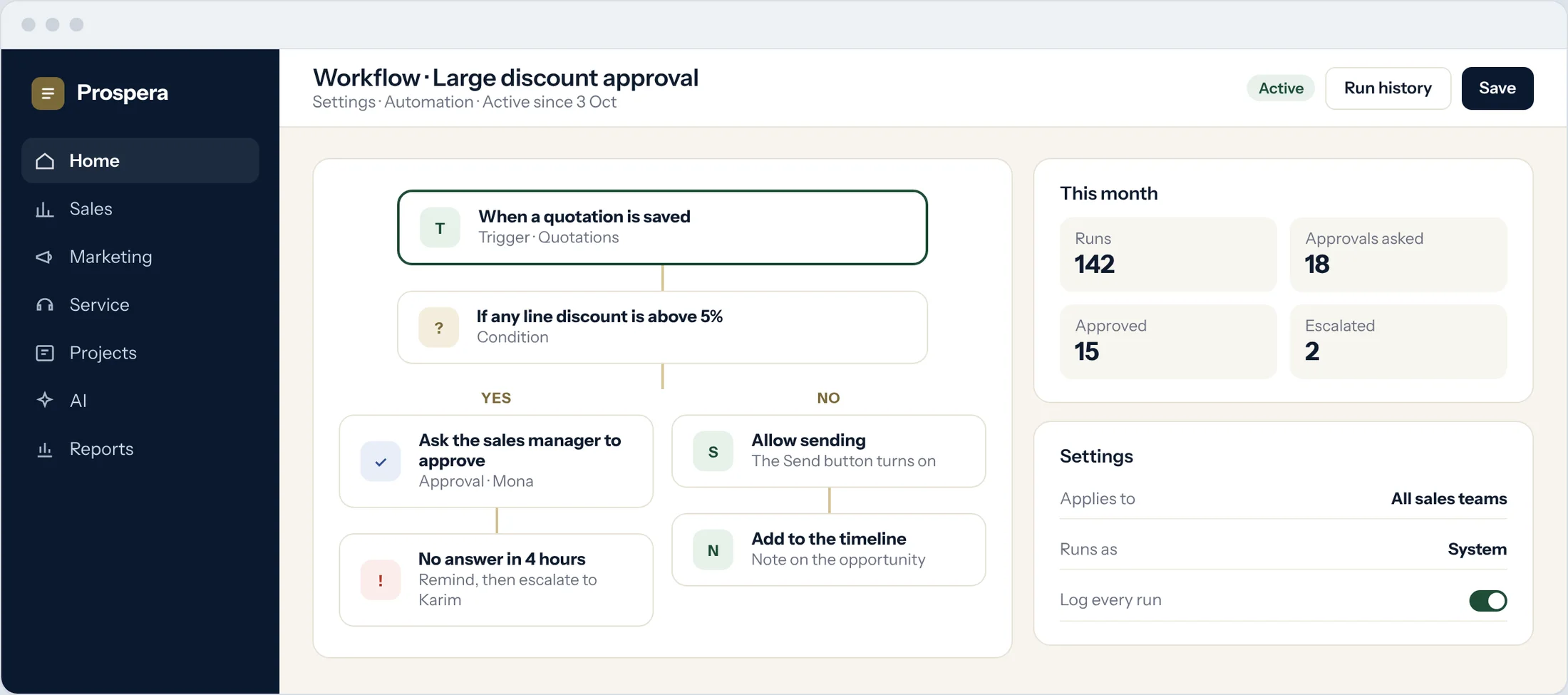
Triggers
A record is created, saved or reaches a stage.
Conditions
Act only when the rule is true.
Approvals and escalations
Ask a manager, remind, then escalate.
See what runs your business.
Every rule, what it does, which app it works on and how often it ran. In Prospera ERP Suite, an accepted quote can create the order and pass it to Prospera Books. We connect the two for you during setup.
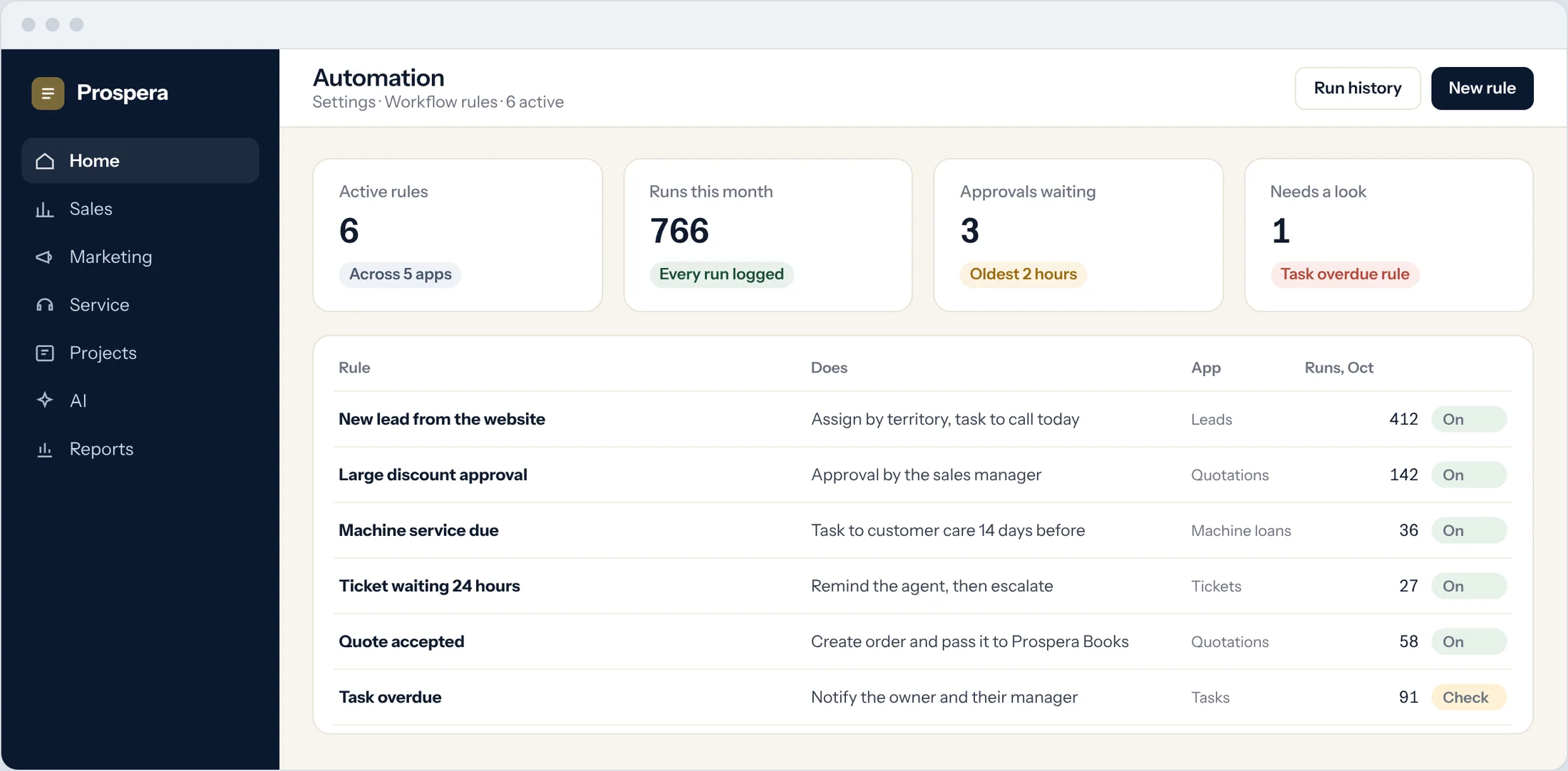
Across apps
Leads, quotations, tickets, tasks and your own apps.
Runs counted
See how often each rule acts.
Needs a look
Rules that need attention are flagged.
One button, the whole process.
Add buttons to any screen that start a workflow, such as an approval or a service request.
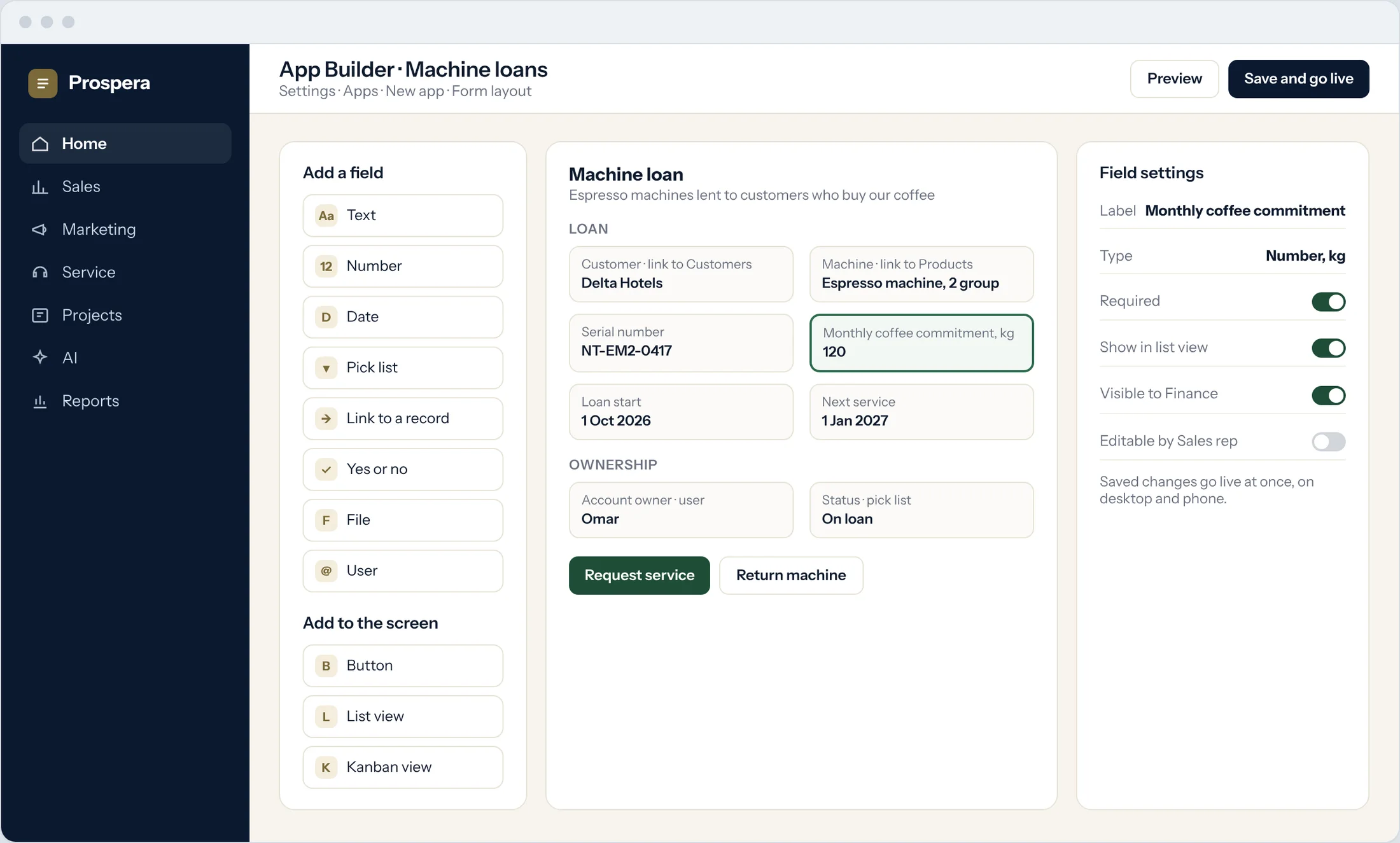
Approval buttons
Send a record for approval with one click.
Start a flow
A button can run the steps that follow.
By role
Show each button only to the people who need it.
Less chasing, more doing.
Six things teams automate first.
Assignments
New leads and tickets reach the right person.
Reminders
Follow-ups and due dates, never forgotten.
Approvals
Discounts, prices and spending checked first.
Escalations
Waiting too long goes to a manager.
Agents on a schedule
Prospera Intelligence agents run on rules, triggers or schedules.
Change any time
Adjust a rule without rebuilding anything.
Questions.
Do we need to write code?
No. Rules are built from triggers, conditions and actions. Developers can add scripts for advanced logic.
Which records can a rule act on?
Records across the suite, such as leads, quotations, tickets and tasks, and the apps you build yourself.
Can we change a rule later?
Yes. Change the logic any time, and the new version applies from the moment you save.
Can rules post to the books?
No posting happens in the front office. An accepted quote passes to Prospera Books as an order, so every transaction is posted once.
Let the rules do the routine.
Book a demo and we will map your first workflows with you.