
Quotes that close.
Build a quote in minutes with the right options, discounts and promotions. Rules send it for approval, every version is kept, and the accepted quote becomes an order without retyping.

The right price, every time.
Start from a template, pick products with their options, and let price lists, discounts and promotions apply themselves.
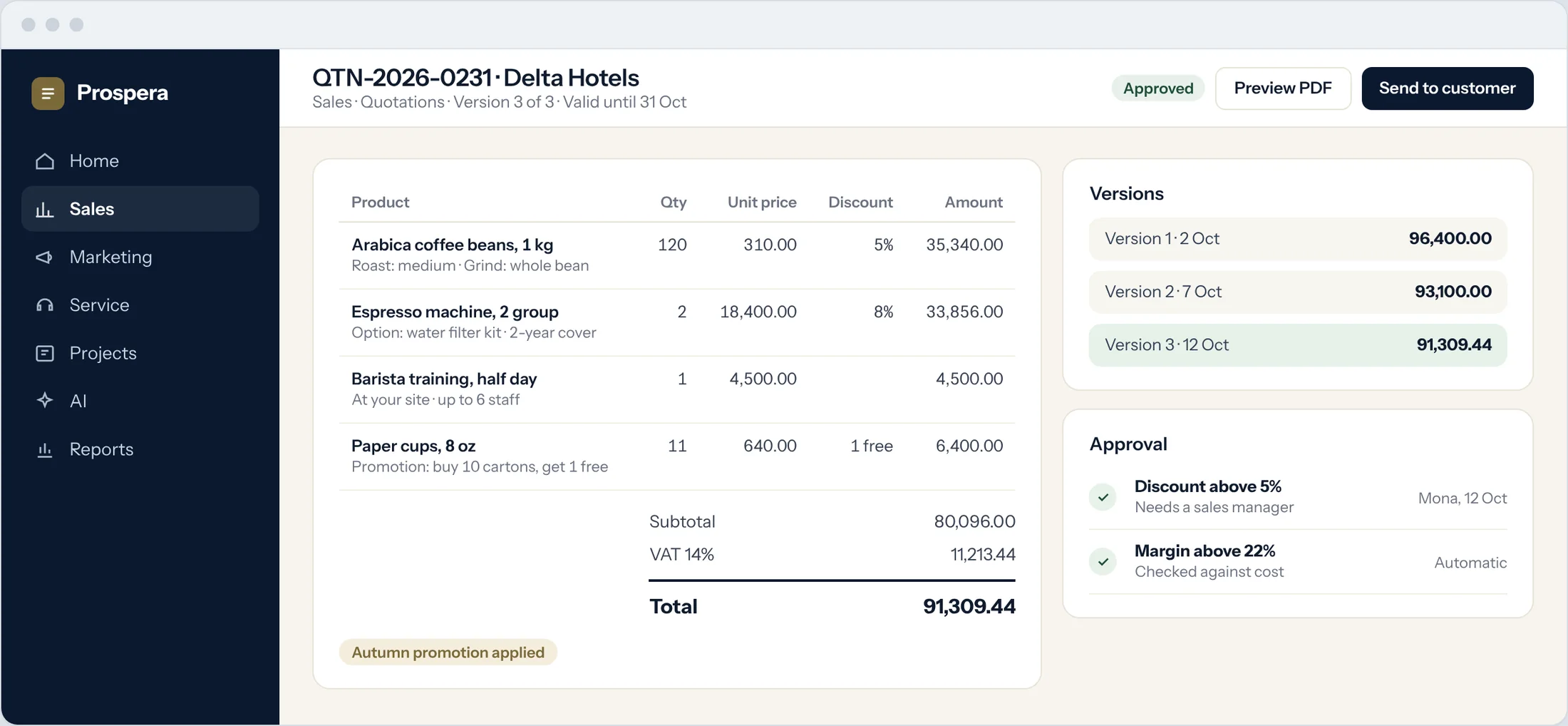
Product options
Configure each item with its options, from grind size to service cover.
Discounts and promotions
Line and order discounts, and promotions such as buy ten, get one free.
Any currency
Quote in the customer's currency, with your tax rules applied.
Every version, on the customer record.
Each quote, revision and reply sits on the customer's timeline, so anyone on the team can pick up the conversation.
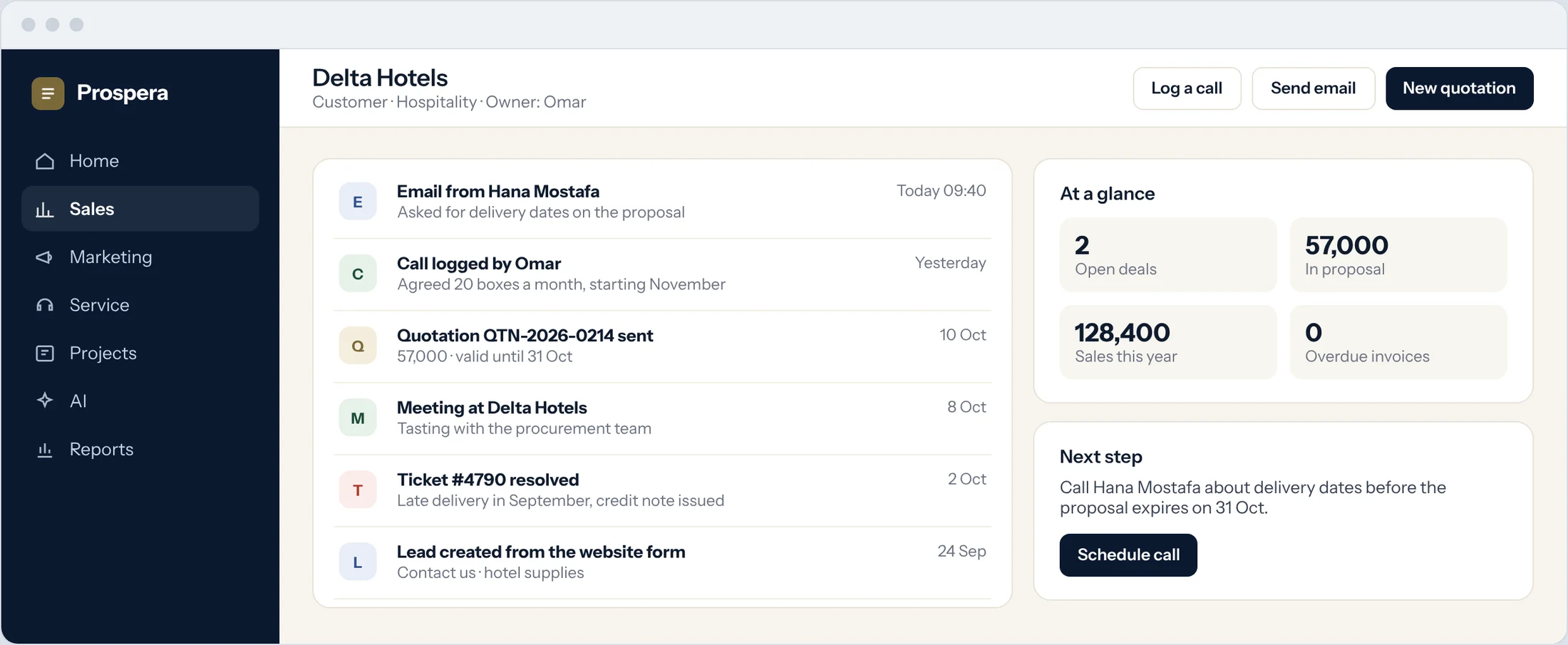
Versions kept
See every version and what changed between them.
Approval trail
Who approved what, and when, stays with the quote.
Sent from the record
Email the quote from the customer, and see the reply there.
Accepted means ordered.
When the customer accepts, the quote becomes an order. In Prospera ERP Suite the order passes to Prospera Books, which reserves the stock and raises the invoice. We connect the two for you during setup.
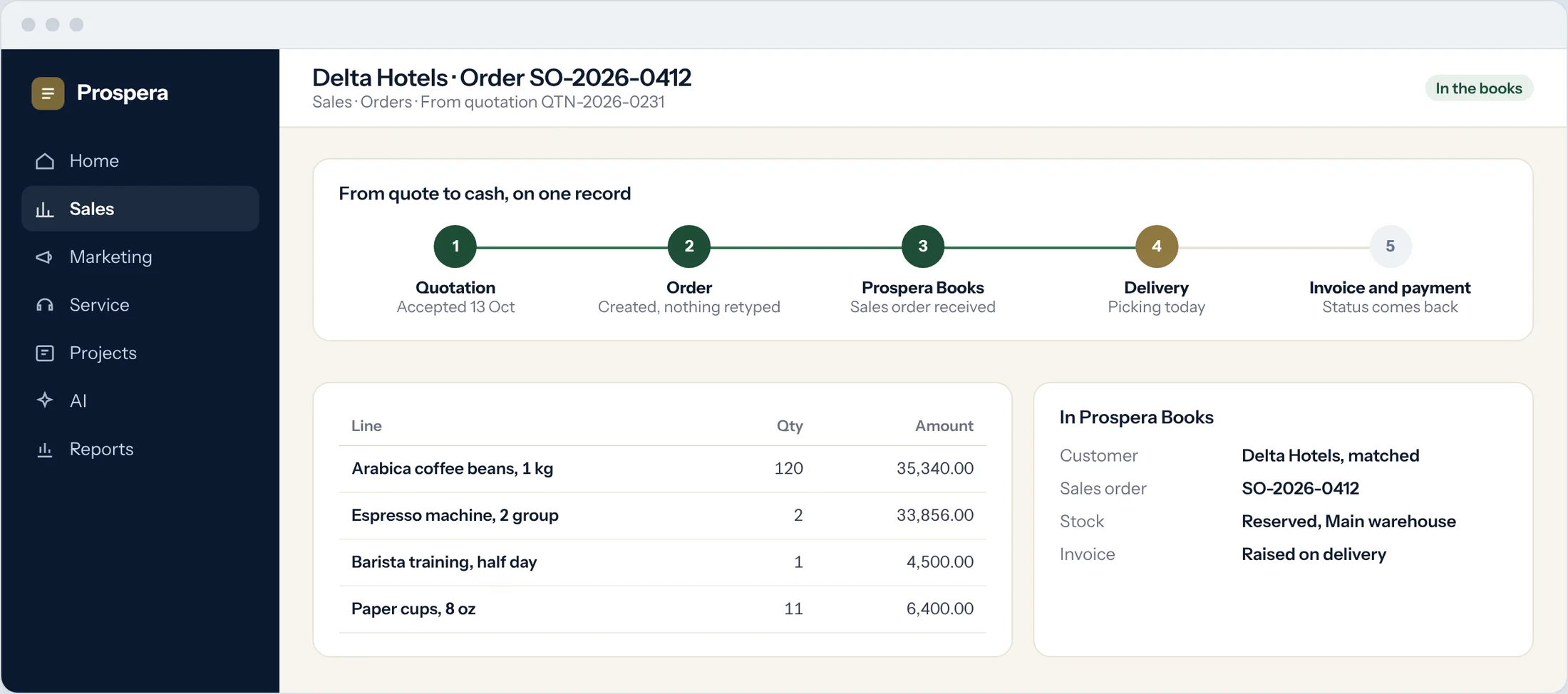
No retyping
The order is created from the quote, line for line.
Stock reserved
Prospera Books reserves the items in the right warehouse.
Invoice on delivery
Raised in the books, so every sale is posted once.
Everything a good quote needs.
Six details that save your team time.
Quote templates
Start every quote from a template with your terms.
Approval rules
Discounts, prices and margins checked before sending.
Customer portal
Customers review offers and place orders online.
Price lists
The right price for each customer group.
Multi-currency
Quote in the currency your customer pays in.
Quote reports
Sent, accepted and lost, by owner and product.
Questions.
Can customers accept online?
Yes. Customers can review offers and place orders in the customer portal.
Who approves discounts?
You decide. Rules send a quote to a manager when a discount, price or margin crosses the limit you set.
Where is the invoice made?
In Prospera Books, when the order is delivered, so every sale is posted once.
Can we quote products and services together?
Yes. Products, services and training can sit on the same quote.
Send better quotes, faster.
Book a demo and we will set up your price lists and approval rules with you.