
The sale is the start.
Keep a complete view of every account after the win, see renewal, expansion and cross-sell from real customer activity, and handle returns without losing the thread.

Know which accounts need you.
Renewal, expansion and cross-sell flags come from what customers actually do, and every account has an owner.
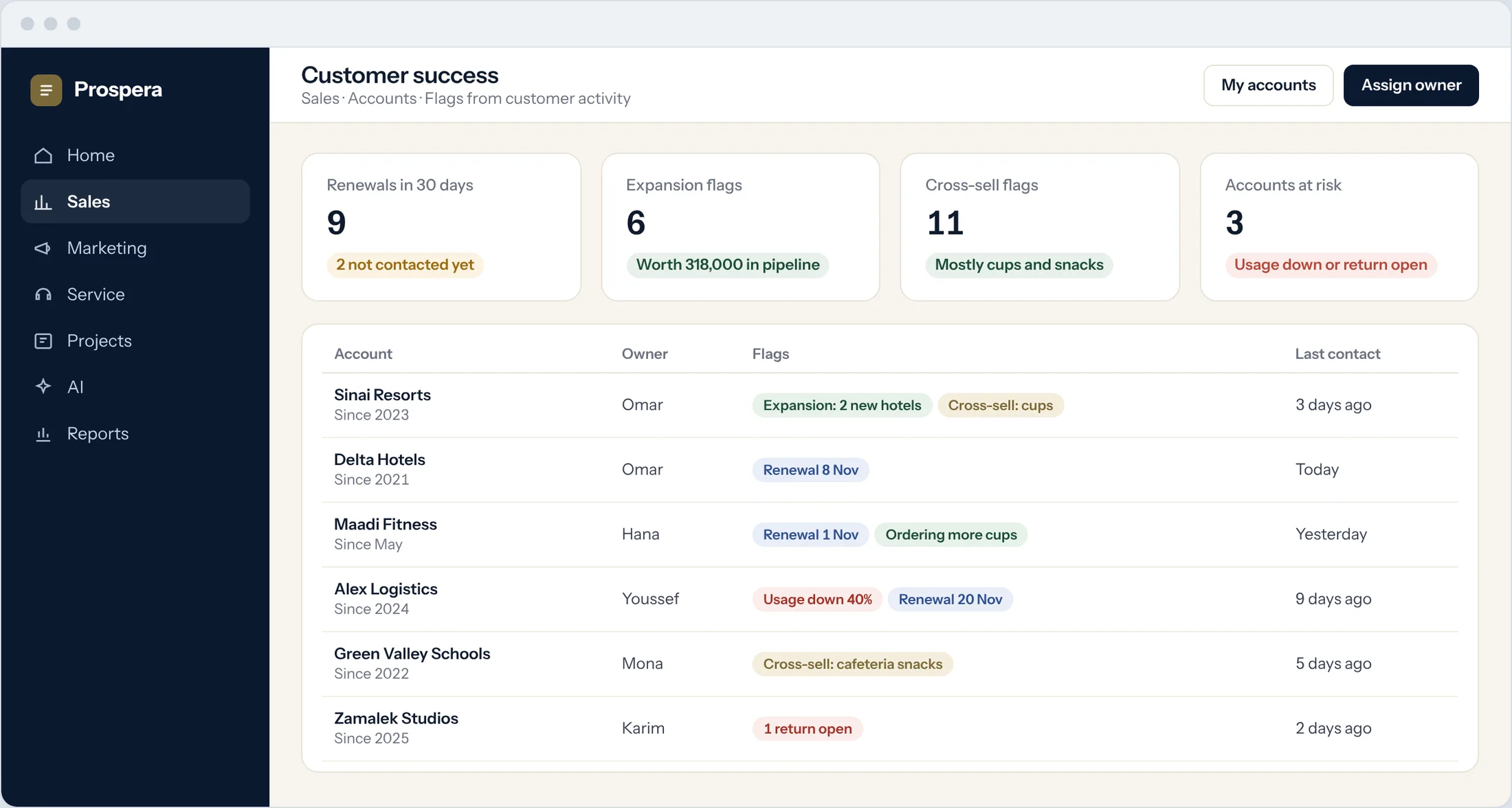
Renewals
Every renewal in the next 30 days, with who has been contacted.
Expansion and cross-sell
Customers ordering more, or buying elsewhere what you sell.
Accounts at risk
Usage down or a return open, flagged for the owner.
Grow the account, not just the deal.
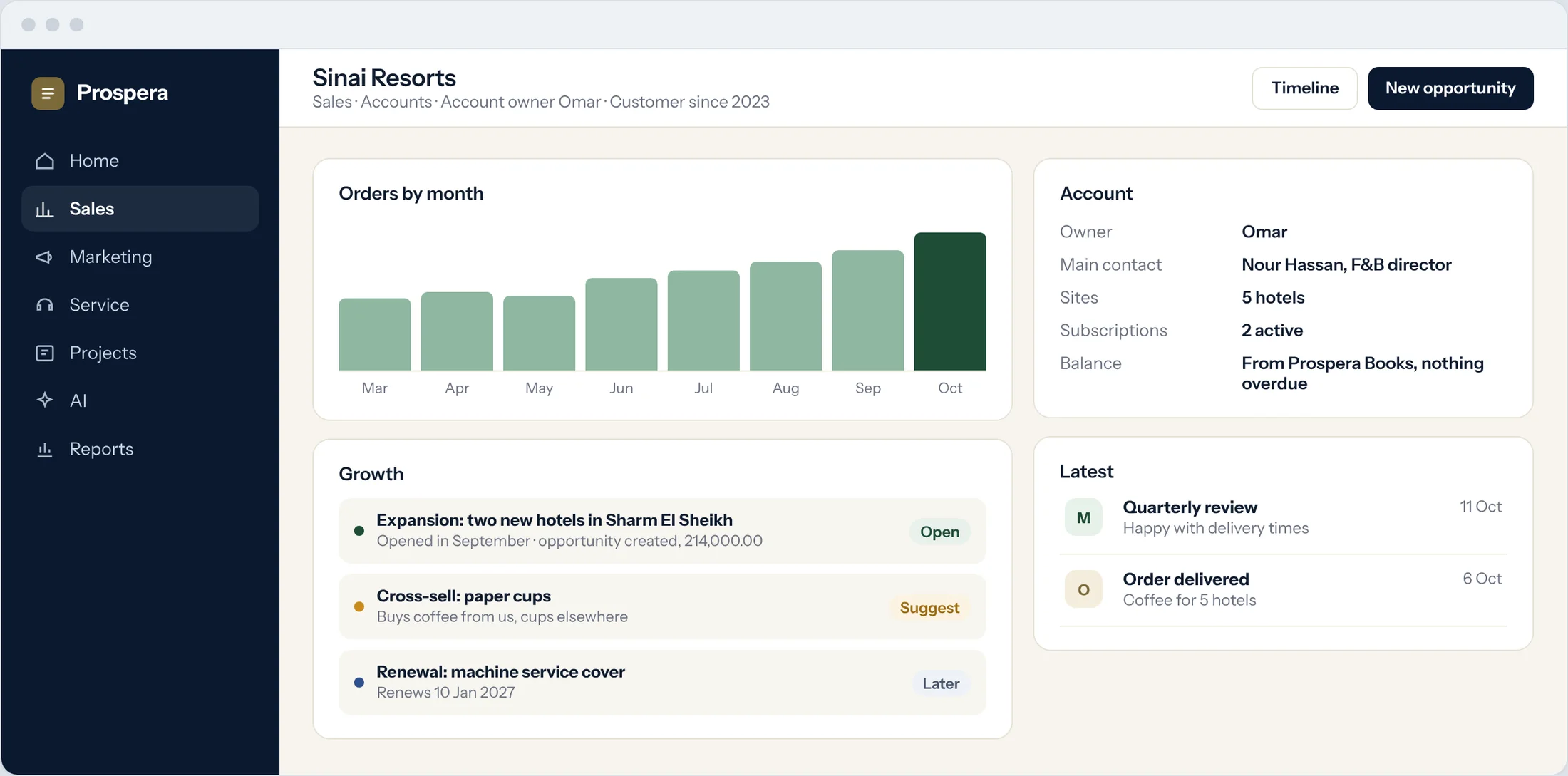
One view of the account after close: what they buy, who they are, what is next and what they owe, from Prospera Books.
Orders over time
See whether the account is growing.
Next opportunity
Create the expansion deal from the flag.
Balance from the books
Open invoices and payments from Prospera Books.
Returns, handled properly.
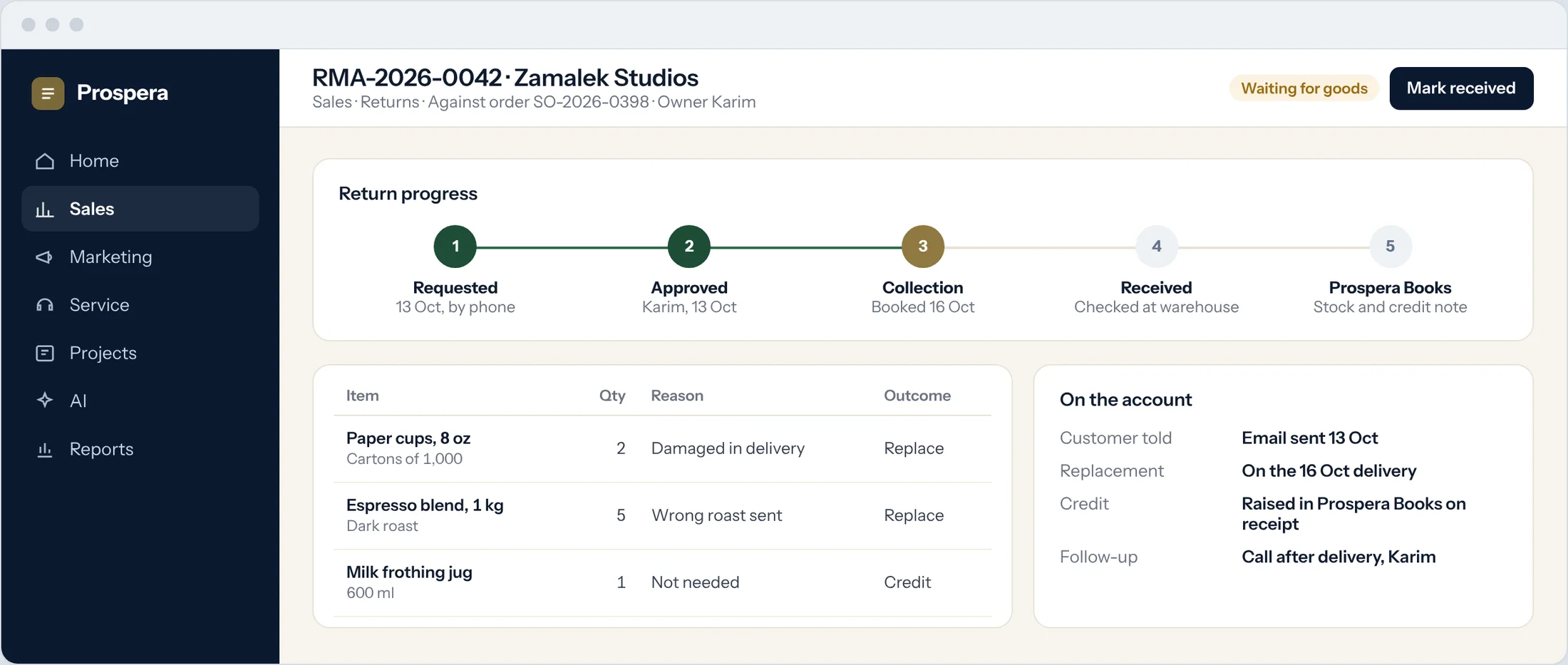
Log a return against the order, approve it, and track it until the goods are back. The stock and the credit note are handled in Prospera Books. We connect the two for you during setup.
Against the order
Each return line points to what was delivered.
Approval and reasons
Replace or credit, with the reason recorded.
Stock and credit in the books
Prospera Books receives the goods and raises the credit.
Customers who stay and grow.
Six details for teams that look after accounts.
Account owner
Every account has an owner after the sale.
Review reminders
Regular account reviews on the calendar.
Email from the record
Every message linked to the account.
Subscriptions in view
Plans and renewals on the account page.
Customer portal
Customers see their orders and documents.
Account reports
Renewals, growth and returns by owner.
Questions.
Where do the flags come from?
From real customer activity, such as orders, renewal dates and returns. Your team sets the rules that raise each flag.
Who handles the credit note for a return?
Prospera Books. Sales Cloud tracks the return and its approval. The goods are received and the credit note is raised in Prospera Books.
Can account managers see what a customer owes?
Yes. The balance and payment status come from Prospera Books and show on the account.
Can we create a deal from an expansion flag?
Yes. Open the flag and create the opportunity, linked to the account and its history.
Grow the customers you have.
Book a demo and we will set up your account reviews with you.