
Plans people follow.
Break the work into tasks, link them with dependencies, and set the milestones your customer cares about. Start every new project from one that worked.

Move one date. The plan follows.
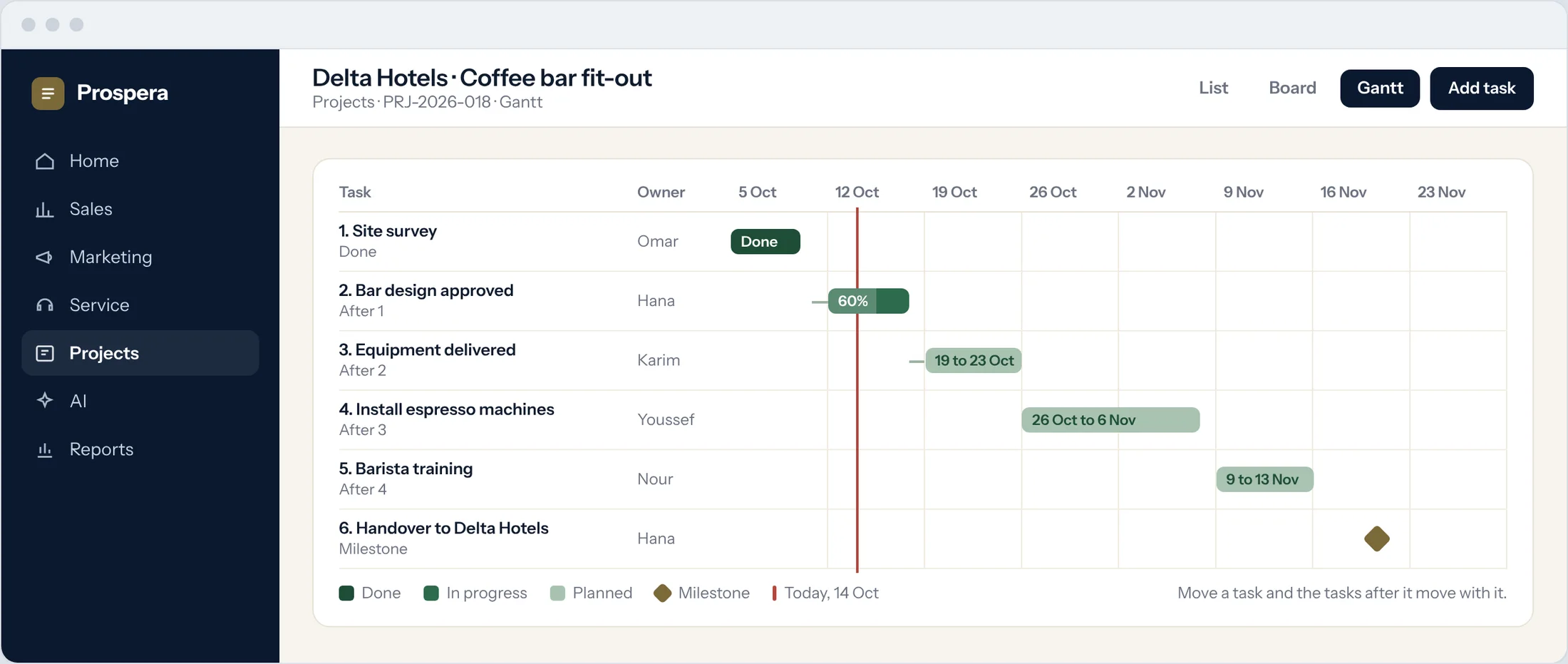
Gantt charts show every task, its owner and what it depends on. Change a date and the tasks after it move with it.
Dependencies
A task starts when the one before it is done.
Subtasks
Split big tasks into small ones, or into mini-projects.
Start and due dates
Every task has its dates and its owner.
The dates that matter, in plain sight.
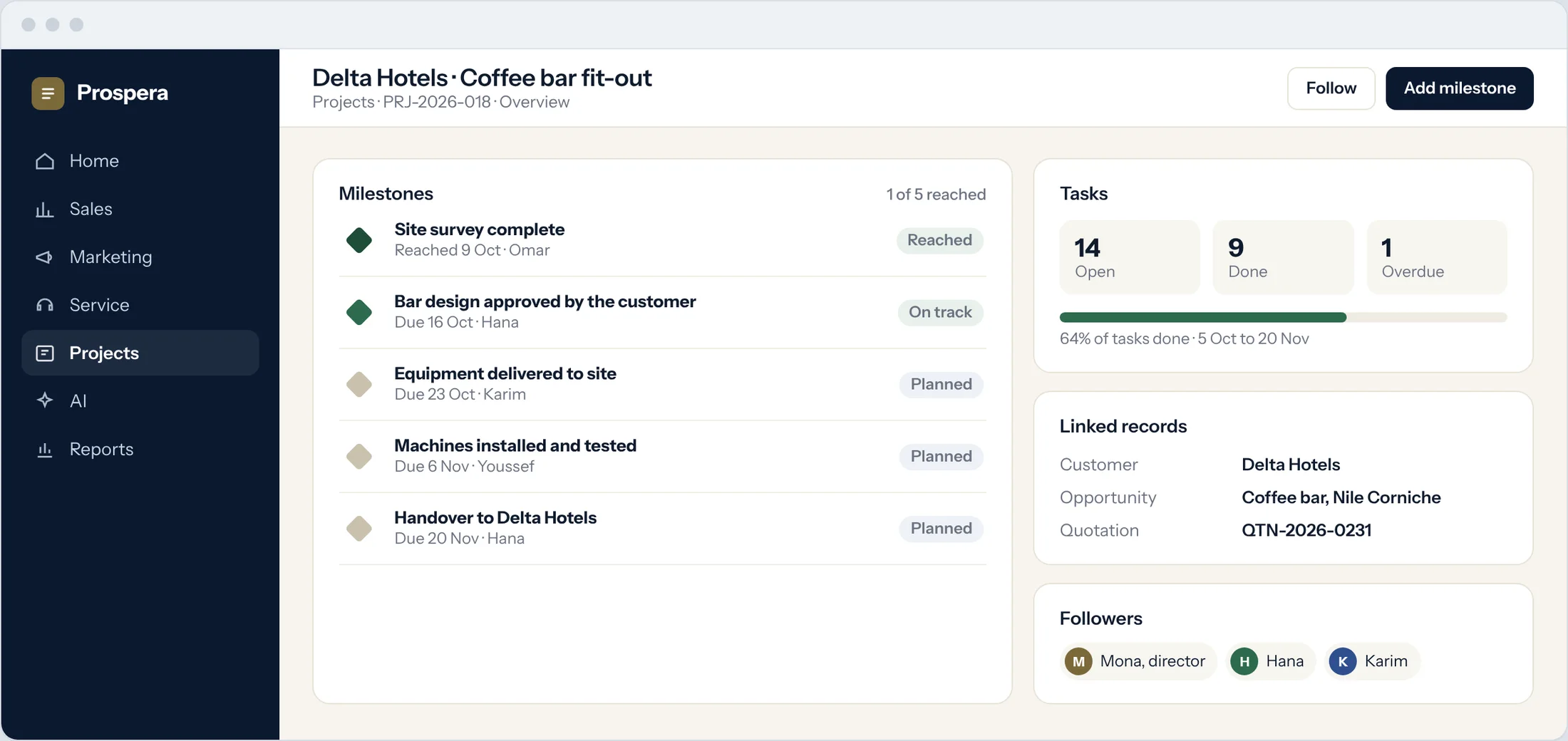
Milestones mark what your customer is waiting for. Each project shows which are reached, which are on track, and the deal and quote it came from.
Milestones
Reached, on track or planned, at a glance.
Linked records
Customer, opportunity and quotation on the project.
Followers
Managers follow the project without chasing updates.
Start from what worked.
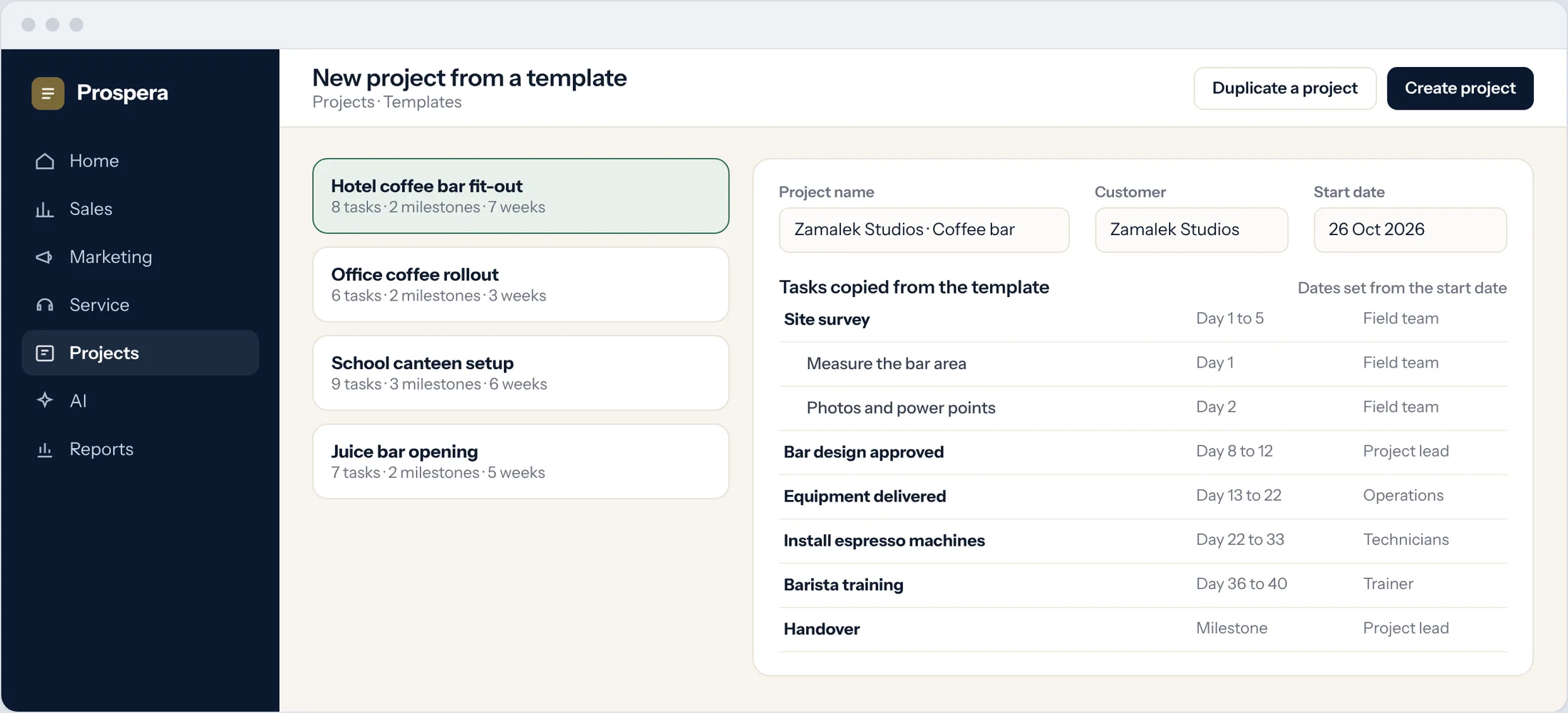
Save a project as a template, or duplicate one you have finished. Tasks, subtasks and milestones are copied, and the dates follow the new start date.
Project templates
One for each kind of job you repeat.
Duplicate a project
Copy a finished project with its structure.
Dates set for you
Every task is dated from the new start date.
Everything a good plan needs.
Six details that keep projects on track.
Kanban boards
Drag tasks across the stages of your project.
To-do lists
Small steps inside a task, ticked off as you go.
Task workflows
Tasks move through the steps you define.
Discussion in the task
Comments and files stay with the task.
Billable flag
Mark which tasks your customer pays for.
Progress reports
Done, open and overdue, by project and person.
Questions.
Can one task wait for another?
Yes. Dependencies link tasks, and the Gantt chart shows them. When a task moves, the tasks after it move too.
Can we reuse a project plan?
Yes. Save a project as a template or duplicate one you have finished.
Can a project be linked to the deal it came from?
Yes. The project sits on the customer record with its opportunity and quotation.
Can managers follow a project without being on the team?
Yes. Add them as followers and they see every update.
Plan it once. Deliver it often.
Book a demo and we will build your first project template with you.