
See trouble early.
Record every risk, score it by chance and impact, and give it an owner. Each response is a task, and every review is kept.

Every risk, with an owner.
One register for every open project. Each risk has a chance, an impact, a score, an owner and a response.
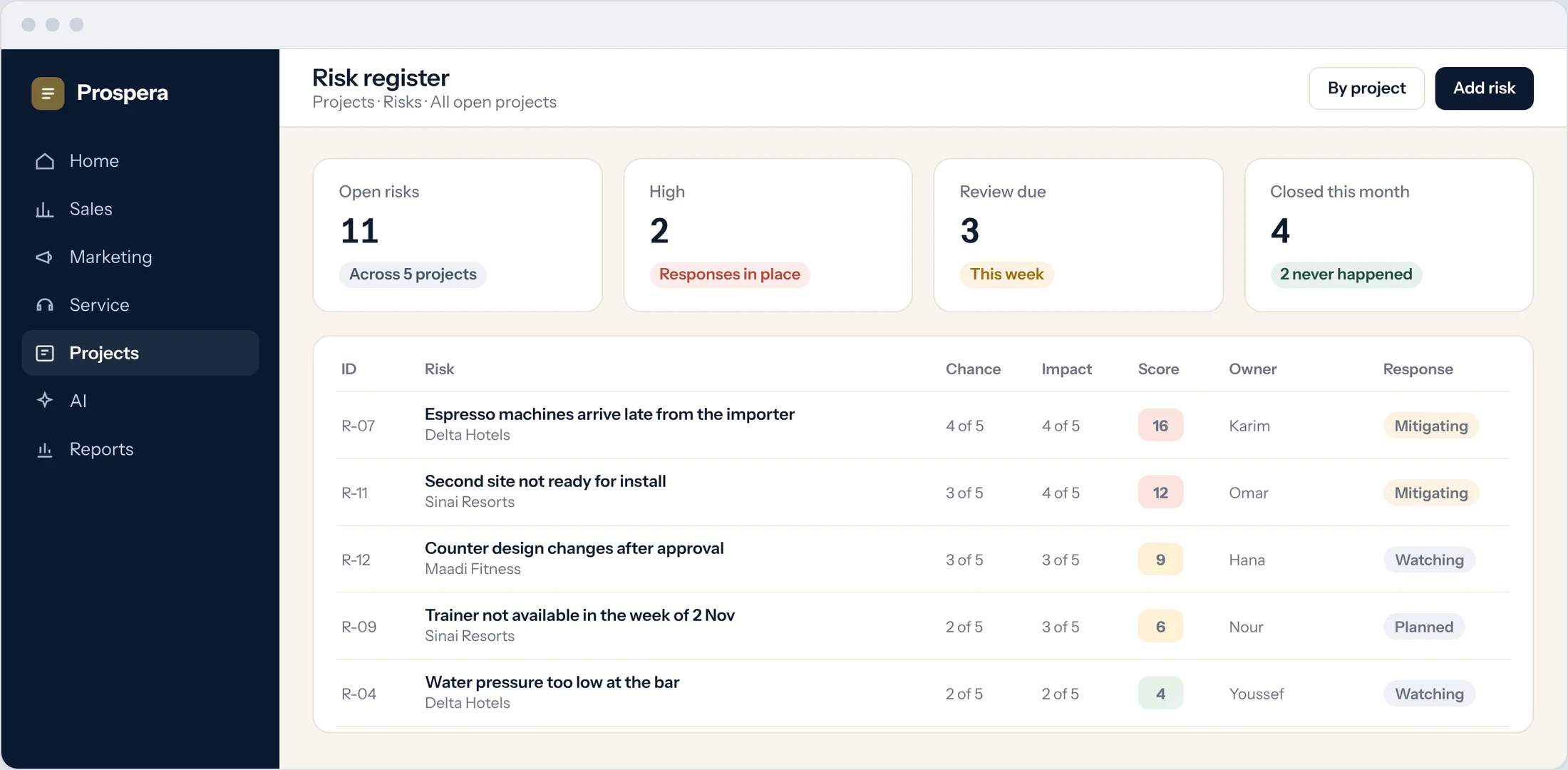
Identify
Anyone on the team can add a risk.
Assign
Each risk has one person who owns it.
Review dates
See which risks are due for review this week.
The biggest risks rise to the top.
Score each risk by chance and impact. The matrix shows where every risk sits, and the highest go to the people who decide.
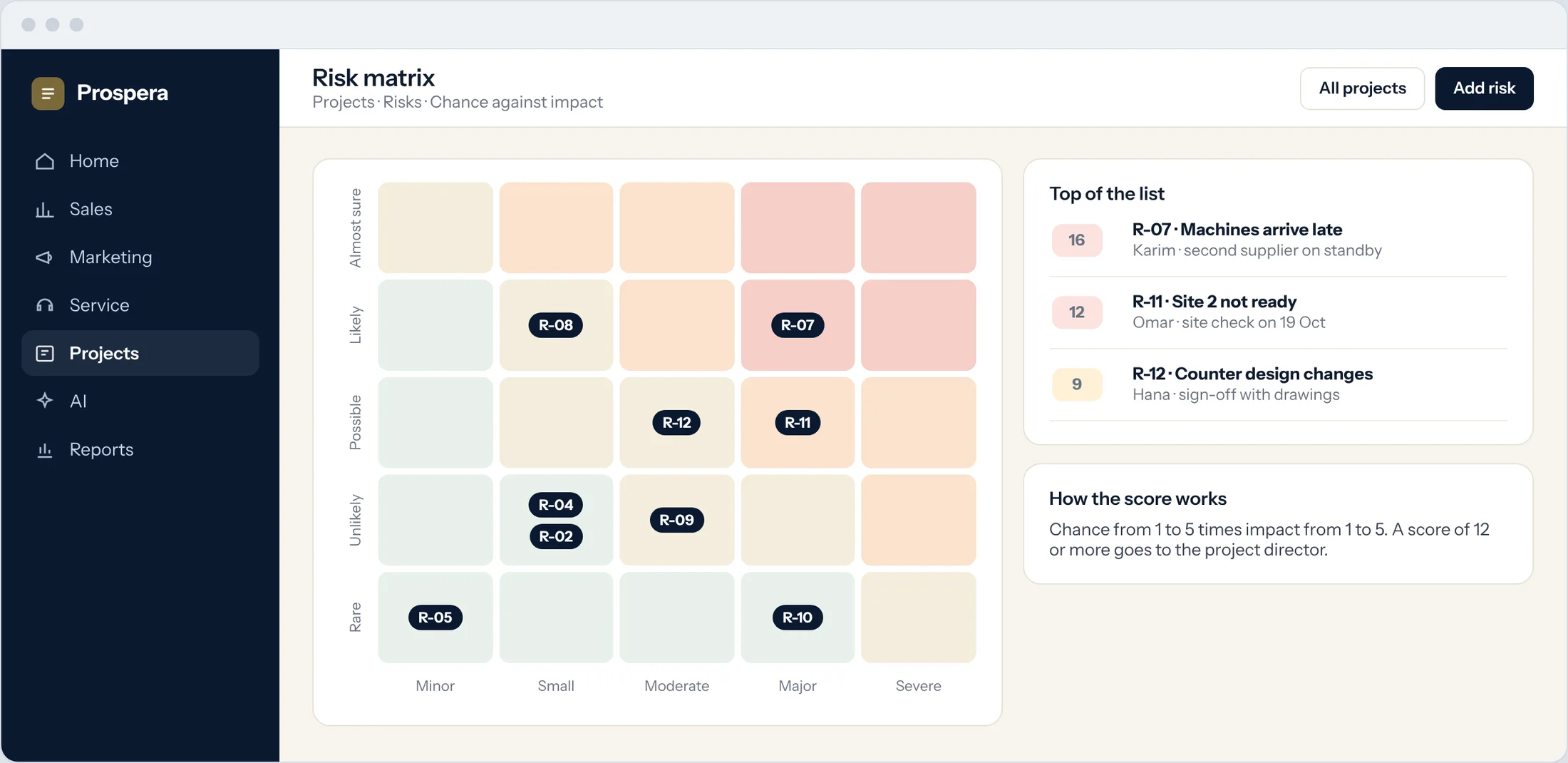
Chance and impact
A simple score for every risk.
Risk matrix
Every risk on one picture.
Priorities
Work on the highest scores first.
From worry to action.
Each response becomes a task with an owner and a due date. Reviews are logged, so you see how the risk changes over time.
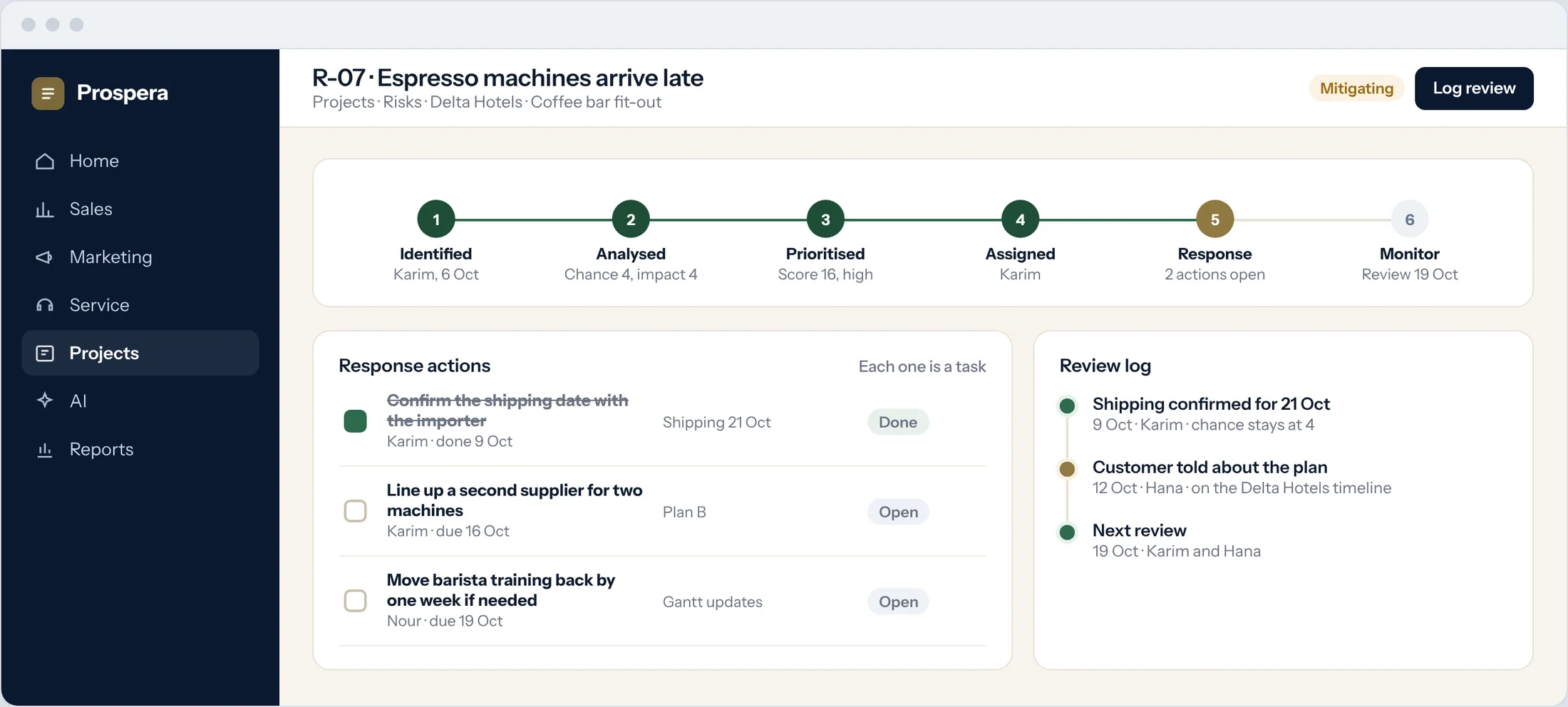
Response tasks
Actions tracked like any other task.
Regular reviews
Every review is logged on the risk.
Part of the project
Response tasks sit in the project with the rest of the work.
Fewer surprises.
Six details that keep risks under control.
Followers
Managers follow the risks on their projects.
Discussion on the risk
Comments and files stay with the risk.
Reminders
Owners are reminded when a review is due.
Risk reports
Open, high and closed risks by project.
One owner each
Every risk has one person who answers for it.
Permissions by role
Each person sees what their role allows.
Questions.
What steps does a risk go through?
Identify, analyse, prioritise, assign, respond and monitor. Each step is recorded on the risk.
How is a risk scored?
By chance and impact. The highest scores rise to the top of the list.
Are responses tracked?
Yes. Each response is a task with an owner and a due date.
Can we see risks across all projects?
Yes. The register and the matrix can show one project or every open project.
Stay ahead of risk.
Book a demo and we will set up your risk register with you.