
Service your customers remember.
Helpdesk Cloud brings every request into one queue, puts a clock on every promise, and gives customers answers before they ask.

Everything in Helpdesk Cloud.
Five applications on one customer record. Open any of them to see how it works.
Every channel. One queue.
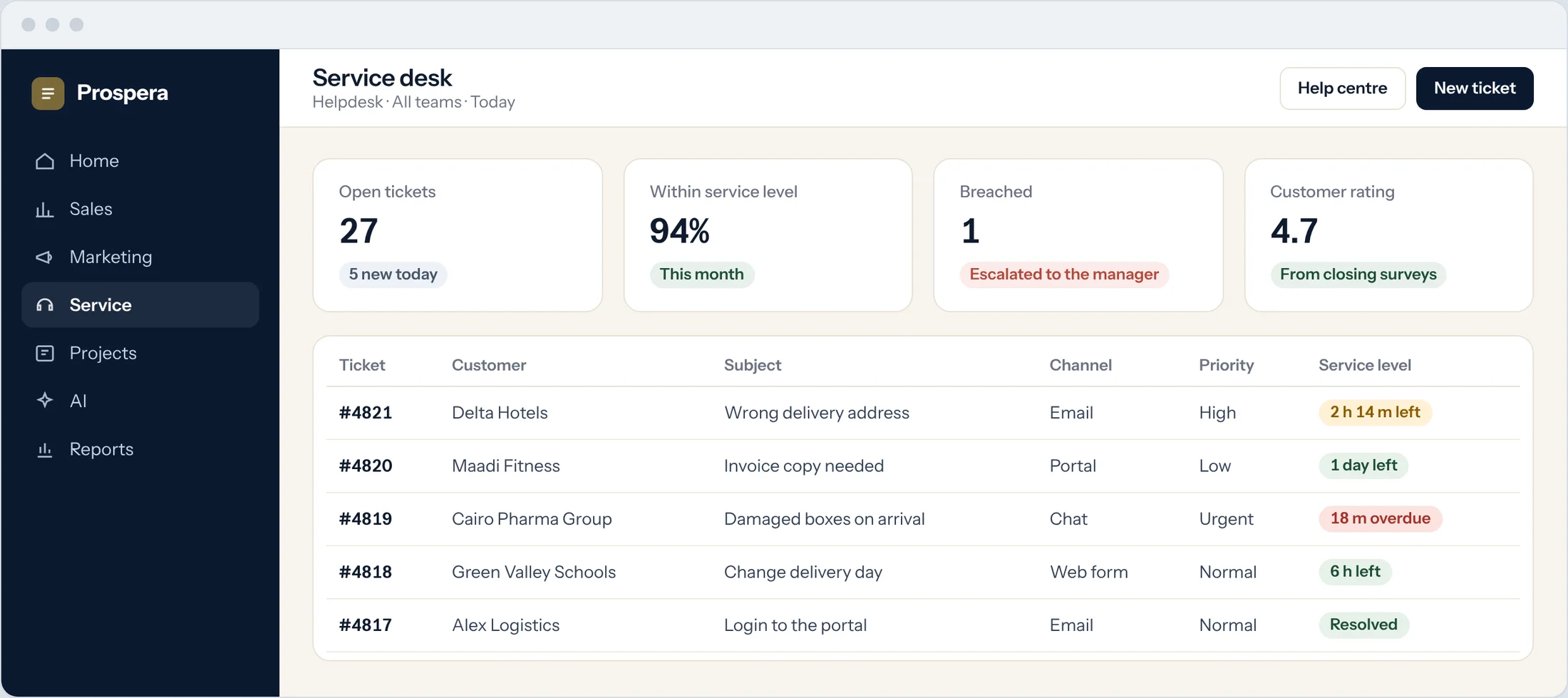
Email, live chat, website forms, social media, calls and walk-ins become tickets, sorted by priority and category and sent to the right agent or department.
Every channel
Requests from every channel arrive in the same queue.
Smart sorting
Priority, category and routing are set the moment a ticket arrives.
Work it together
Agents collaborate inside the ticket, so nothing is lost in side conversations.
Promises with a clock on them.
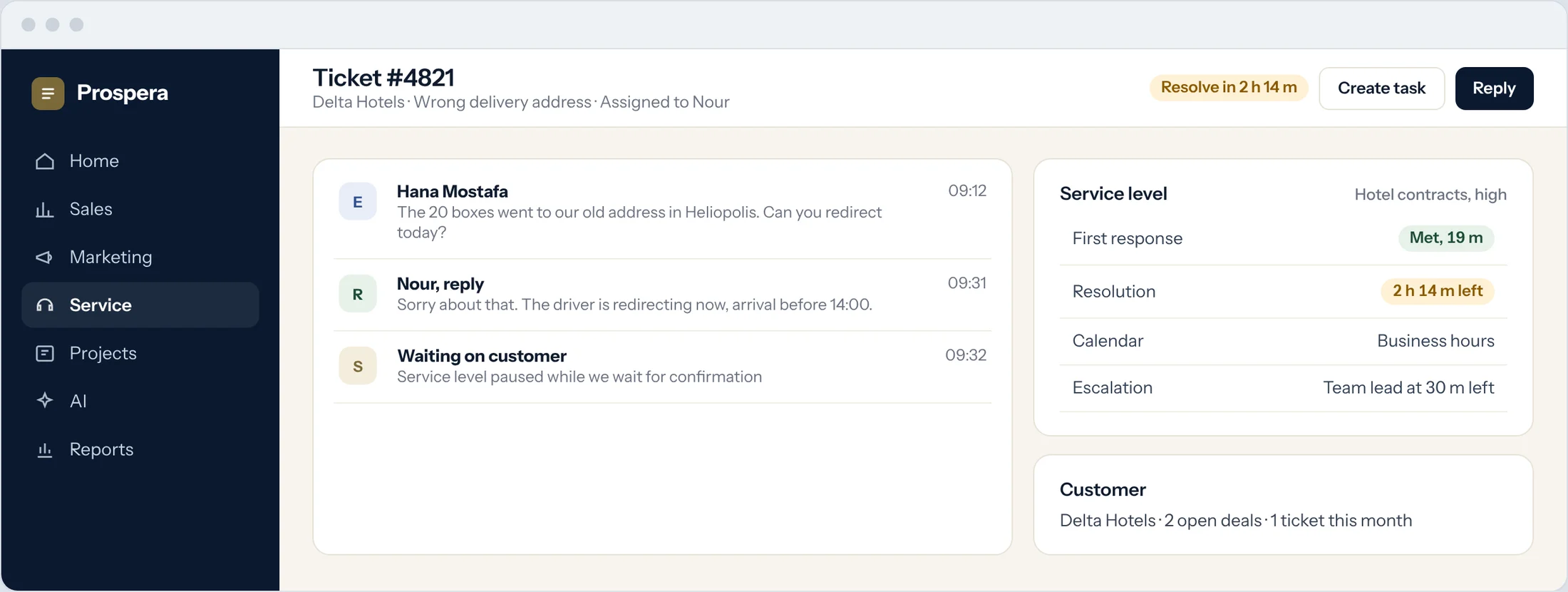
Set deadlines by category, urgency or agreement. Reminders go out before time runs short, and escalations reach a manager before a promise is broken.
Deadlines on every ticket
Each ticket shows how long is left to reply and to close.
Reminders and escalations
The agent is reminded first, then the manager is told.
Reports and dashboards
Agent performance, satisfaction and closing times in one view.
Answers before the question.
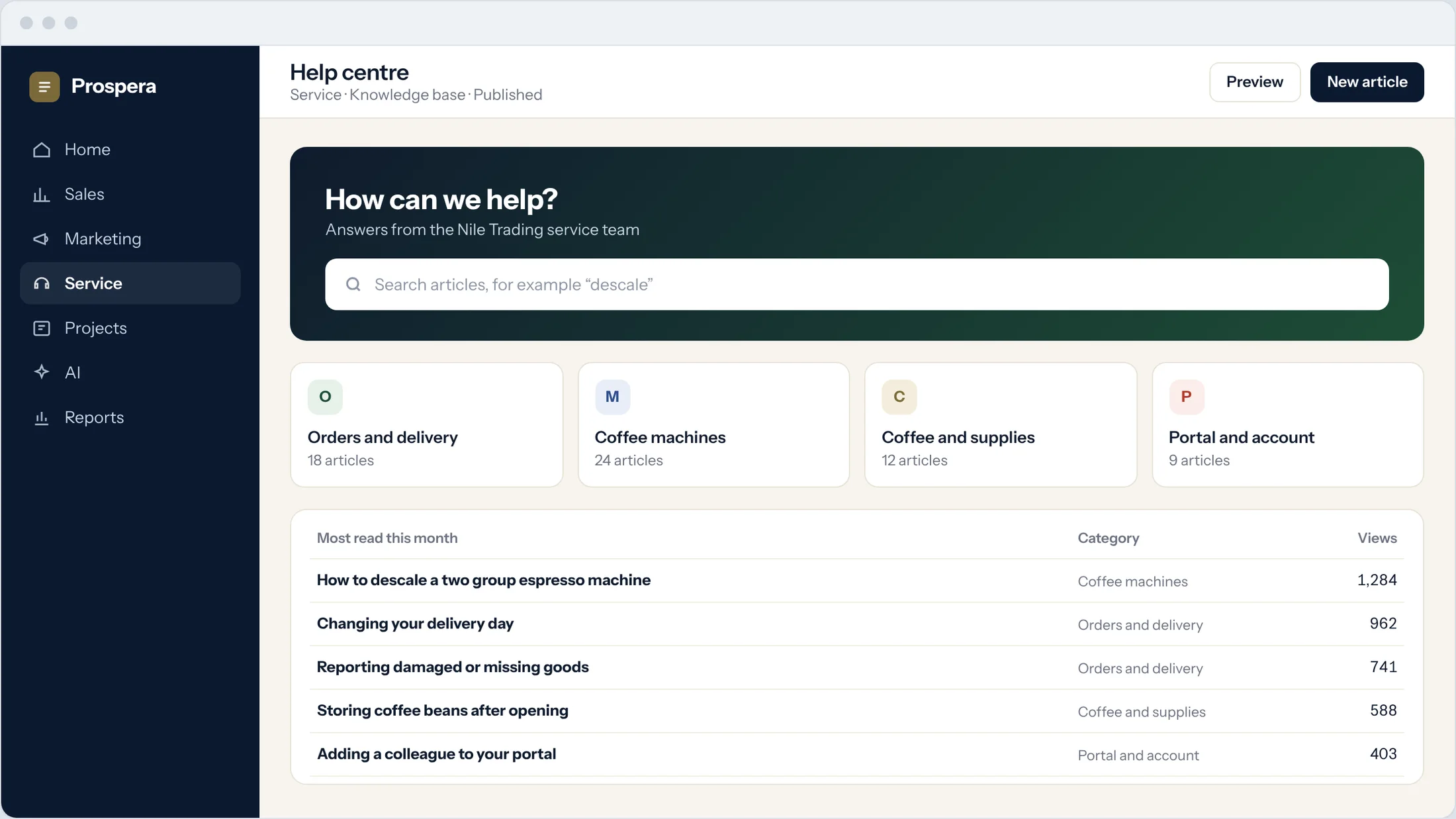
A help centre with a searchable knowledge base, and a customer portal where customers raise requests and follow every ticket.
Knowledge base
Articles your customers can search at any hour.
Customer portal
Customers raise tickets and see where each one stands.
Surveys after closing
Every closed ticket asks the customer how you did.
Support time, billed properly.
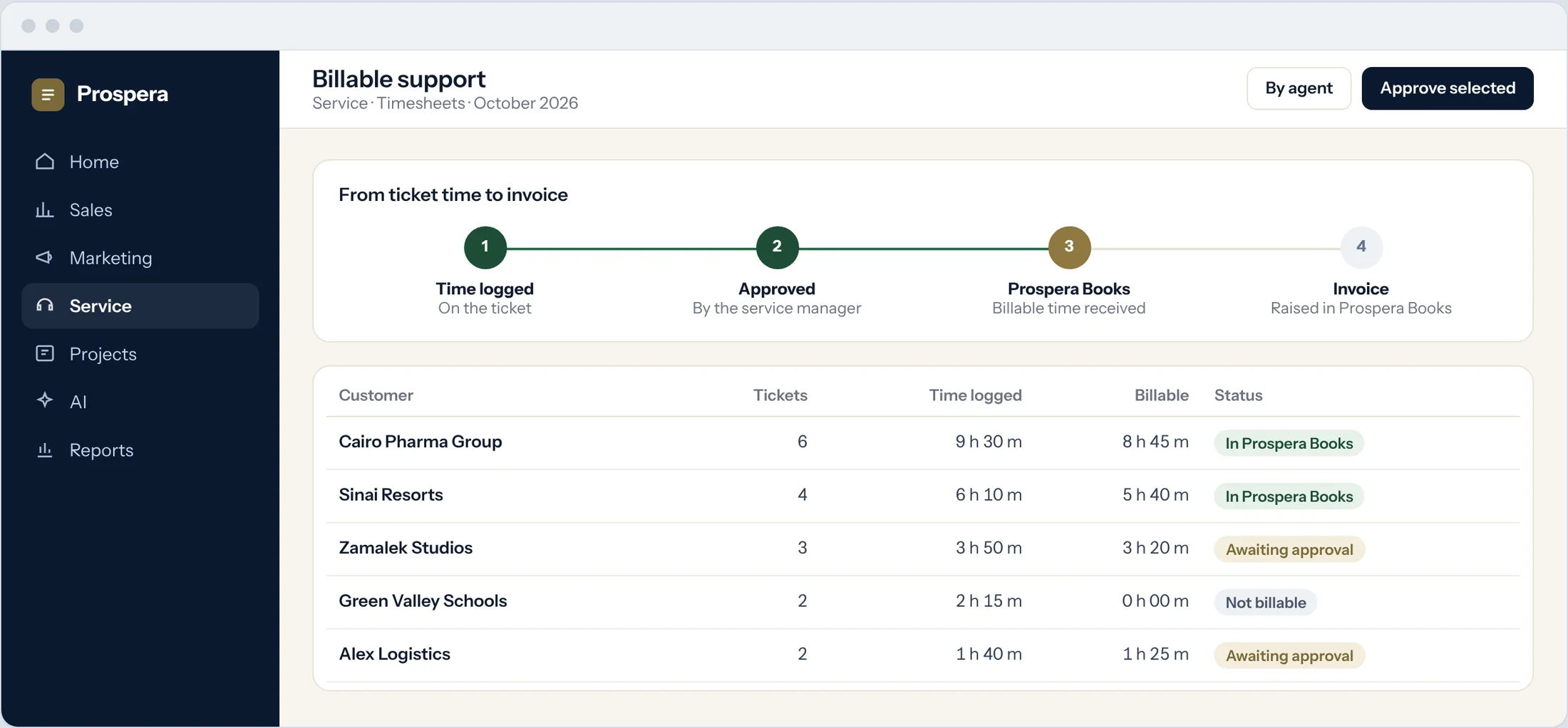
Agents log time on each ticket and mark what is billable. Approved time passes to Prospera Books, which raises the invoice. We connect the two for you during setup.
Ticket timesheets
Time is logged on the ticket where the work happened.
Approved first
A manager approves billable time before it leaves the helpdesk.
Passed to the books
Prospera Books raises the invoice, so every charge is posted once.
Built for teams who answer for it.
Six more reasons service teams choose Helpdesk Cloud.
Live chat to ticket
A chat that needs follow-up becomes a ticket.
Remote support
Connect to the customer's computer from the ticket.
Approval workflow
Requests that need sign-off go through an approval step.
Emoji NPS
One tap tells you how the customer feels.
Helpdesk to project
Turn a large request into a project with tasks.
Permissions by role
Each person sees what their role allows.
Questions.
Which channels can create tickets?
Email, live chat, website forms, social media, calls and walk-ins. We connect the ones you use during setup.
Who handles invoices for support time?
Prospera Books. Helpdesk Cloud records the time and approves what is billable, and Prospera Books raises the invoice.
Do agents see the customer's history?
Yes. Tickets sit on the same customer record as sales, so agents see every conversation.
Can customers help themselves?
Yes. The help centre answers common questions, and the customer portal shows every ticket and its status.
Answer every customer on time.
Book a demo and we will set up a queue and a service level that match your promise.