
Pay your people. The books follow.
Employee records, attendance, leave and expense claims in one place. Run payroll in a few clicks, and salaries post to the ledger on their own.

A payroll run, not a payroll week.
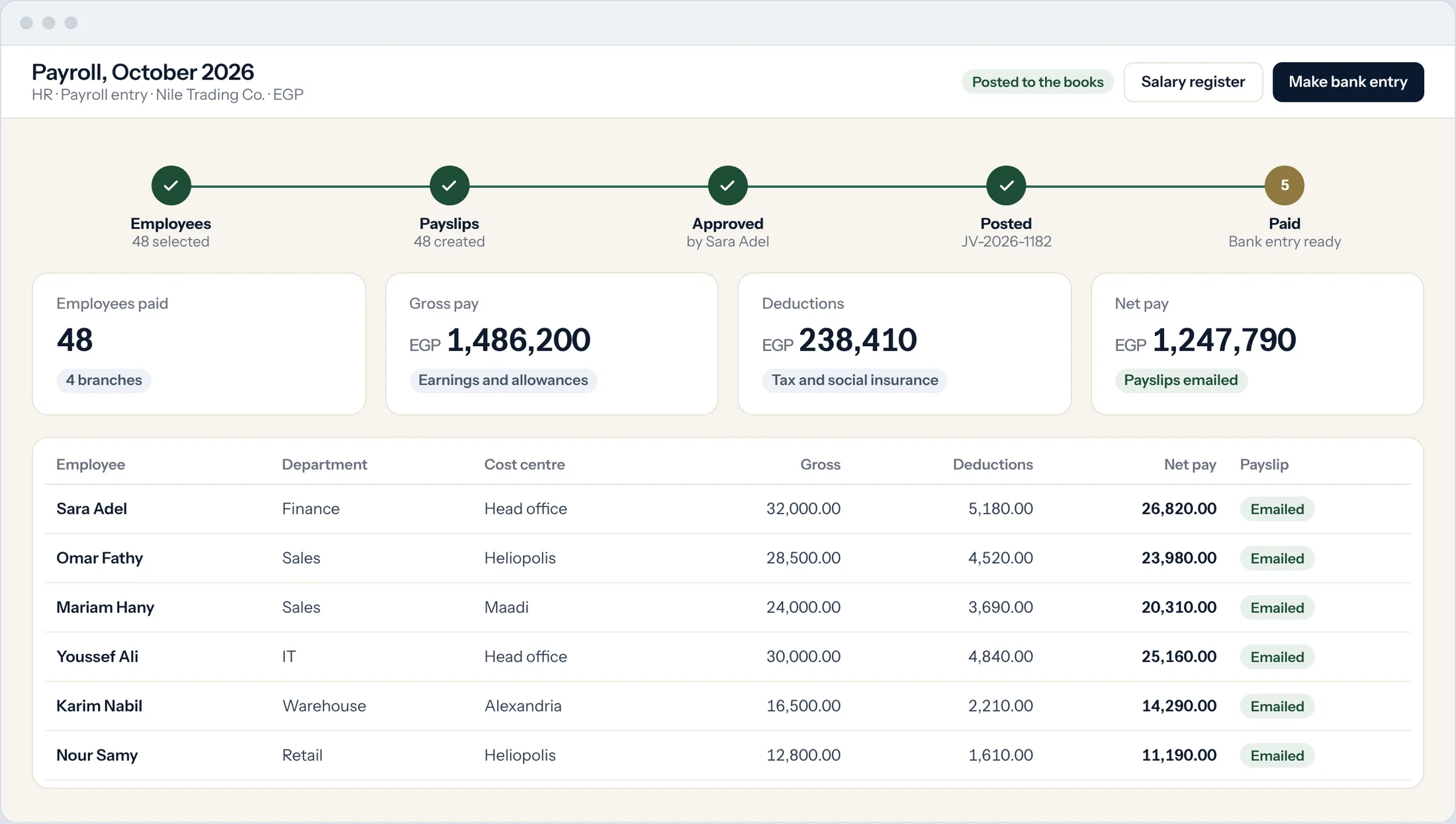
Pick the month and the branch. Prospera Books builds every payslip from the salary structure, attendance and leave, then posts the total to the books.
Salaries as formulas
Earnings, allowances and deductions are formulas, so overtime and tax work themselves out.
Posted and paid
One accounting entry for the run, by cost centre, and one bank entry to pay it.
Payslips by email
Each employee gets a password-protected PDF payslip, with their leave balance on it.
Attendance that keeps itself.
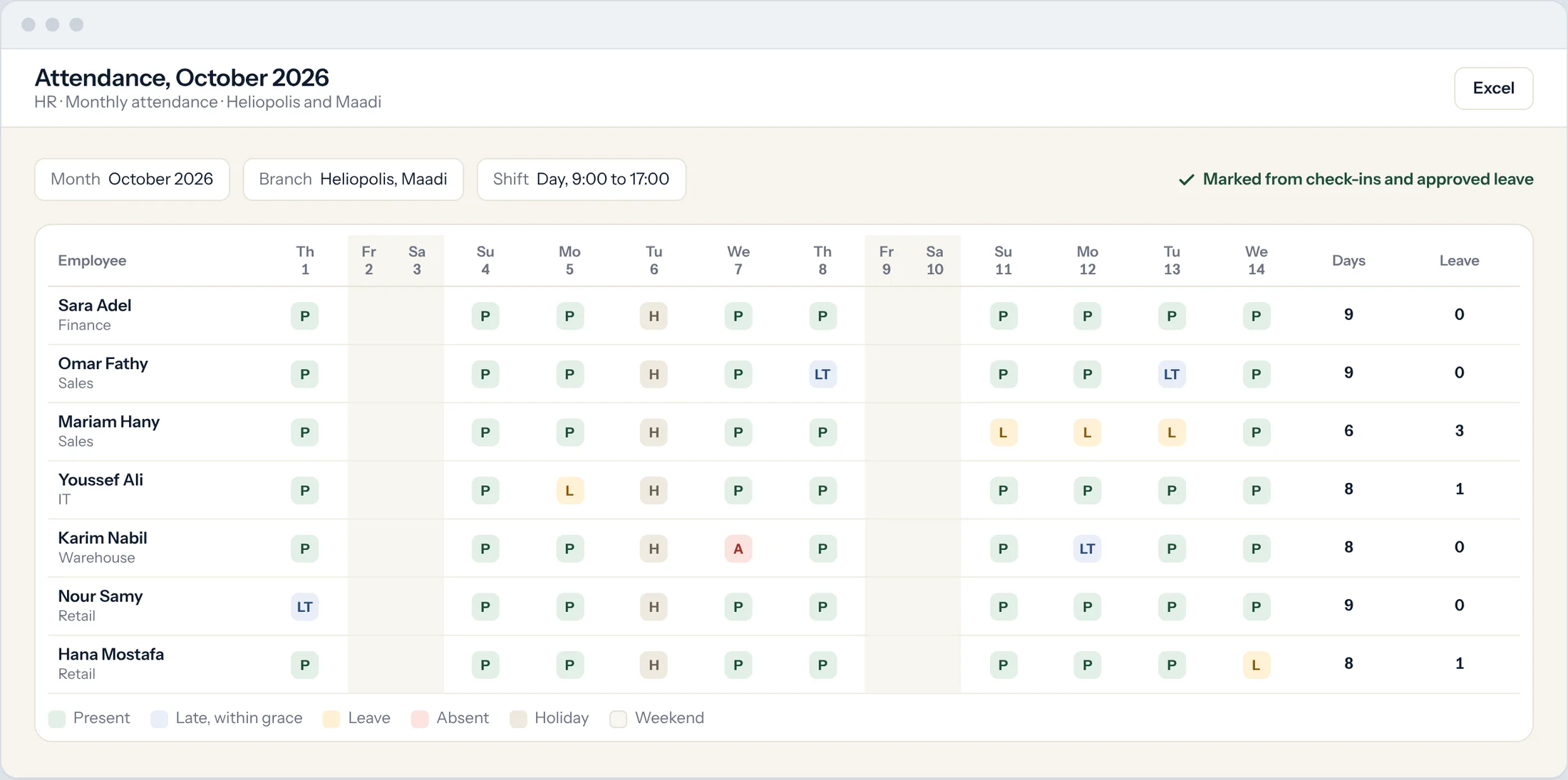
Shifts, check-ins and leave in one place. Late arrivals, absences and leave flow into the payslip without anyone retyping them.
Shifts and check-ins
Attendance is marked from check-ins and your shift rules, with a grace period for late arrivals and early exits.
Leave with balances
Leave types, allowances and balances, approved by the manager.
Your calendar
Your own holidays and working week, so weekends and public holidays count the way they should.
The office, in every pocket.
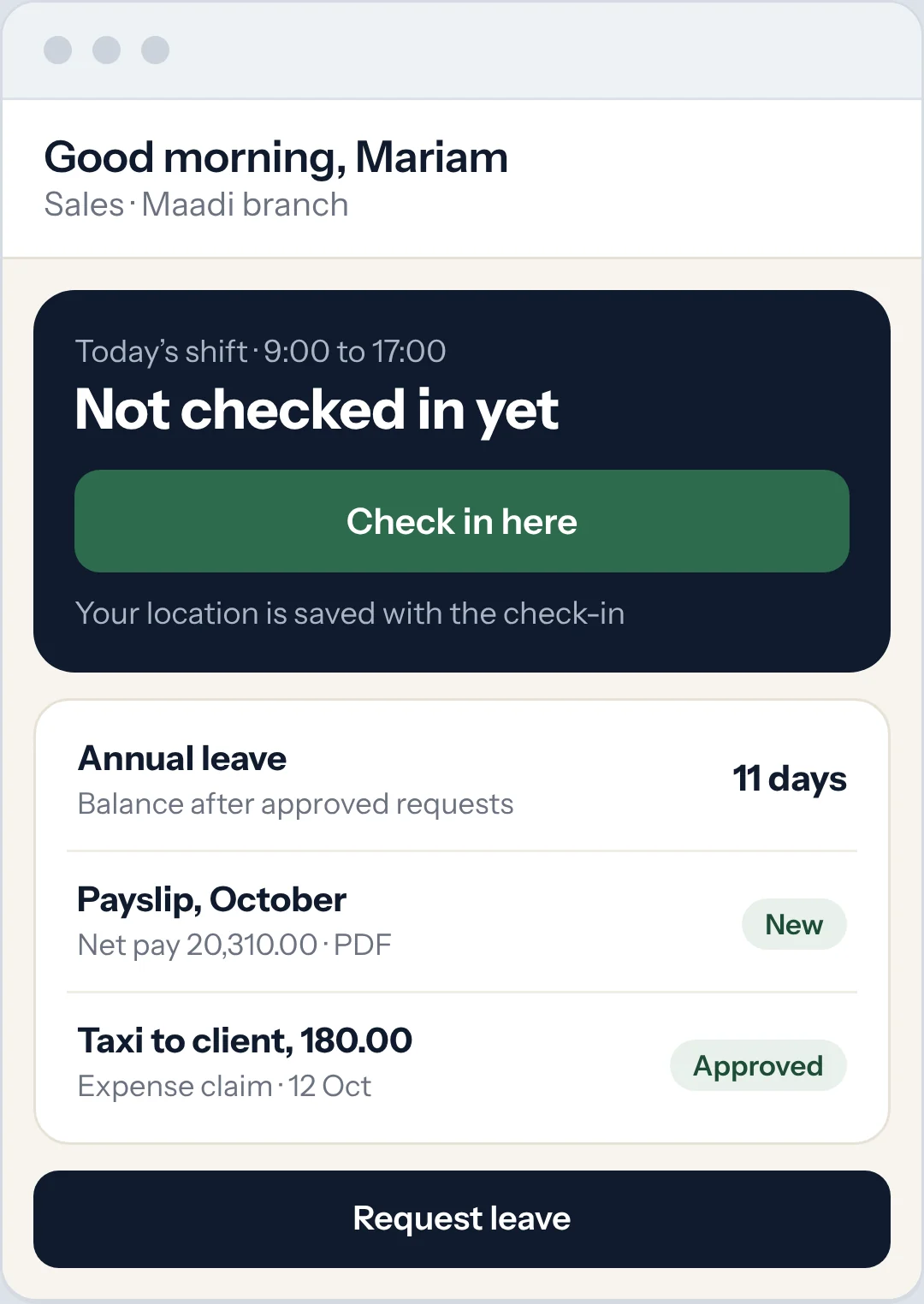
Employees check in, request leave, claim expenses and open their payslips from their phone. Managers approve from theirs.
Check in from anywhere
Each check-in records the time and the location.
Claims with the receipt
Expenses are claimed with a photo of the receipt. Approved claims post to the books.
Only their own
Employees see their own payslips, leave and claims, and nothing else.
Everything HR needs next to the books.
Employee records
Contracts, documents and history for every employee, by branch and department.
Expense claims and advances
Claims and advances with approval. Each one posts to the books when it is approved.
End-of-service gratuity
Gratuity worked out from salary and years of service.
Salary register
Every payslip line for any month, ready for the bank and the auditor.
Payroll by cost centre
Split each salary across the cost centres the employee works for.
Private by role
Salaries are visible only to the roles you choose.
Questions.
Which countries do you run payroll for?
Egypt and the UAE today: income tax brackets and social insurance in Egypt, and Wage Protection System salary files and end-of-service gratuity in the UAE. Anywhere else, we set up your earnings, deductions and tax as formulas, and confirm the statutory scope for your country in writing before you sign.
Can employees see their own payslips?
Yes. Each employee sees their own payslips, leave and claims in the employee app, and nothing else.
Can we pay salaries straight from the bank?
Yes. Payroll creates the bank entry, and the bank remittance report lists every transfer for your bank.
Who pays for HR and payroll?
Only employees paid through payroll count.
Can I import my employees from Excel?
Yes. Send us the list and we load it during setup, or import it yourself.
Payday, without the spreadsheet.
Book a demo and we will run a sample payroll with you.