
Every lead. Every deal. One record.
Sales Cloud captures leads from every channel, scores them, and carries each deal from first contact to a signed quote. The order lands in Prospera Books without retyping.

Everything in Sales Cloud.
Eight applications on one customer record. Open any of them to see how it works.
Leads from every channel, in one list.
Website forms, live chat, events, email and calls create leads automatically, checked against the contacts you already have.
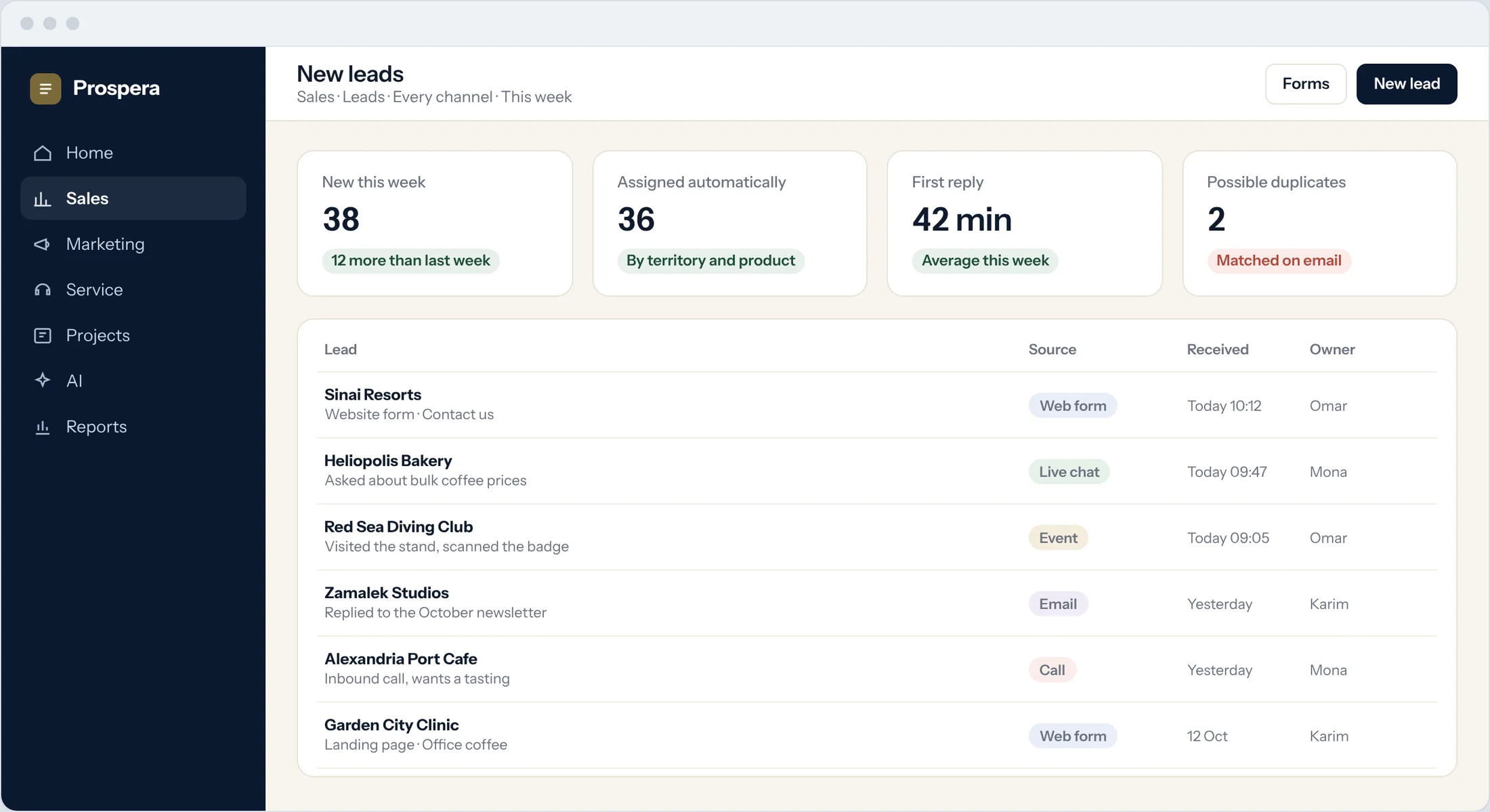
Forms that create leads
Build a form, put it on your website, and every submission becomes a lead.
Know who is visiting
Known visitors are matched to their contact, and their pages land on the timeline.
Duplicates caught
New leads are checked against existing contacts by email and company.
Quotes your customer can sign today.
Build a quote from a template with product options, discounts and promotions. Rules decide what needs approval, and every version is kept.
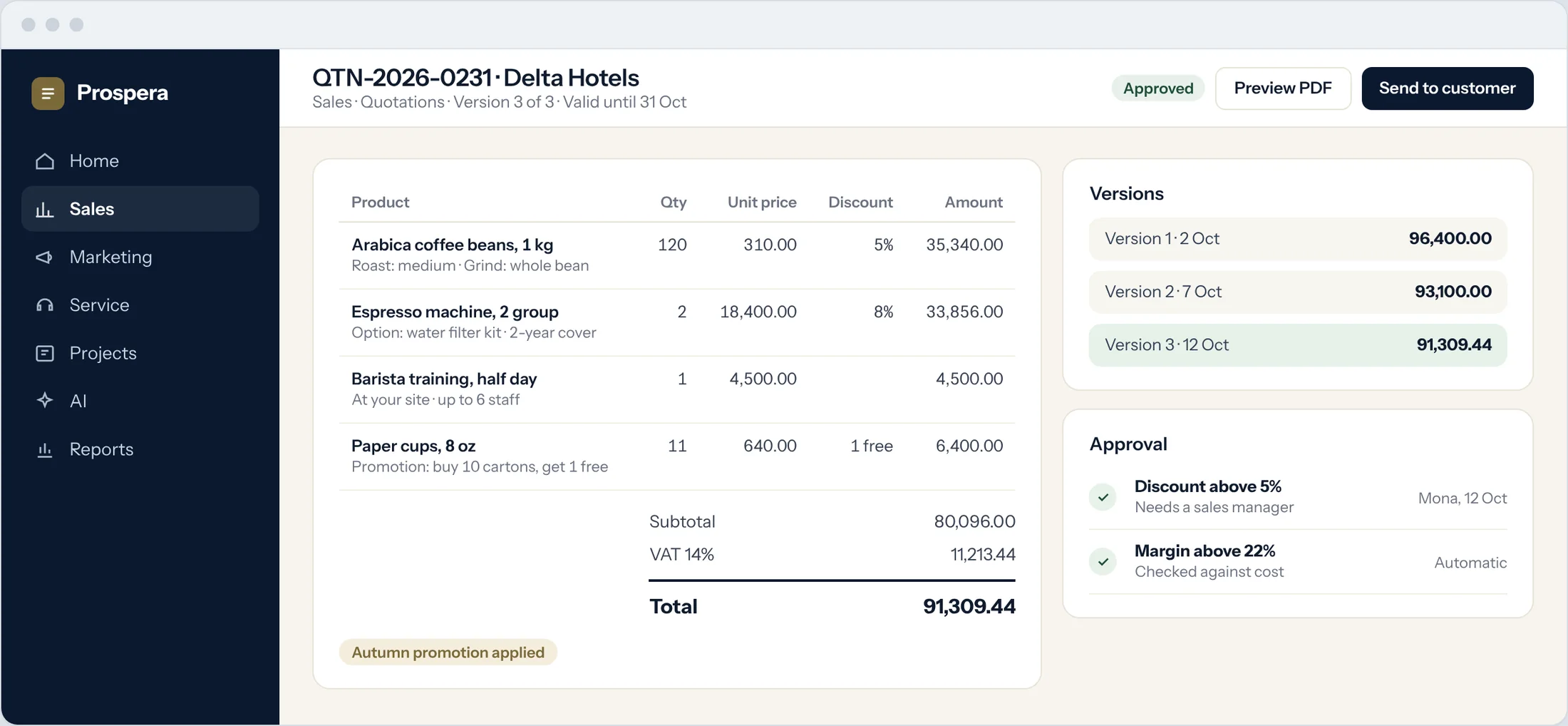
Options and bundles
Configure each product with its options before it goes on the quote.
Approval rules
A discount above your limit goes to a manager before the quote leaves.
Every version kept
Compare versions and see what changed between them.
Know the number before the quarter ends.
Forecasts built from your pipeline, stage probabilities and what each owner has won before.
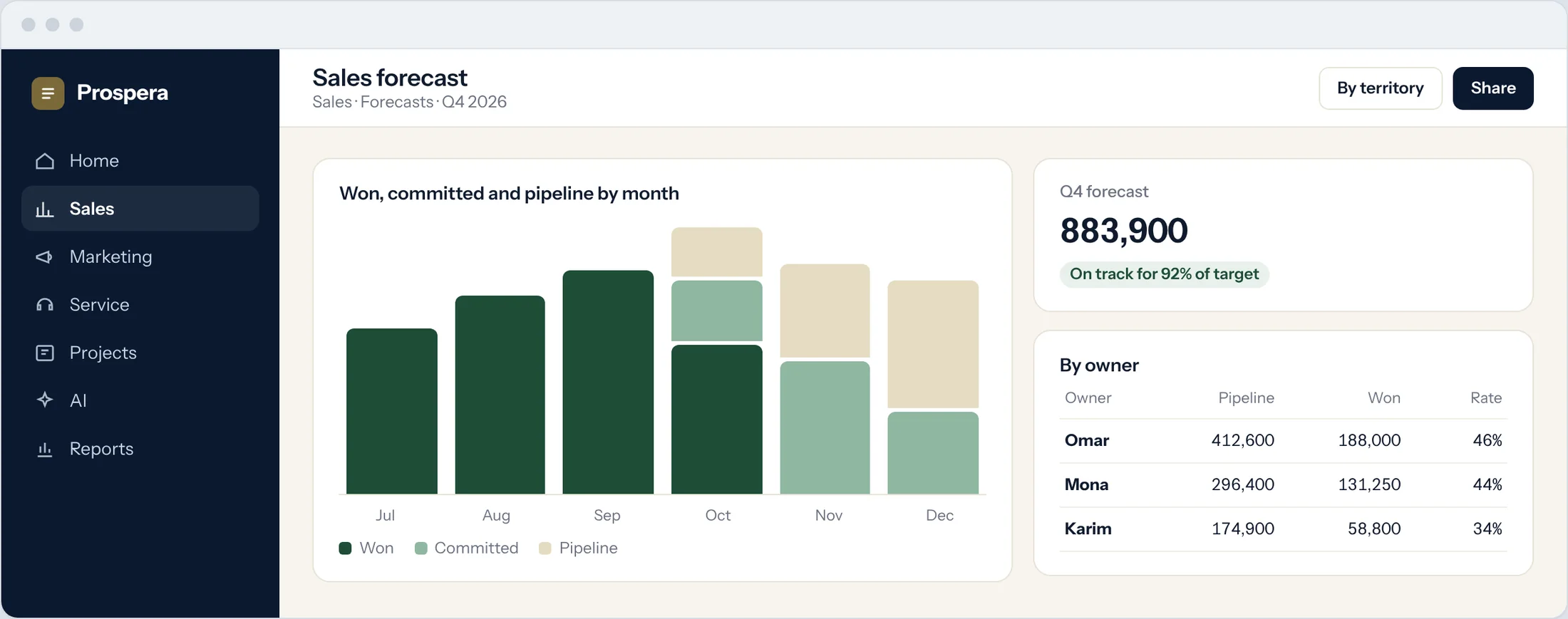
By owner and territory
See who is on track and where the gaps are.
Dashboards by role
Each person sees the numbers and alerts that matter to them.
Reports in real time
Pipeline, activity and conversion, always current.
The order goes to the books.
When a customer accepts, the quote becomes an order in Prospera Books, which reserves the stock, raises the invoice on delivery and sends the payment status back. We connect the two for you during setup.
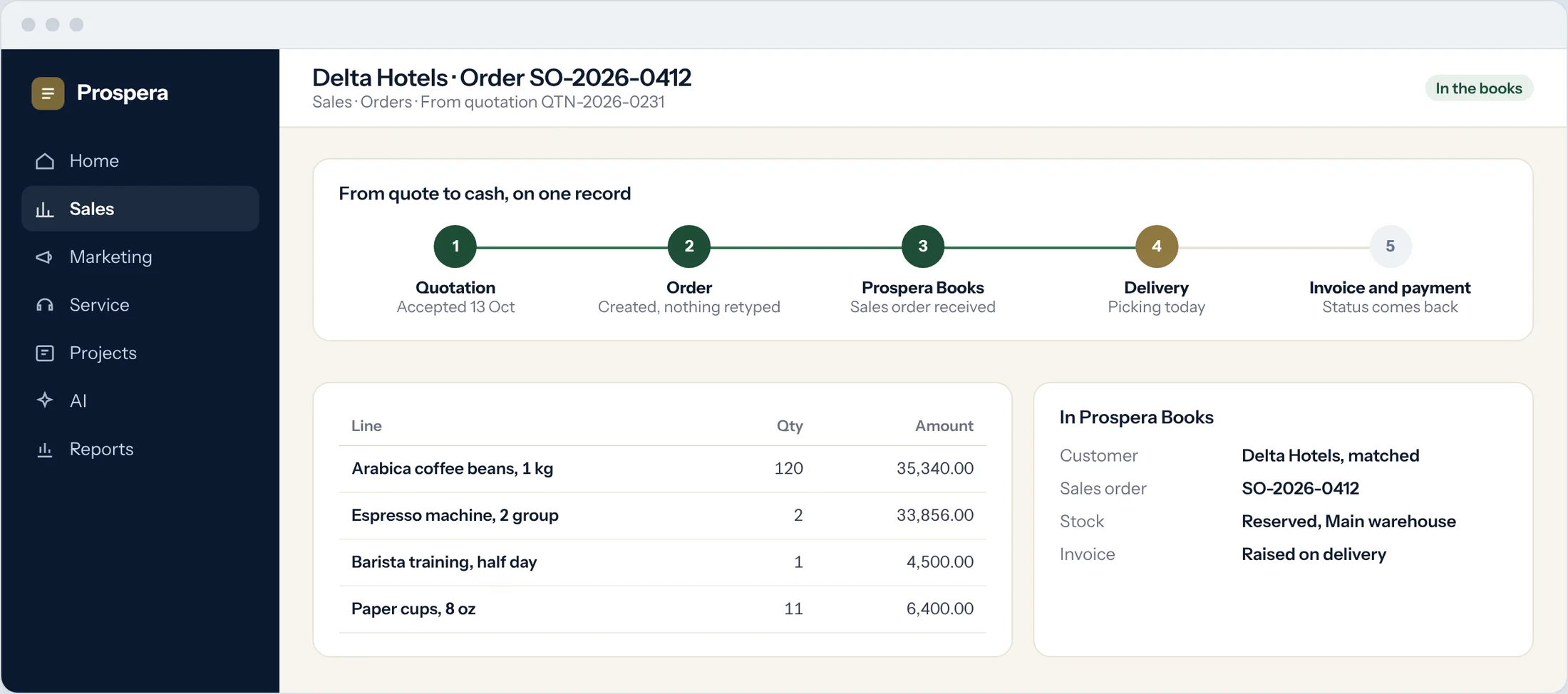
Nothing retyped
The accepted quote becomes the order, line for line.
One customer, matched
The same customer in sales and in the books.
Payment status comes back
Sales sees when the invoice is paid.
Built for teams that sell.
Six more reasons sales teams choose Sales Cloud.
Email from the record
Send and receive email on the customer, linked to the deal.
Calendar and meetings
Meetings and reminders linked to each opportunity.
Customer portal
Customers review offers, place orders and download documents.
Multi-currency
Quote and sell in each customer's currency.
Automation
Assignments, follow-ups and approvals run on rules you set.
Permissions by role
Each person sees what their role allows, down to the field.
Questions.
Who handles invoices and stock?
Prospera Books. Sales Cloud runs leads, deals and quotes. When a quote is accepted, the order, stock, invoice and payment are handled in Prospera Books, so every transaction is posted once.
Can we bring our existing contacts and deals?
Yes. We import your contacts, companies and open deals during setup and check them for duplicates.
Can we change the pipeline stages?
Yes. Stages, required fields, approvals and automations are set up around how your team sells.
Does it work on a phone?
Yes. Use the CloudOffix app for iPhone, or any phone browser.
Sell on one record.
Book a demo and we will map your sales process with you.