
A door for your customers.
Give customers a secure portal to review offers, place orders, follow their tickets and download documents. You decide what each one sees.
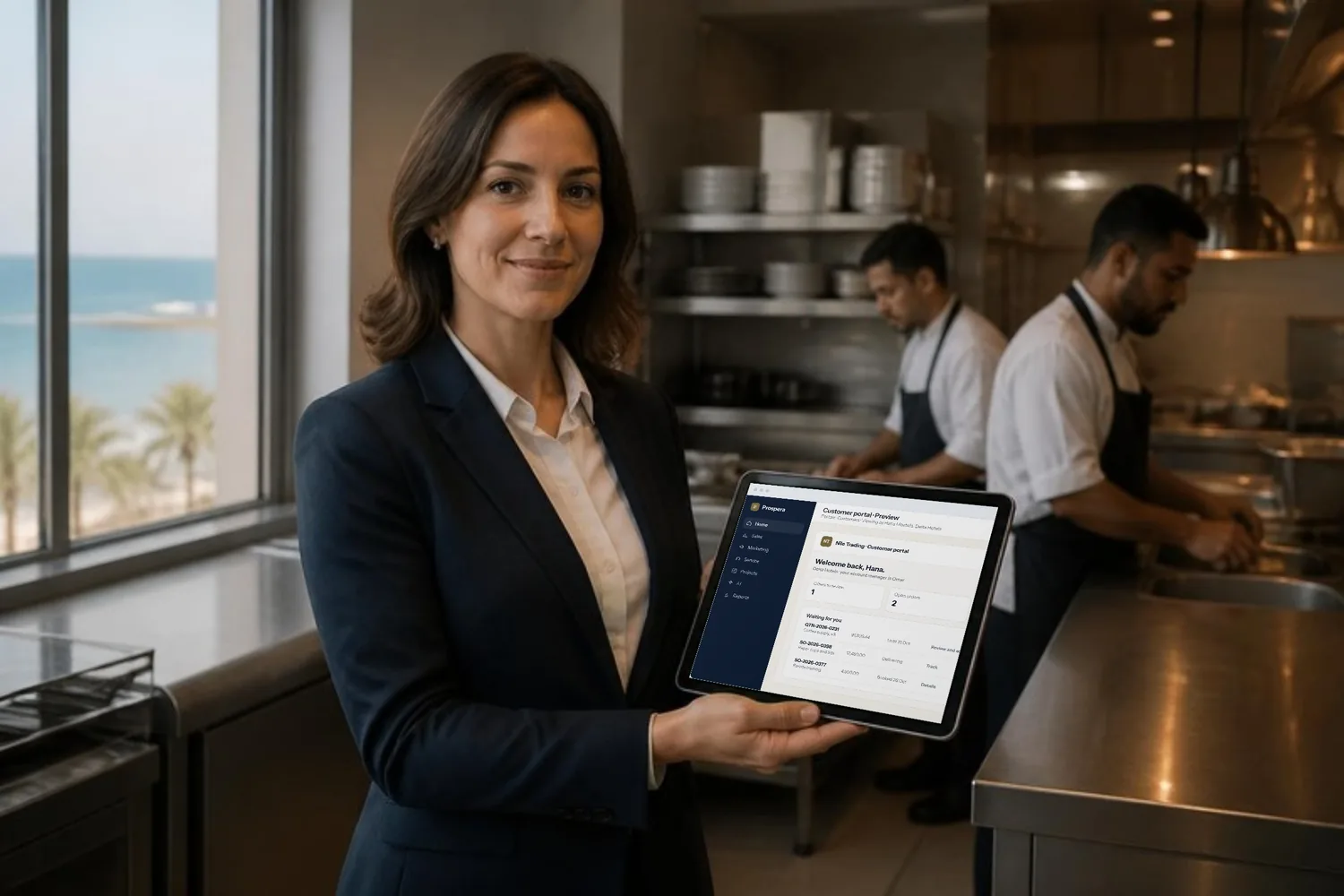
Everything they need, without a call.
Customers review and accept offers, place and follow orders, raise tickets and download documents. Orders placed in the portal pass to Prospera Books. We connect the two for you during setup.
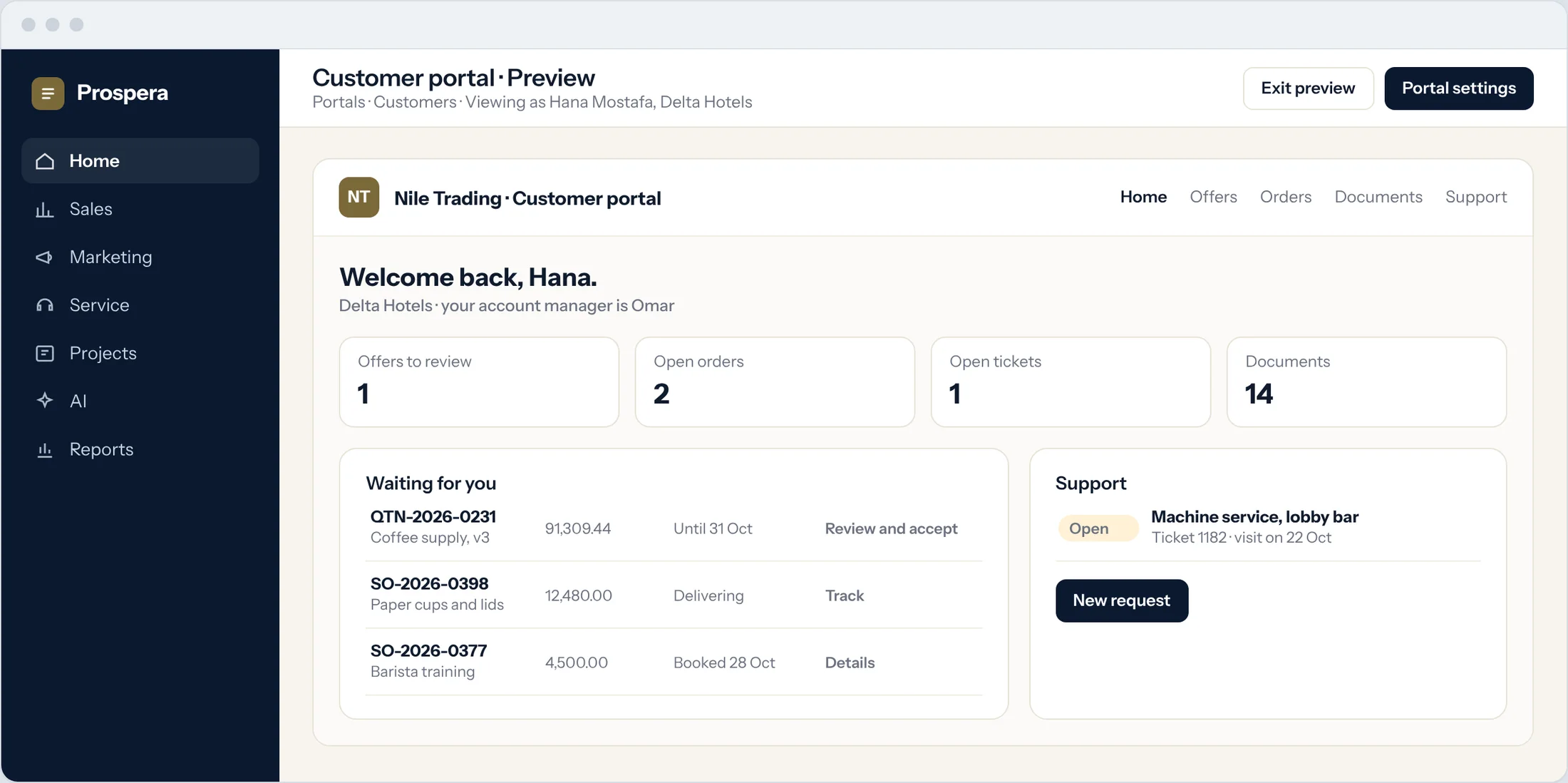
Offers
Review the latest version and accept it online.
Orders
Place an order and follow its delivery.
Support
Raise a ticket and see where it stands.
Exactly what each customer sees.
Choose which records the portal shows, what customers can create or edit, and keep it to their own records.
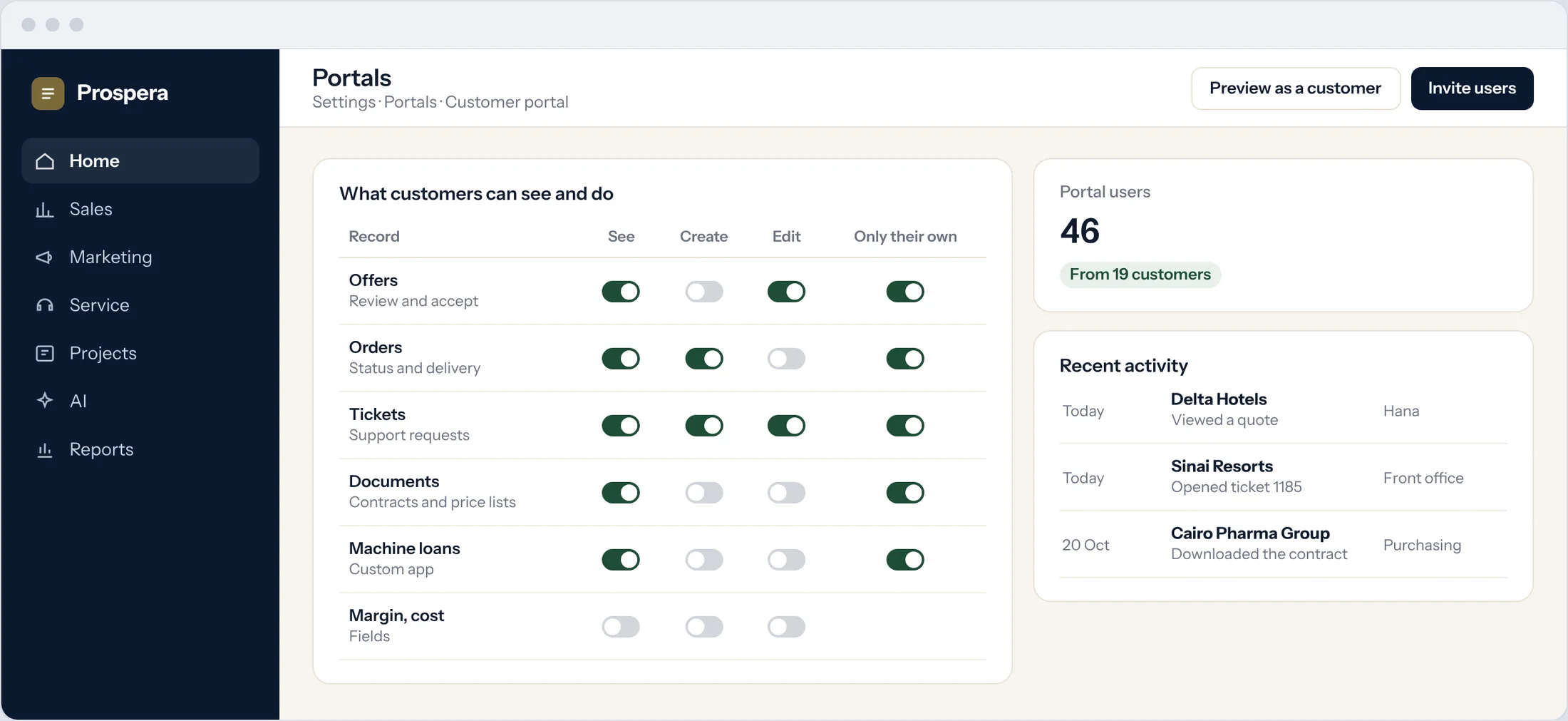
Their own records only
One customer never sees another.
Fields hidden
Margin and cost never reach the portal.
Portal users
Invite the people at each customer who need access.
Your apps, outside the office.
Apps you build can appear in the portal too, with the same role and field permissions.
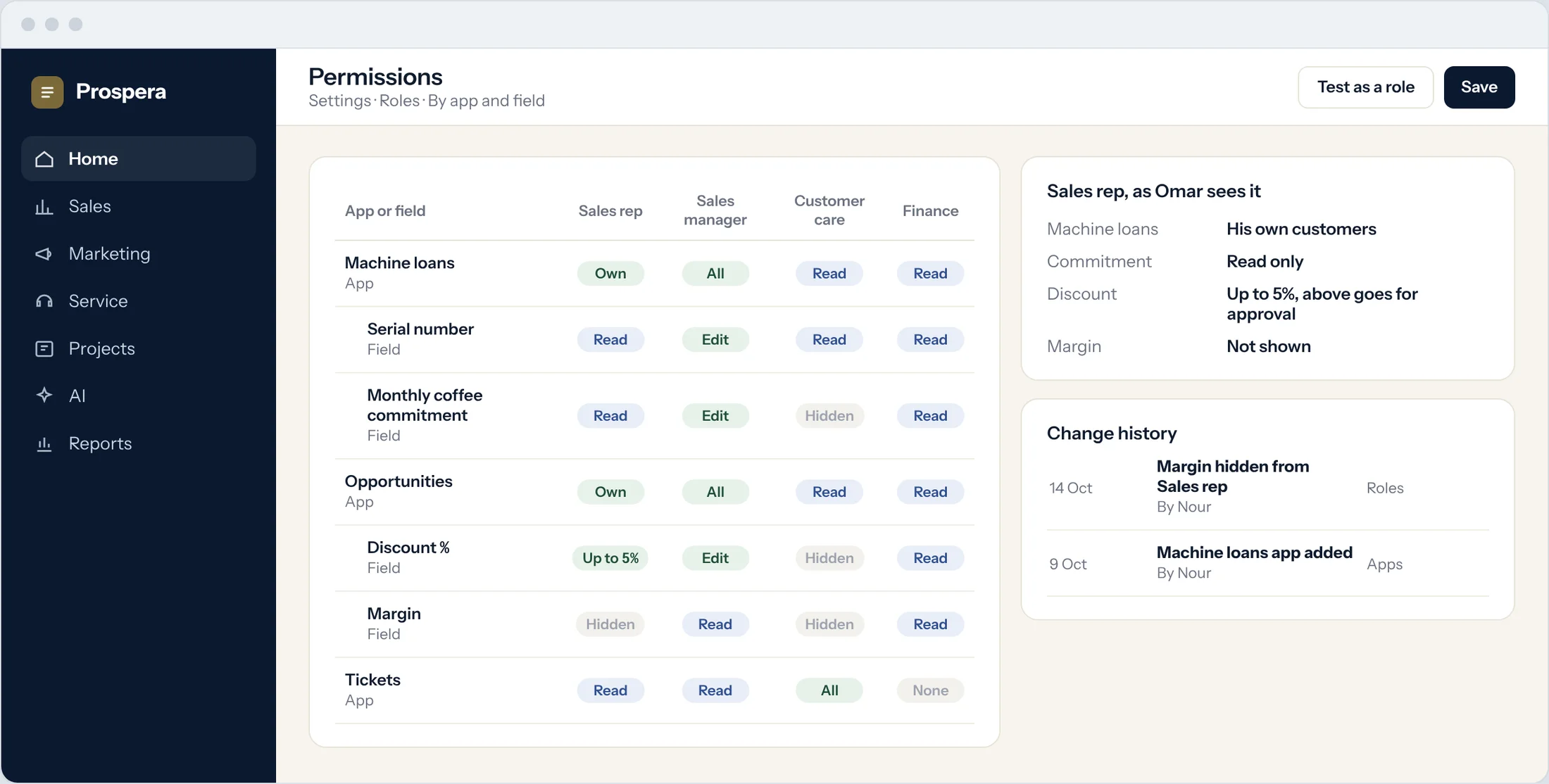
Your own apps
Show customers the records you built for them.
Field-level control
The same permissions, down to the field.
Works on phone
Customers use the portal from any device.
Service that does not wait for office hours.
Six details customers notice.
Help centre
A knowledge base customers can search themselves.
Subscriptions
Customers manage their subscriptions in the portal.
Documents
Contracts, price lists and files in one place.
Tickets
Requests that reach the right agent.
Built with App Builder
Shape the portal with the same tools as your apps.
Secure access
Each user signs in to their own account.
Questions.
What can customers do in the portal?
Review and accept offers, place orders, manage subscriptions, raise tickets and download documents.
Can one customer see another's records?
No. Each customer sees only their own records, and you choose which fields they see.
Where are portal orders invoiced?
In Prospera Books, so every sale is posted once.
Can we add our own apps to the portal?
Yes. Apps built with App Builder can appear in the portal with the same permissions.
Open the door to your customers.
Book a demo and we will plan your portal with you.