
Follow-up that never forgets.
Set the conditions and the timing once. Emails go out on their own, contacts are scored as they engage, and the warm ones reach sales.

Every rule, in one list.
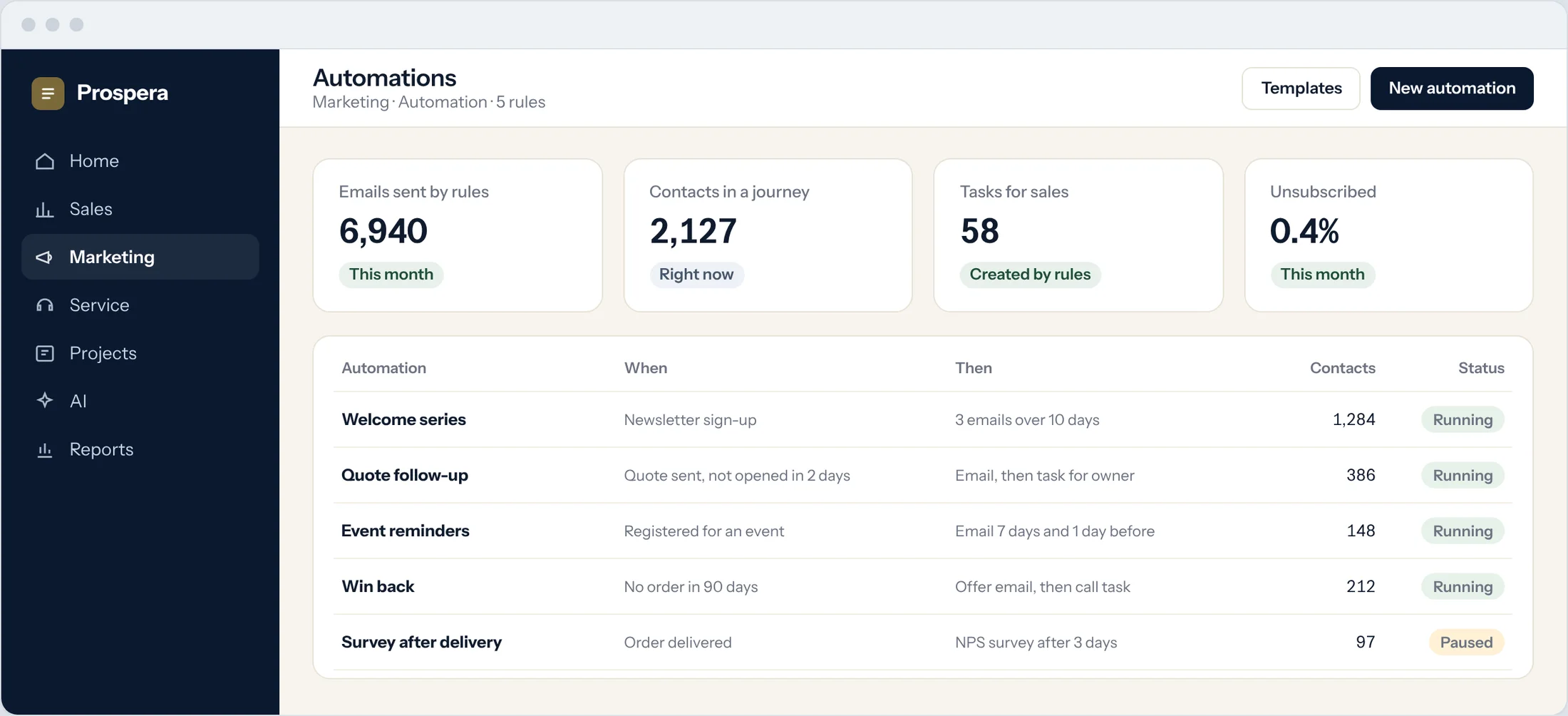
Welcome series, quote follow-ups, event reminders and win-back emails run side by side, each with its trigger and results.
Always on
Rules run every day without anyone pressing send.
Contacts in each journey
See who is in which rule right now.
Results by rule
Emails sent, opens and tasks created.
When this happens, do that.
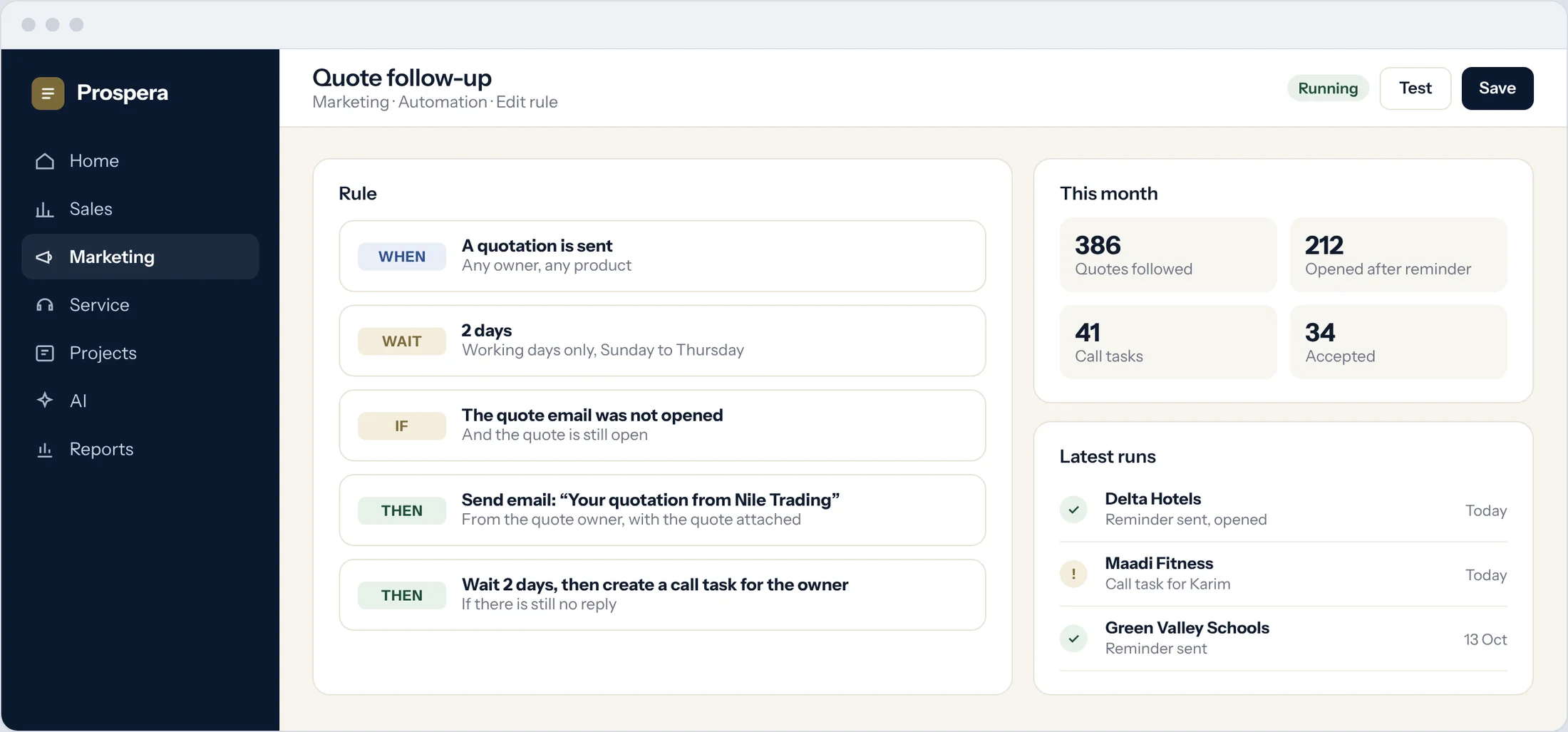
Choose the trigger, the wait and the condition, then the email or the task. Change it any time.
Timing
Wait hours or days before the next step.
Conditions
Only continue if the email was not opened, or the quote is still open.
Tasks for sales
Create a call task for the owner when the email is not enough.
The warm ones go to sales.
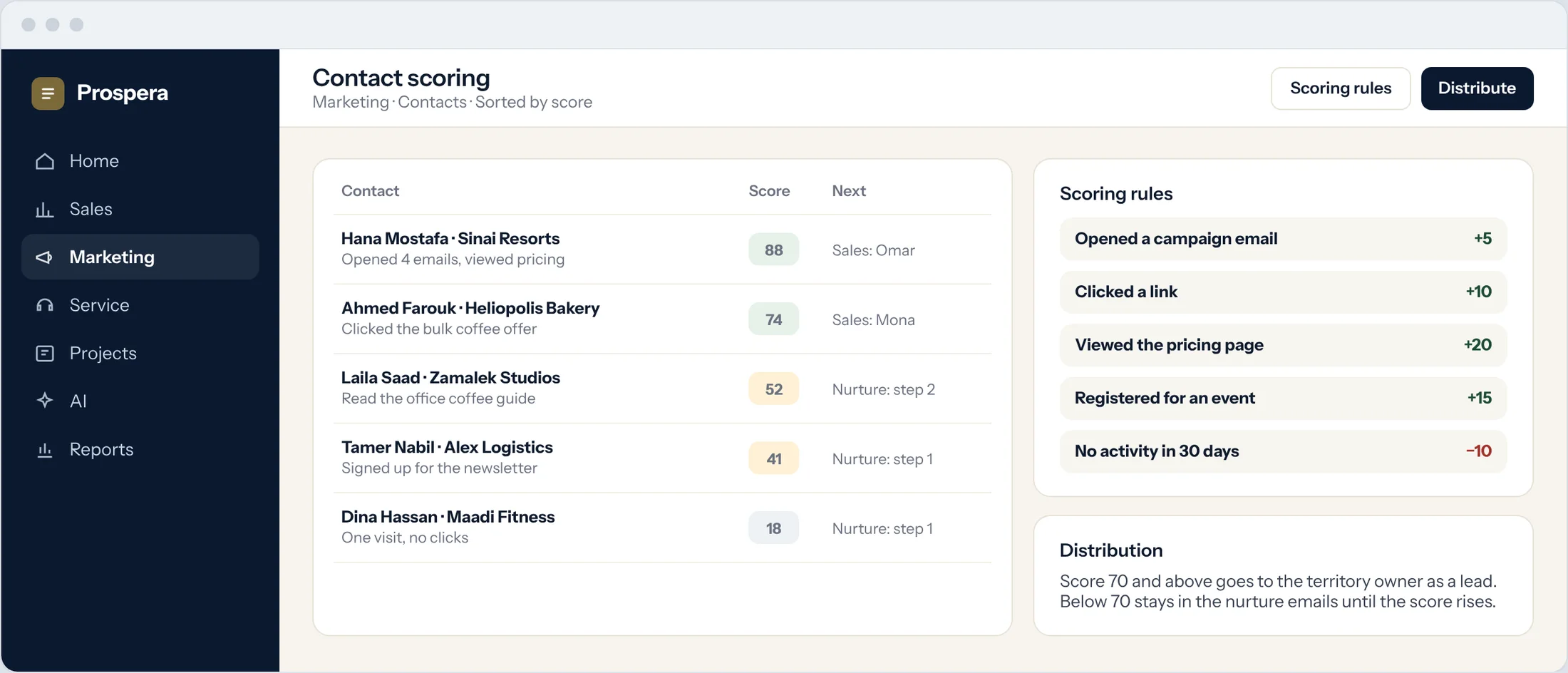
Contacts earn points for what they do. High scores go to the right owner as leads, and the rest keep receiving nurture emails.
Contact scoring
Points for opens, clicks, page visits and sign-ups.
Lead distribution
Scored leads go to the territory owner.
Nurture emails
Contacts who are not ready keep hearing from you.
Small rules, big savings.
Six details that keep every contact moving.
Newsletter sign-up
New subscribers start the welcome series at once.
Event reminders
Emails before the event, and a survey after it.
Quote follow-up
A reminder when a quote goes unopened.
Win back
An offer for customers who have gone quiet.
Visitor alerts
The owner hears when a hot contact is on the site.
Everything on the record
Each email and task lands on the timeline.
Questions.
What can start an automation?
Things that happen on the record, such as a sign-up, a sent quote, an event registration or a date. We set up your first rules with you.
Can an automation create work for sales?
Yes. A step can create a task for the owner, so a warm contact gets a call.
Can we change a rule after it starts?
Yes. Change the timing, conditions or emails at any time.
Do we need a developer?
No. Rules are built on screen, and our team helps you set up the first ones.
Let the follow-up run itself.
Book a demo and we will build one of your real follow-ups with you.