
Close the month. Open the reports.
Statements are ready the moment entries post. Compare any period, drill into any number, and have the pack land in your inbox on schedule.
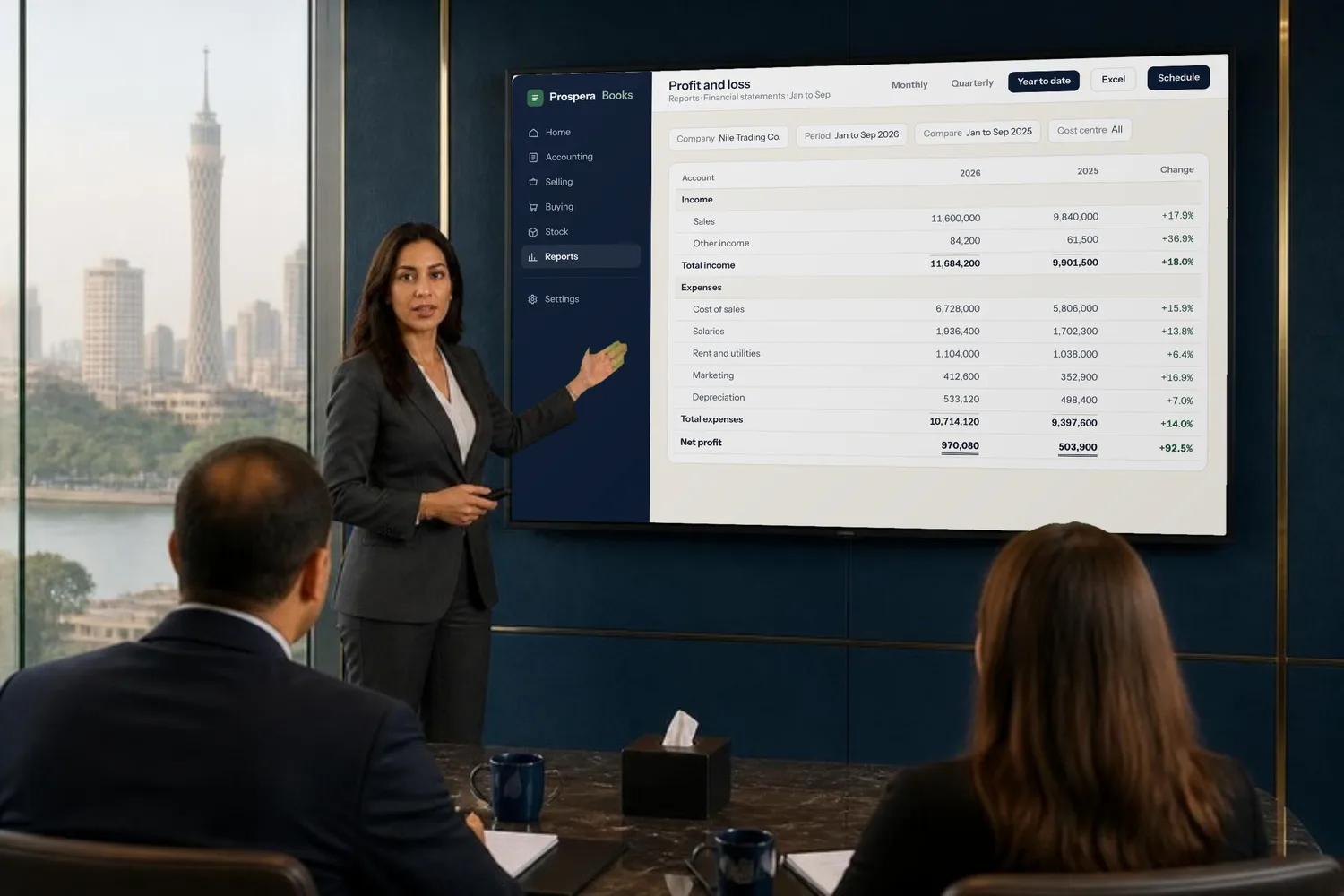
Every statement, any period.
Profit and loss, balance sheet and cash flow, month by month, quarter by quarter, or this year against last. Filter by company, branch or cost centre.
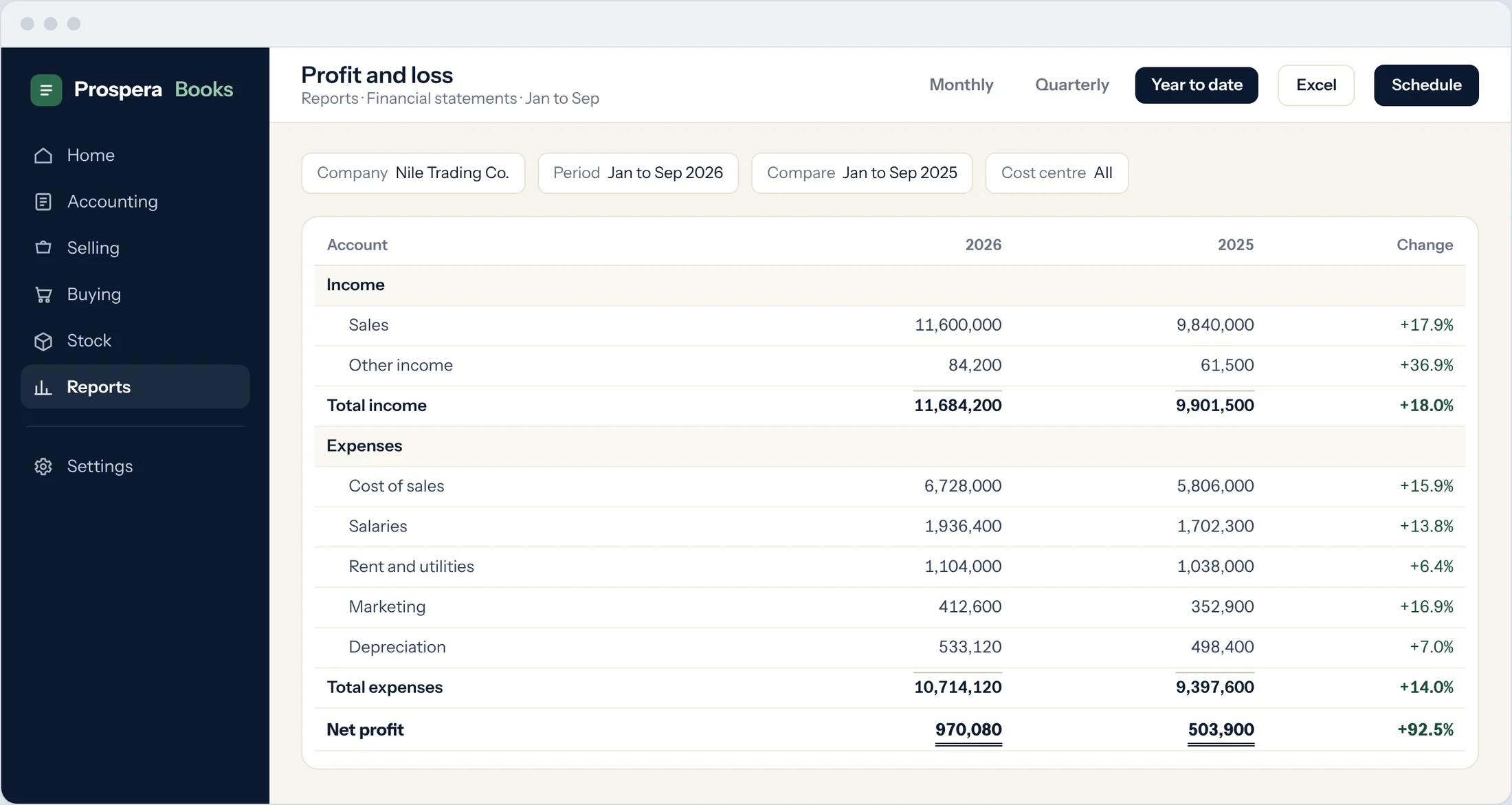
Comparisons built in
Periods side by side, with the change worked out for you.
Group view
Combine several companies into one consolidated statement.
Your own layout
Arrange lines and totals the way your board reads them.
From any total to the entry behind it.
Click a number on a statement to see the ledger lines that make it up, and click a line to open the invoice, bill or payment.
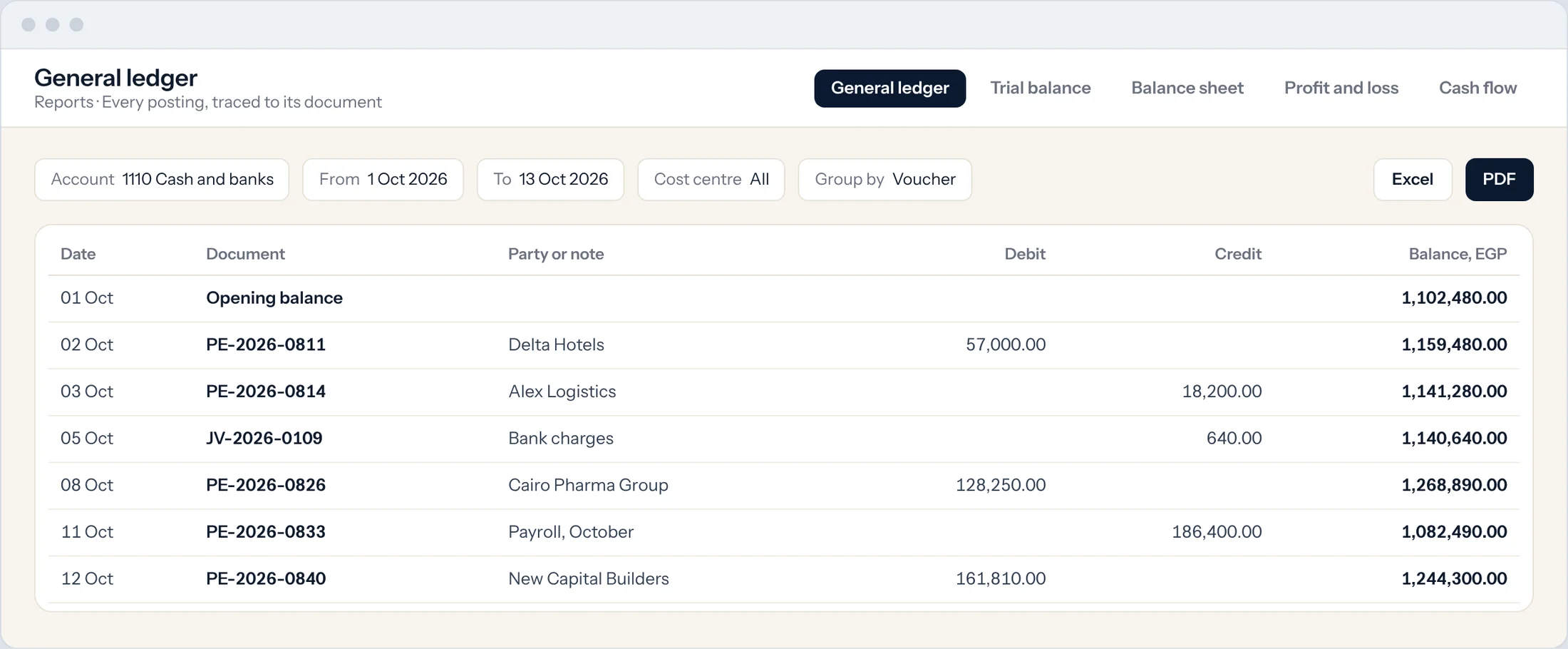
General ledger
Every entry by account, party, cost centre and date.
Customer and supplier ledgers
Balances and movements for each party.
Closed periods stay closed
Lock a period once it is reported, so the numbers never shift.
More than fifty reports, ready to run.
A few your accountant will ask for first.
Trial balance
For the company, or for each customer and supplier.
Who owes you, and who you owe
Receivables and payables by age, with summaries.
Gross profit
By invoice, item or customer.
Sales and purchase registers
Every invoice and bill for any period.
Deferred revenue and expense
Income and costs spread over the months they belong to.
Reports by email
Any report sent daily, weekly or monthly as PDF, Excel or CSV.
Questions.
Can I export reports to Excel?
Yes. Every report exports to Excel, CSV or PDF, and can be emailed on a schedule.
Can I see reports for one branch?
Yes. Filter any statement by cost centre, branch or project.
Can I combine several companies?
Yes. The consolidated statement combines companies into one view.
Can my accountant have access?
Yes. Give them their own login with access to reports only, or more.
Can we lock a month once it is reported?
Yes. Close the accounting period and entries can no longer be posted to it.
Numbers you can stand behind.
Book a demo and we will build your monthly pack with you.