
Profit, branch by branch.
Tag every sale, bill and salary to a branch, department or project. Then see a profit and loss for each one, as sharp as the company total.

Every branch gets its own profit and loss.
Cost centres sit in a tree, from the whole company down to a single team. Open any level and see its income, costs and margin, with every level adding up to the total.
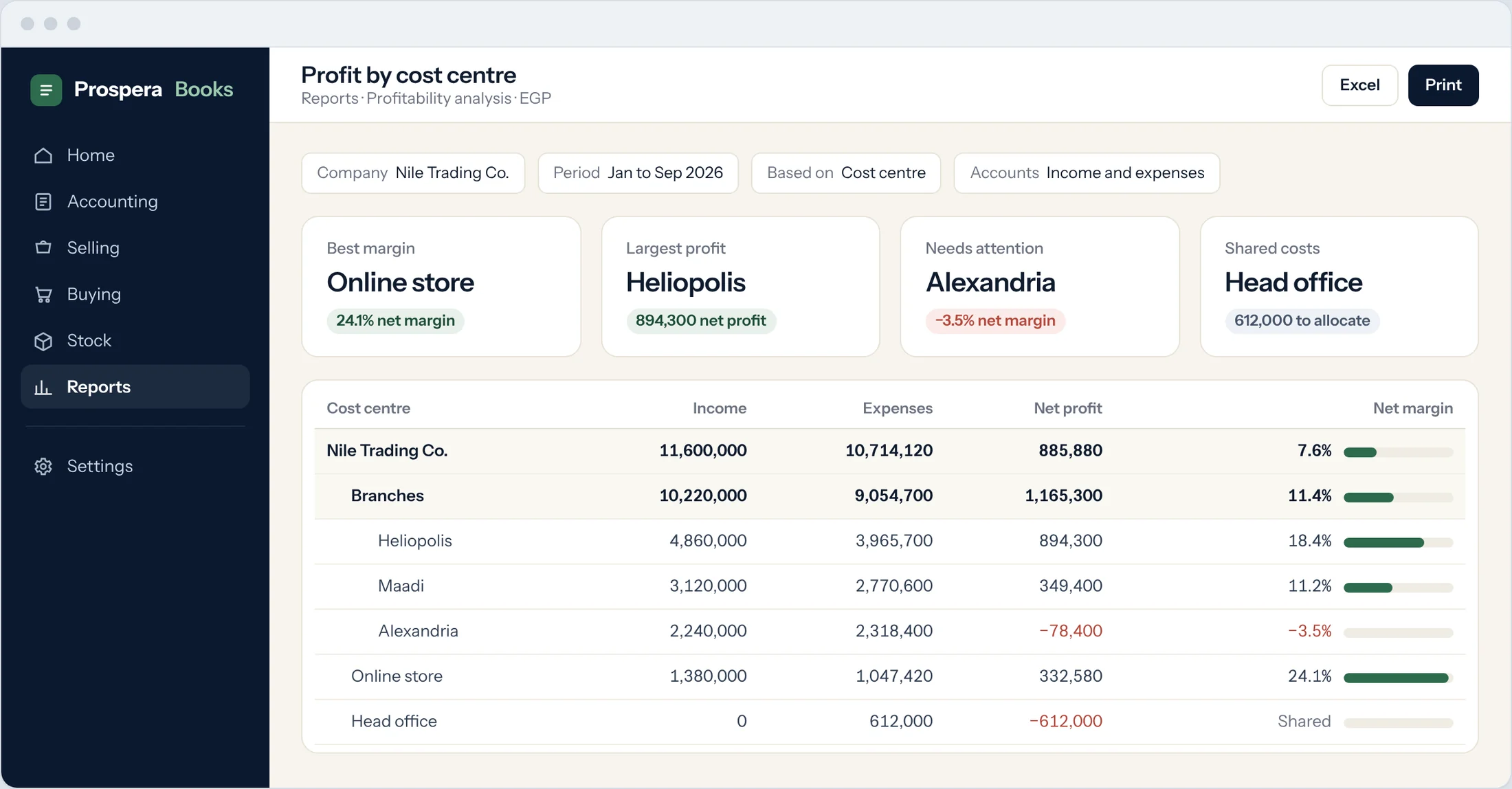
Tagged at the source
Each product and service carries a default cost centre for buying and selling, so invoices and bills are tagged without anyone thinking about it.
Statements by cost centre
Profit and loss, the trial balance and the general ledger filter by one cost centre or several.
Groups that roll up
Group branches into regions and departments into divisions. Each group shows the sum of what sits under it.
Shared costs, split by rule.
Rent, utilities and head-office salaries land in one place. An allocation rule spreads them across your branches by percentage, from the date you choose.
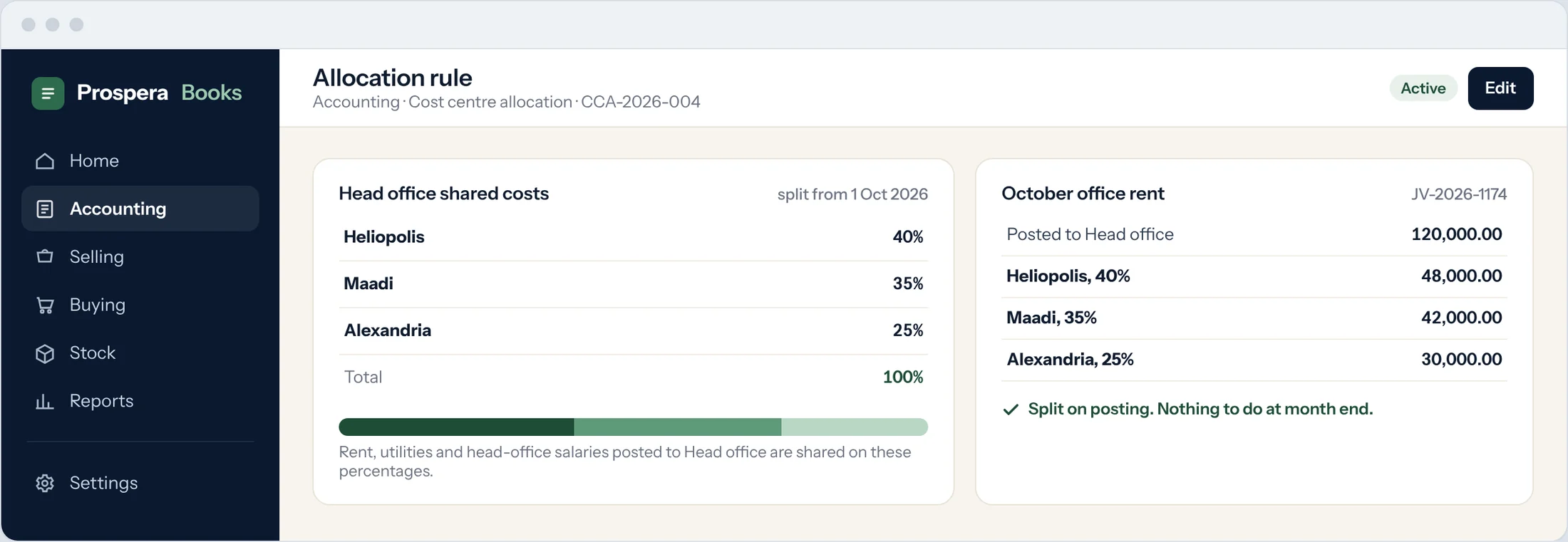
Percentages that add up
Split one cost centre across as many others as you need. The split must total 100%, so nothing goes missing.
Dated and changeable
Each rule starts on a date. Change the split next quarter without touching the months already closed.
Salaries where the work is
Split each employee's pay across the cost centres they work for, so payroll lands where the work happened.
Add-onBudgets that speak up before the money is spent.
Set a budget for each cost centre or project, by account, spread by month or quarter. Prospera Books checks it at the purchase request, the order and the bill.
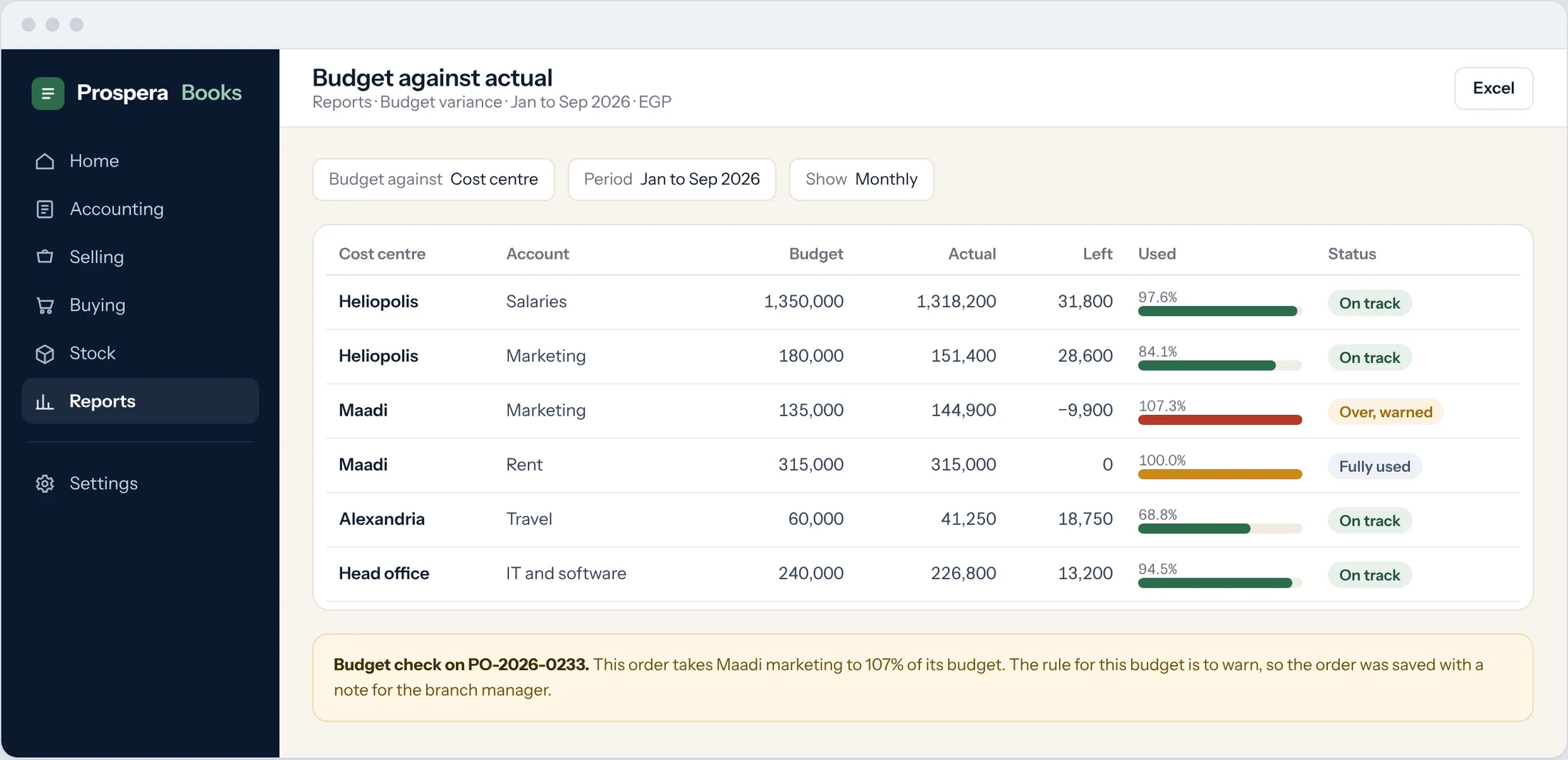
Warn or stop
Choose for each budget: warn the person, or stop the document from going through.
PremiumBudget against actual
See budget, actual and what is left for every cost centre and account, month by month.
PremiumRevisions on the record
Change a budget mid-year as a revision. The original stays on file.
PremiumBuilt for the way your business is shaped.
Six details that keep every number in the right place.
More than one way to slice
Use cost centres for branches, then add your own dimensions, such as department or project, on every entry.
All plansNothing falls into a blank
Income and expense lines need a cost centre before they post, so every amount has a home.
All plansReshape as you grow
Move a cost centre to a new group at any time. Past entries keep the cost centre they were posted to.
All plansThis year against last
Run any cost centre month against month, quarter against quarter, or this year against last.
All plansGross margin by branch
Cost of sales follows each sale to its cost centre, so margin by branch is real, not estimated.
Grow and PremiumProjects with their own budget
Give a project its own budget by account, checked the same way as a cost centre.
PremiumCost centres are in every plan.
Start includes cost centres, allocation rules and reports by cost centre, with two people included. Budgets that warn or stop come with Premium.
Compare all three plansQuestions.
How many cost centres can I have?
As many as you need, grouped as deep as you like. There is no extra charge.
Can one cost go to two cost centres?
Yes. Post it to one cost centre and let an allocation rule split it by percentage, or split the line yourself.
Do budgets stop people from spending?
Only if you choose. Each budget can warn or stop at the purchase request, the purchase order or the bill. Budgets come with Premium.
Does payroll follow cost centres?
Yes, with HR and payroll. Each employee's salary can be split across cost centres by percentage, and the payroll entry posts that way.
Can I bring my cost centres from Excel?
Yes. Send us your list and we load it during setup, or import it yourself.
Find the branch that carries the others.
Try it free for 14 days, or book a demo and we will map your cost centres with you.