
Every project. Every task. On time.
Project Cloud plans the work, shares it with the team, tracks every hour and flags the risks early. Billable time passes to Prospera Books for invoicing.

Everything in Project Cloud.
Five applications on one project record. Open any of them to see how it works.
Every project on one screen.
Progress, next milestones, overdue tasks and hours logged for each project, always current.
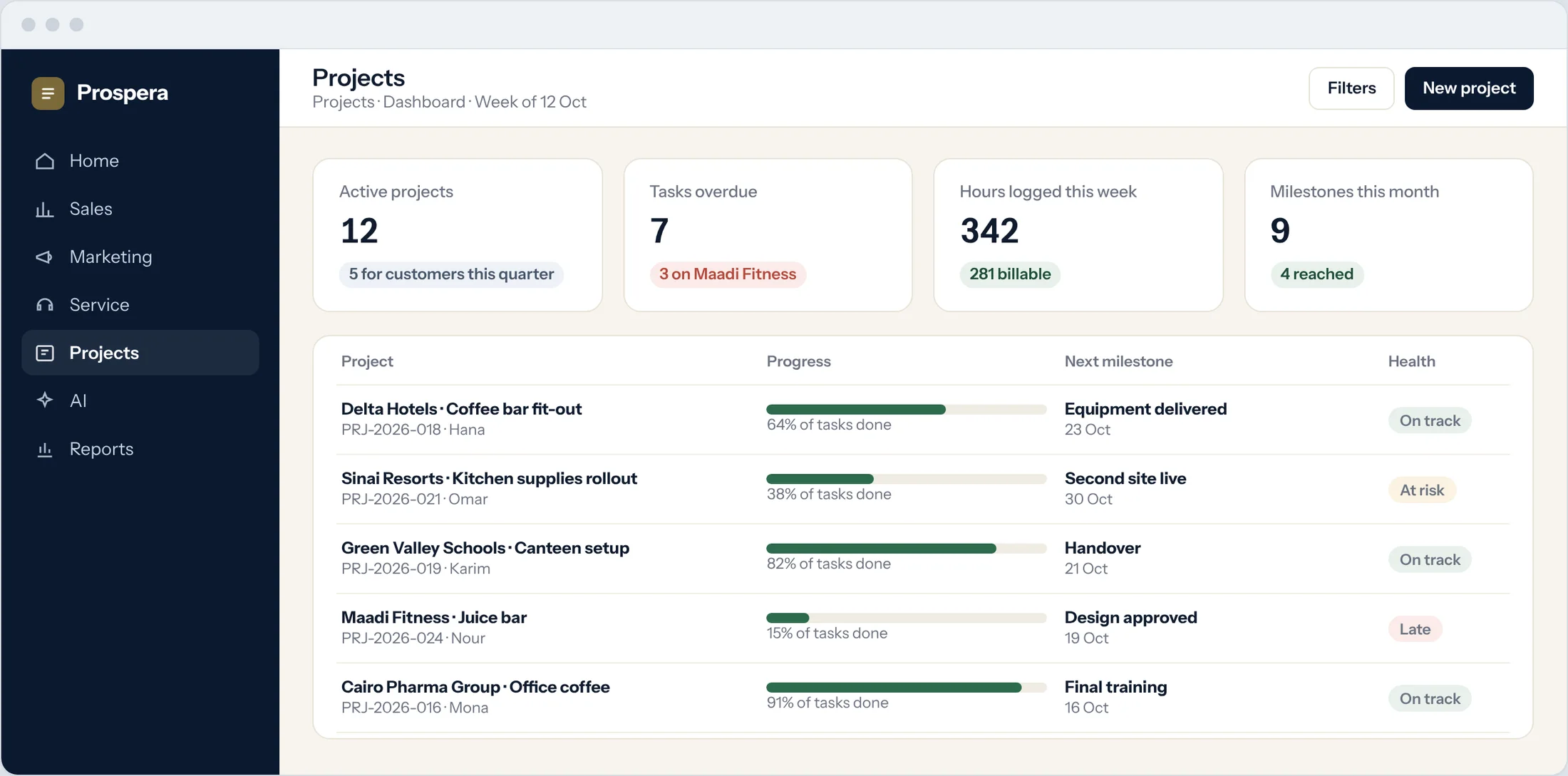
Reports and dashboards
Progress by project, person and task.
Late work stands out
Overdue tasks and projects at risk are flagged.
Followers
Managers follow a project and see every update.
A plan the whole team can see.
Break the work into tasks and subtasks, link them with dependencies, and set the milestones that matter to your customer.
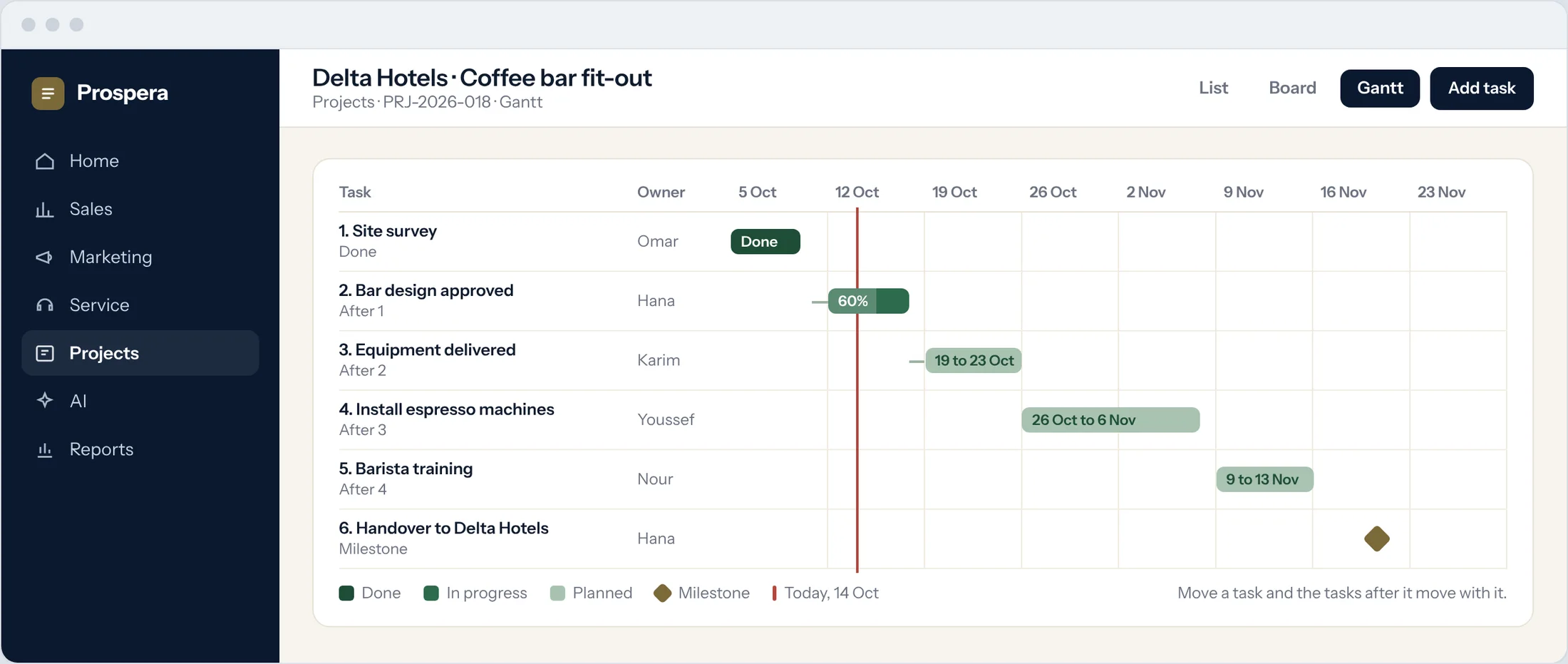
Gantt with dependencies
Move a task and the tasks after it move with it.
Milestones
The dates your customer cares about, tracked on the plan.
Templates
Start each new project from one that worked.
The right people on the right work.
See every person's hours, week by week, across all projects. Spot who is over capacity before a deadline slips.
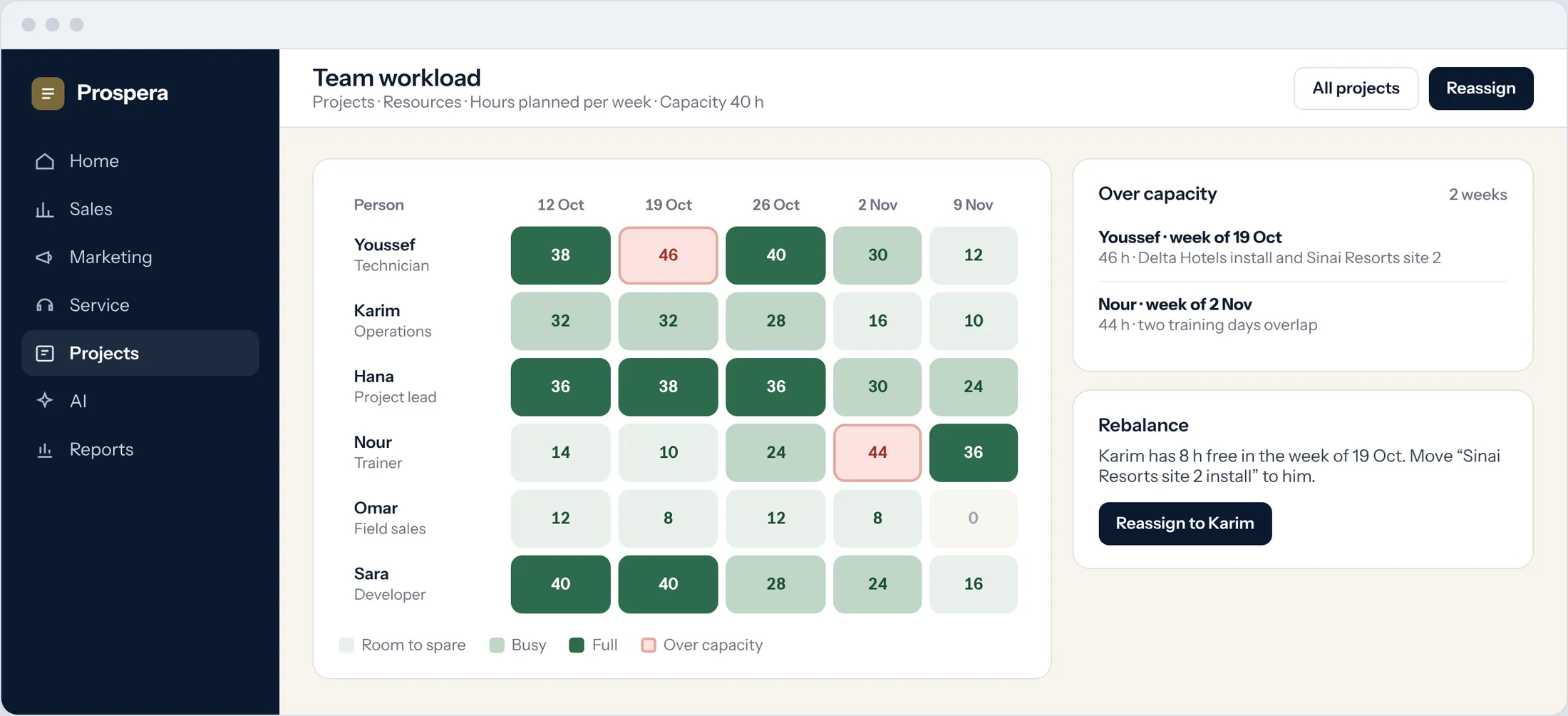
Team workload
Hours planned against capacity for each person.
Reassign in a click
Move a task to someone with time to spare.
Calendar
Meetings and deadlines in one calendar, with Teams and Zoom.
Billable time goes to the books.
Time logged on tasks is approved by the project lead, then the billable hours pass to Prospera Books for invoicing. We connect the two for you during setup.
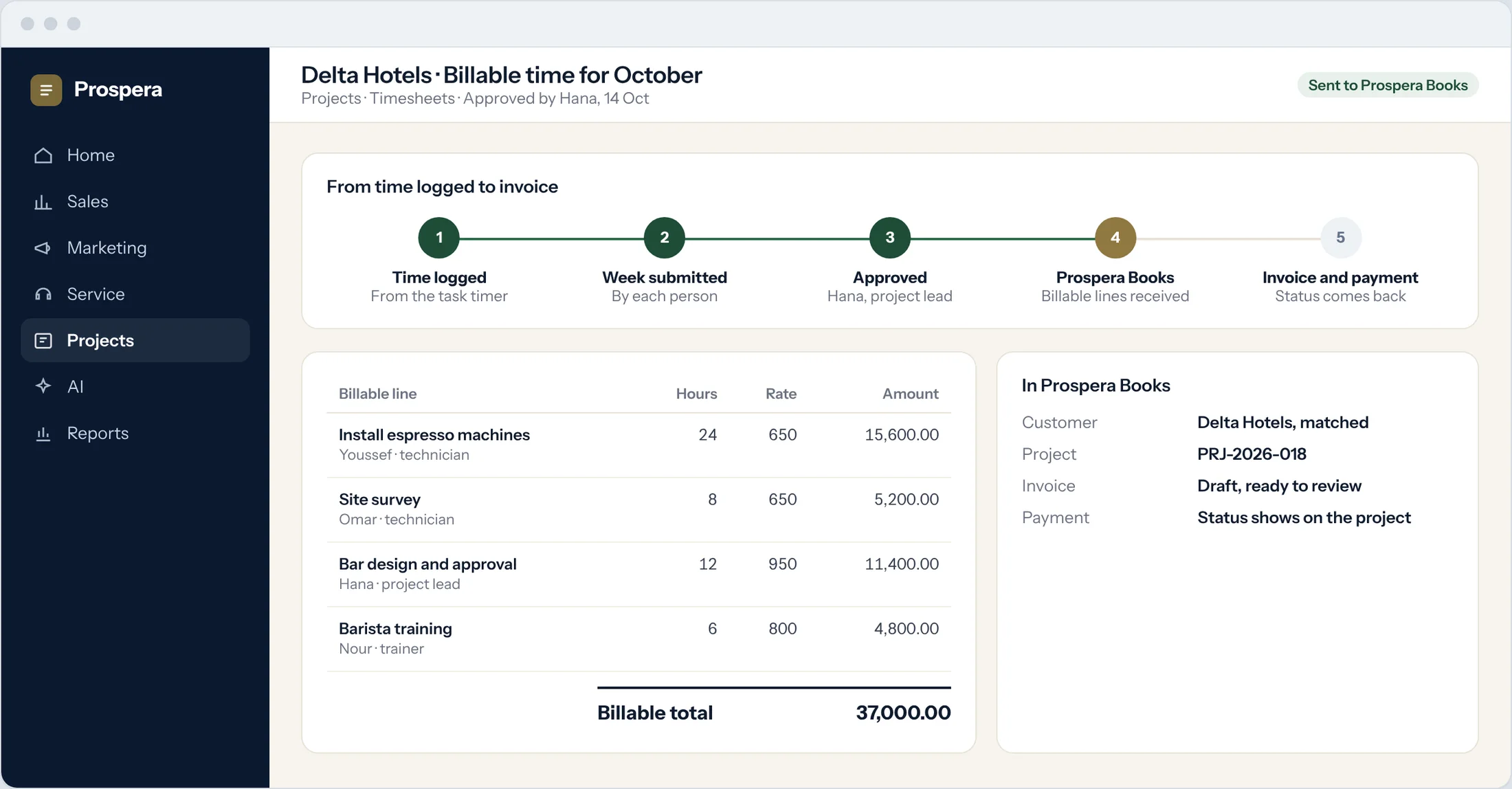
Time from the task
Start a timer on the task you are working on.
Approved first
Nothing is billed until the project lead approves it.
Payment status comes back
The project shows when the invoice is paid.
Built for teams that deliver.
Six more reasons project teams choose Project Cloud.
Discussion in the task
Comments and files stay with the work they belong to.
Task workflows
Assign, set start and due dates, and move tasks through your steps.
Kanban boards
Drag tasks across the stages of your project.
Linked to the customer
Each project sits on the customer record with its deal and quote.
Feedback after tasks
Ask the customer for a score when a task is complete.
Permissions by role
Each person sees what their role allows, down to the field.
Questions.
Who raises the invoice for project work?
Prospera Books. Project Cloud records and approves the time. The billable hours pass to Prospera Books, which raises the invoice and records the payment, so every sale is posted once.
Can we run agile and classic projects together?
Yes. One project can use a Gantt plan and milestones, another sprints and a backlog, and both share the same team and timesheets.
Can we bring our existing projects?
Yes. We import your open projects, tasks and people during setup.
Does it work on a phone?
Yes. Use the CloudOffix app for iPhone, or any phone browser, to update tasks and log time on site.