
Every billable hour, billed.
Agents log time on the ticket and mark what is billable. Approved time passes to Prospera Books, which raises the invoice.

Time logged where the work happens.
Agents record time on the ticket, with a note on what was done, and mark each entry billable or not.
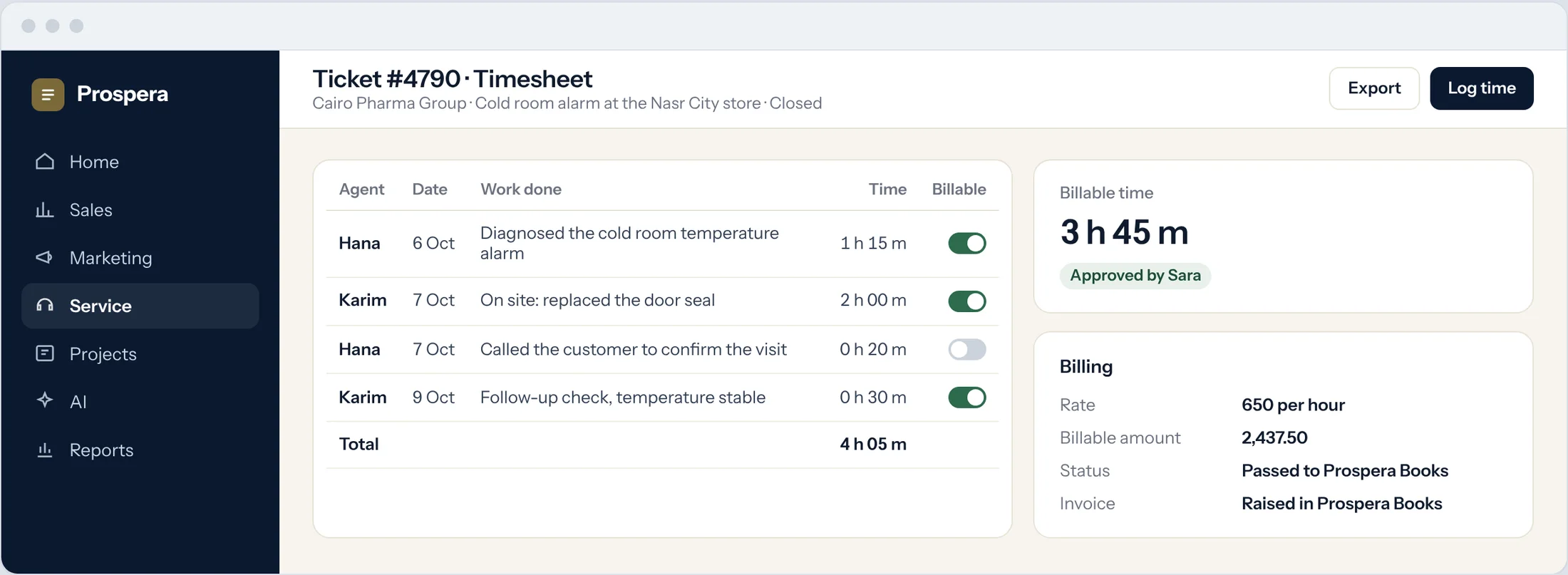
On the ticket
Each entry sits with the work it describes.
Billable or not
One switch per entry, set by the agent.
Every agent counted
See time by agent on the same ticket.
Approved, then billed once.
A manager approves billable time, and it passes to Prospera Books, which raises the invoice. We connect the two for you during setup.
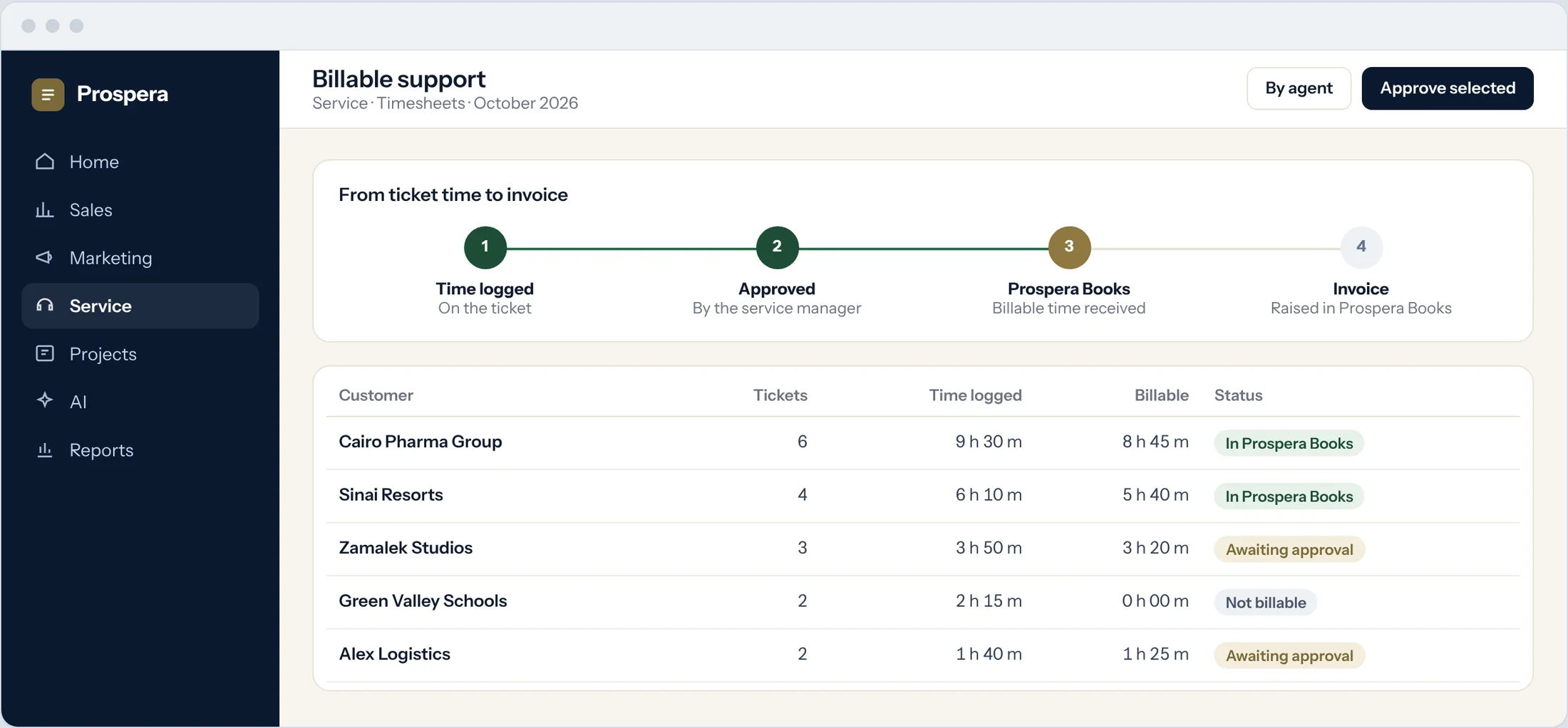
Approval first
Nothing is billed until a manager approves it.
Passed to the books
Approved time reaches Prospera Books without retyping.
Posted once
Prospera Books raises the invoice, so every charge is posted once.
When a ticket grows, make it a project.
A request that needs planned work becomes a project with tasks, owners and dates, linked back to the ticket and the customer.
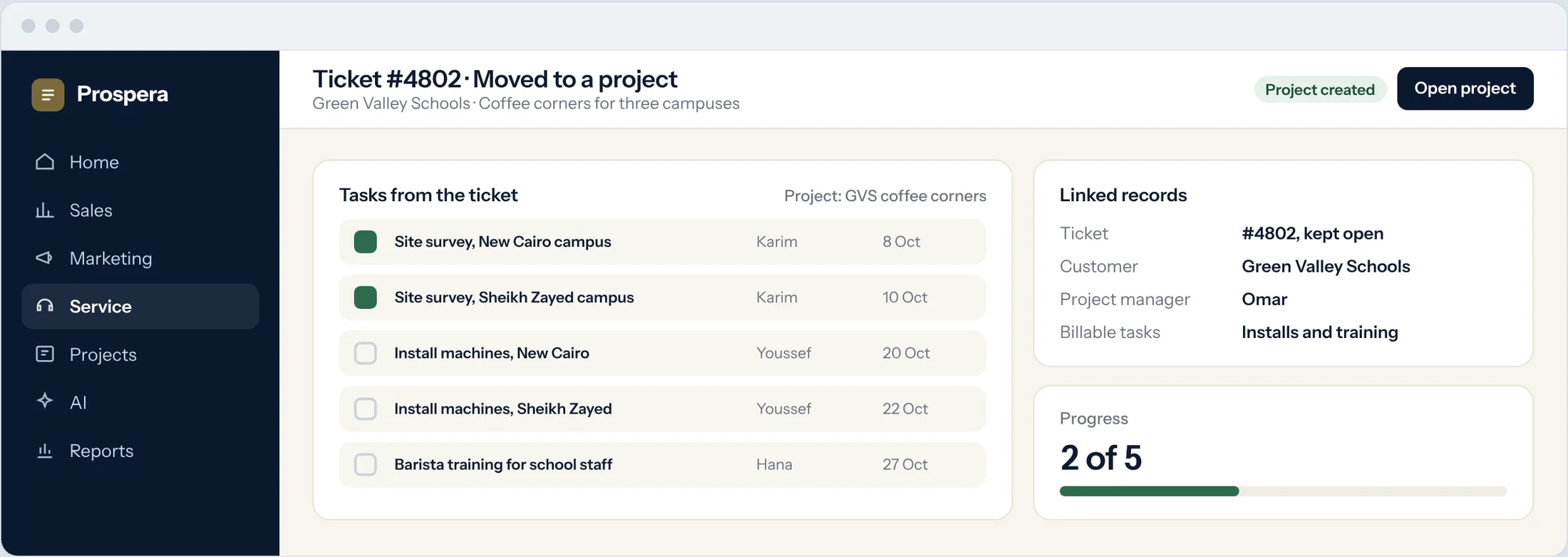
Tasks from the ticket
Break the request into tasks with owners and due dates.
Same customer
The project stays linked to the ticket and the customer.
Billable tasks
Mark the tasks that are billable from the start.
Paid for the work you do.
Six details that keep billable time accurate.
Time by agent
See who spent time on each customer.
Approval workflow
Billable time is approved before it is billed.
Time reports
Time by customer, agent and ticket for the month.
Remote sessions
Log the time spent on a remote fix.
One customer record
Tickets, time and projects on the same customer.
Permissions by role
Each person sees what their role allows.
Questions.
Where is the invoice made?
In Prospera Books. Helpdesk Cloud records and approves the time, and Prospera Books raises the invoice, so every charge is posted once.
Can some time be free of charge?
Yes. Each time entry is marked billable or not, and only billable time is passed on.
Who approves billable time?
You decide. Usually the service manager approves it before it passes to Prospera Books.
What happens when a ticket needs planned work?
Turn it into a project with tasks, owners and dates, linked back to the ticket.
Bill every hour you earn.
Book a demo and we will set up billable support with you.