
Every billable hour, billed.
Log time from the task you are working on. Approved billable hours pass to Prospera Books for invoicing, so nothing is retyped and nothing is missed.

Time logged where the work happens.
Start a timer on the task, or fill in the week. Each line is marked billable or not, and reminders make sure every week is submitted.
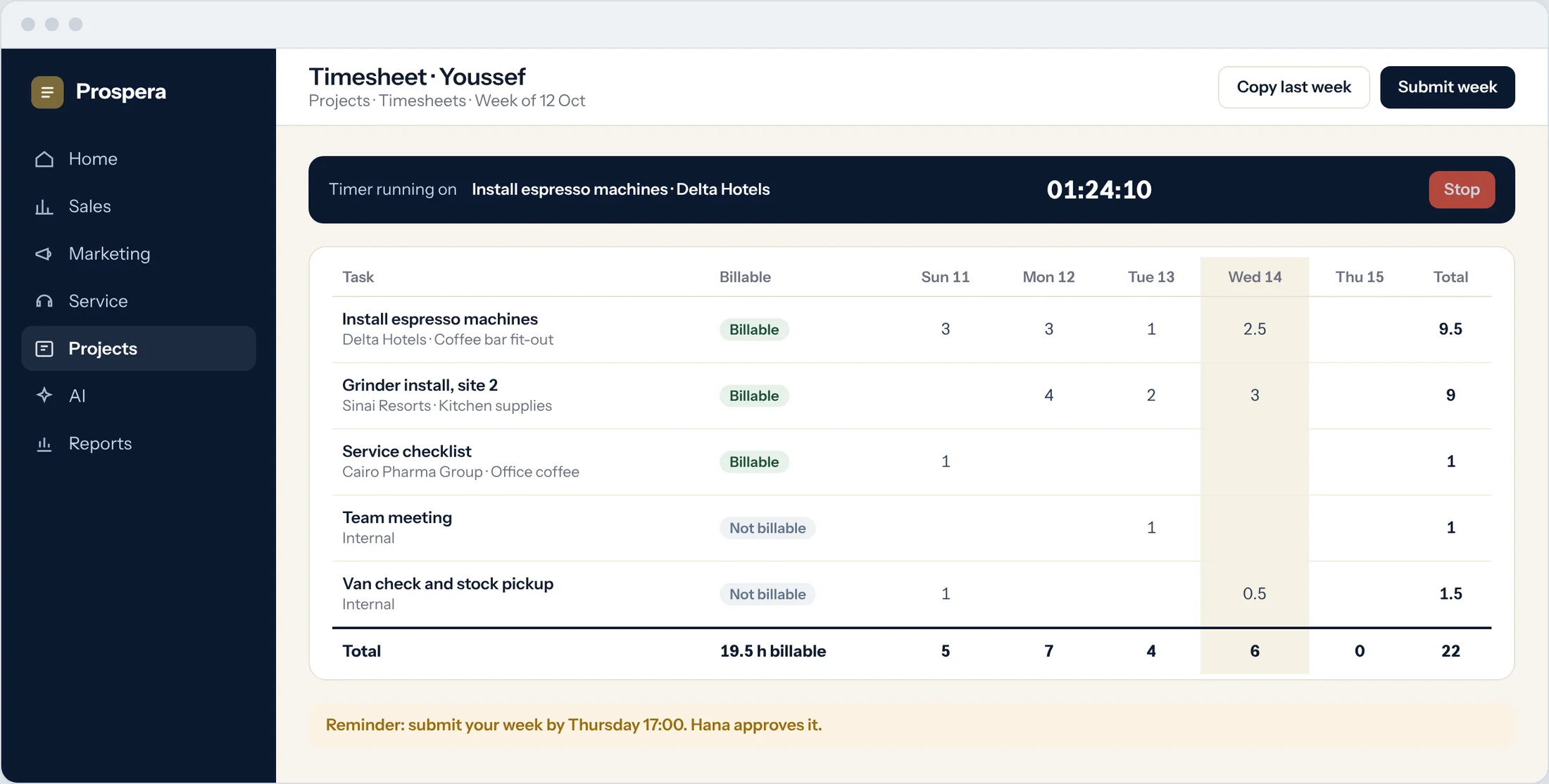
Timer on the task
Entries are made in real time from the task.
Billable flag
Each task is marked billable or not.
Reminders
People are reminded to submit their week.
Where the hours went.
Report time by project, person, task and billing rate, and see how much of it your customers pay for.
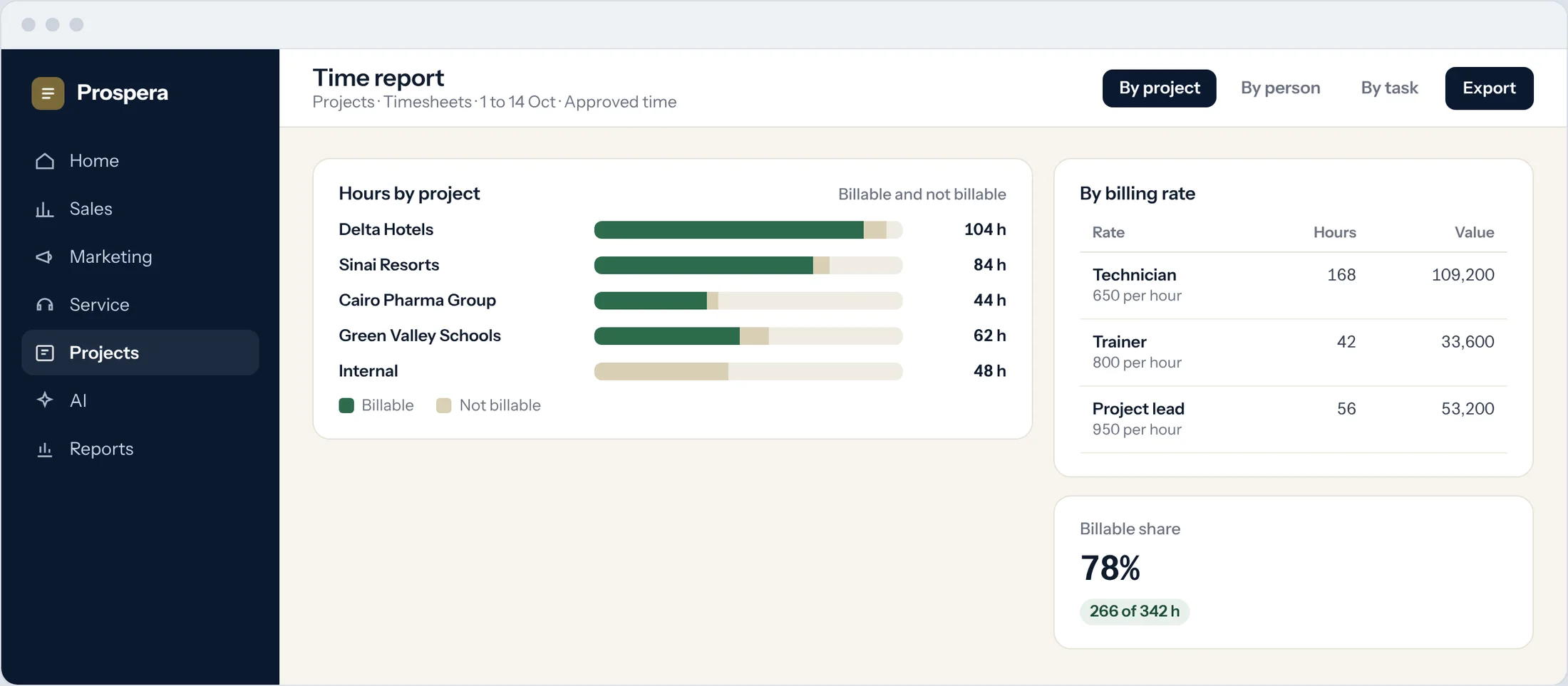
By project and person
Billable and internal hours side by side.
By billing rate
Hours and value for each rate.
Always current
Reports include time as it is logged.
Approved time goes to the books.
Once the project lead approves the time, the billable hours pass to Prospera Books, which raises the invoice and sends the payment status back. We connect the two for you during setup.
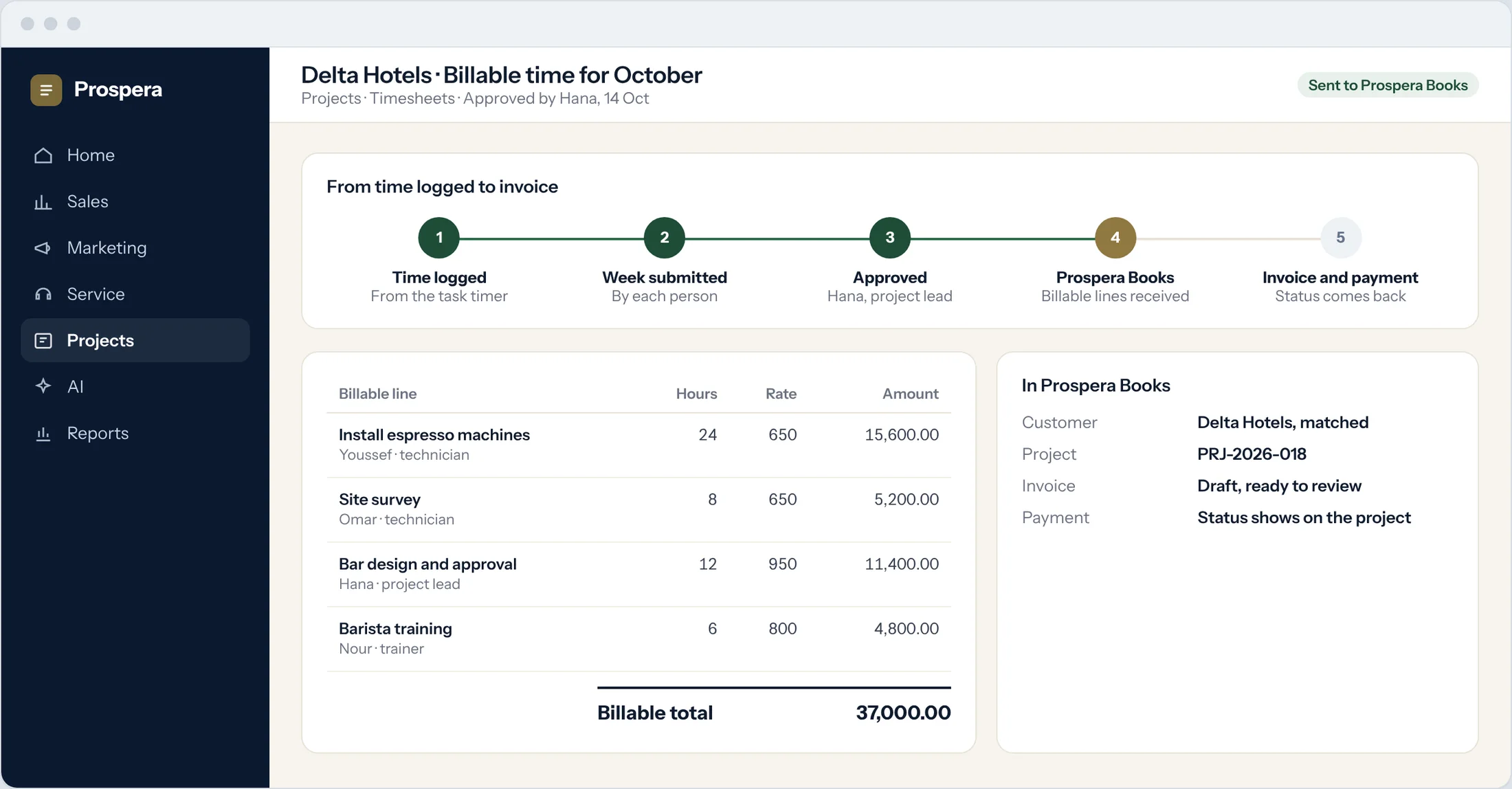
Approved first
Nothing is billed until it is approved.
Nothing retyped
Hours and rates arrive line for line.
Payment status comes back
The project shows when the invoice is paid.
Time you can trust.
Six details that make every hour count.
Week view
Fill in a whole week in one grid.
Approval by project lead
Each week is checked before it is billed.
Billing rates
A rate for each role or person.
Billable support time
Time on helpdesk tickets can be billed the same way.
On site, on the phone
Log time from the CloudOffix app.
Permissions by role
Each person sees what their role allows.
Questions.
Who raises the invoice?
Prospera Books. Approved billable hours pass to it, and it raises the invoice and records the payment, so every sale is posted once.
Can people log time without filling in a grid?
Yes. Start a timer on the task you are working on and the entry is made for you.
Can we report by billing rate?
Yes. Reports show time by project, employee, task and billing rate.
What about time that is not billable?
Mark the task as not billable. It still counts in reports and workload, but never reaches an invoice.
Bill every hour.
Book a demo and we will set up your rates and approvals with you.