
Every promise, kept on time.
Set deadlines by category, urgency or agreement. Reminders and escalations reach the right person before a promise is broken.

The right deadline for every ticket.
Each service level sets how fast you reply and how fast you close, by ticket category, urgency or the agreement you signed with the customer.
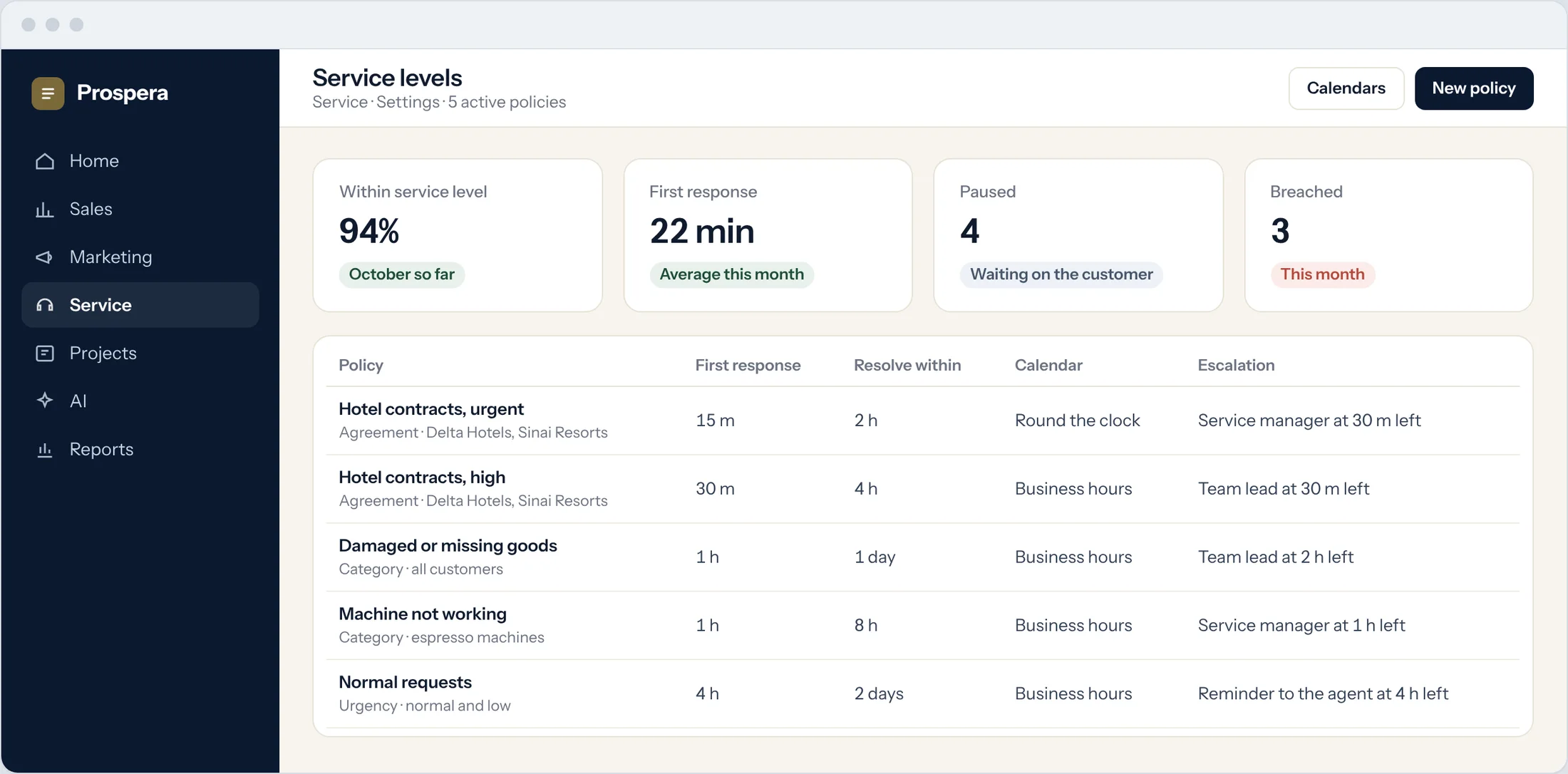
By agreement
Customers on a contract get the deadlines you promised them.
By category and urgency
A machine that stops gets a shorter clock than a routine change.
Your working hours
Each policy follows business hours or runs round the clock.
Warned before, not after.
Tickets close to their deadline rise to the top. The agent gets a reminder first, and the manager is told while there is still time to act.
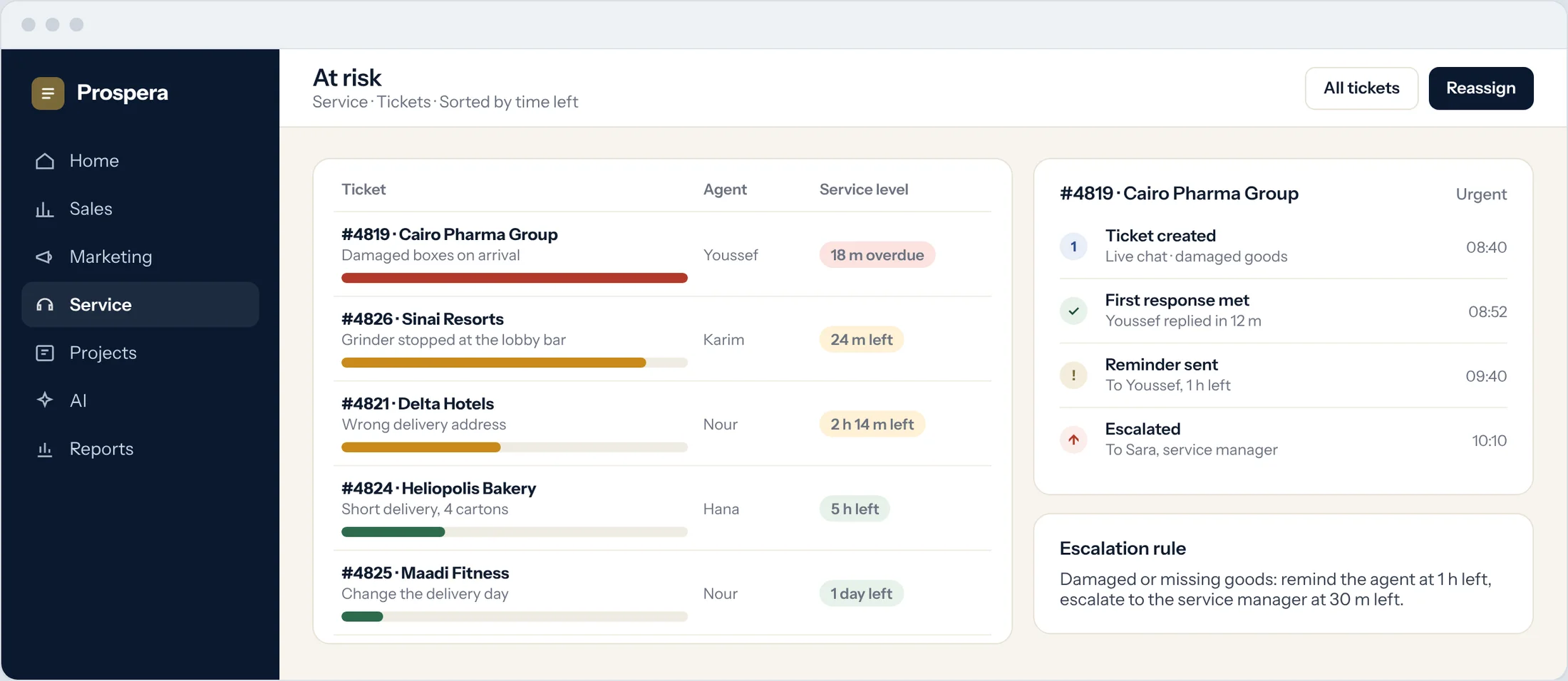
Time left on every ticket
The queue sorts itself by what is due next.
Reminders
The owner is reminded as the deadline approaches.
Escalations
A manager steps in before the customer has to chase.
See who keeps the promise.
Agent performance, customer satisfaction and closing times, by agent, team and category.
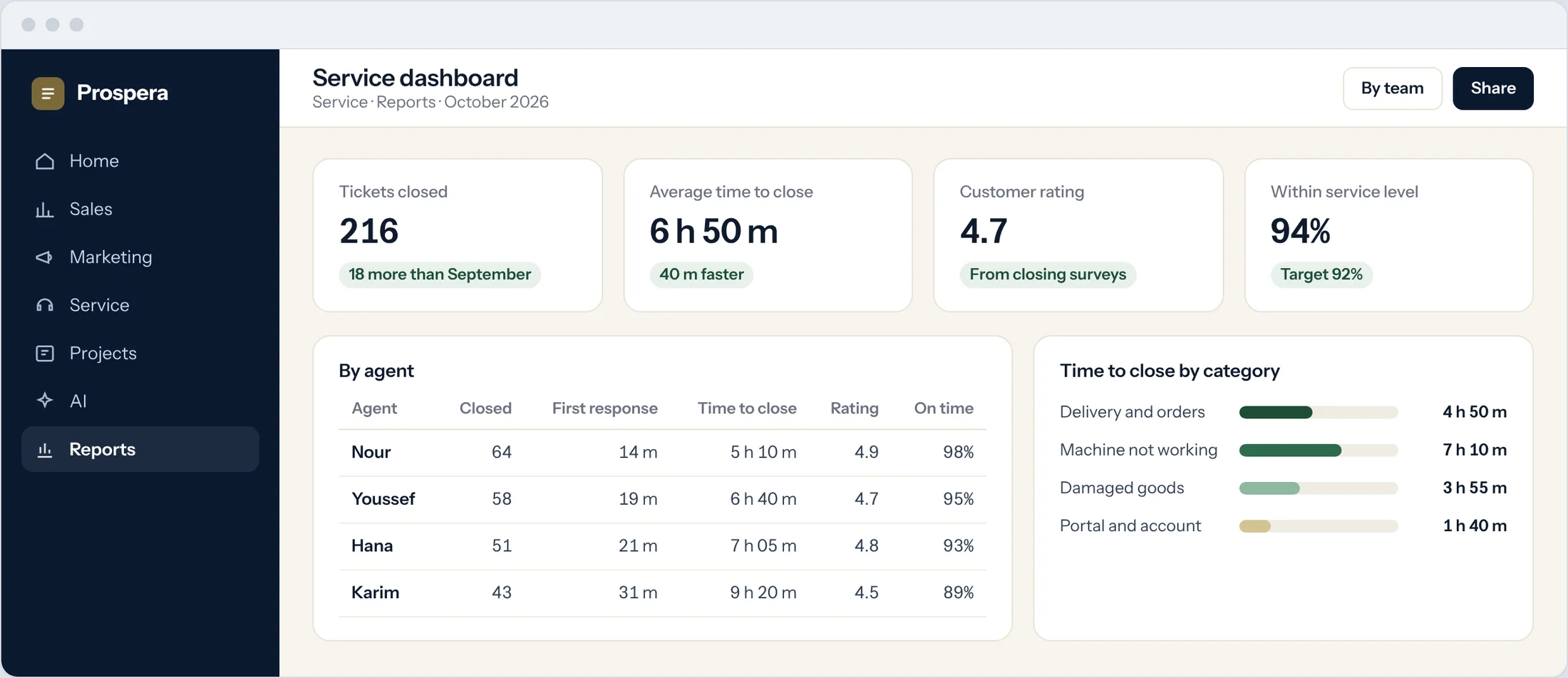
Agent performance
Tickets closed, reply times and ratings for each agent.
Satisfaction
Ratings from the survey sent when a ticket closes.
Closing times
See which categories take longest to close.
Built around your promise.
Six details that keep every deadline in sight.
Smart sorting
Priority and category are set as the ticket arrives.
Routing to the right team
Tickets go to the right agent or department.
Collaboration in the ticket
Agents work together without leaving the ticket.
Approval workflow
Requests that need sign-off go through an approval step.
Agent ratings
Customers rate the agent when the ticket closes.
Permissions by role
Each person sees what their role allows.
Questions.
Can different customers have different deadlines?
Yes. Service levels can follow the agreement you have with each customer, as well as category and urgency.
Who is told when a deadline is close?
You decide. Typically the agent is reminded first and a manager is told if the ticket is still open.
Do weekends count?
Only if you want them to. Each policy follows business hours or runs round the clock.
Can we report on service levels?
Yes. Dashboards show closing times, satisfaction and each agent's results.
Keep every promise.
Book a demo and we will set up service levels that match your agreements.