
Know who is calling.
Incoming calls open with the contact's record. Every call is logged with its outcome and notes, and the follow-up is set before you hang up.

Answer with the whole story.
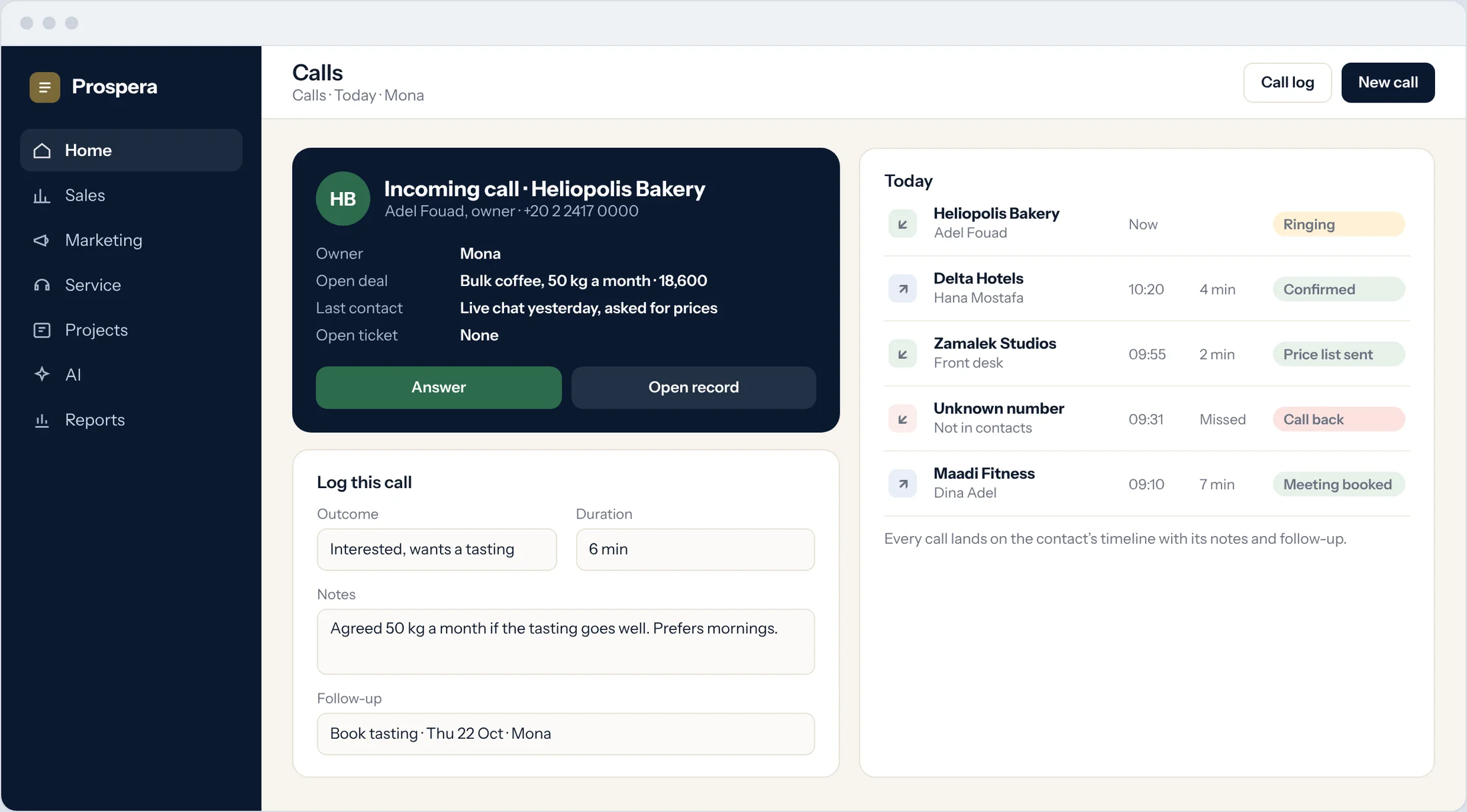
When a customer calls, their deals, last contact and open tickets are on the screen before you answer.
The caller
Name, company and owner.
Open deals
What they are buying, and how far it has gone.
Last contact
The last chat, email or call, so you pick up where it stopped.
Every call, on the record.
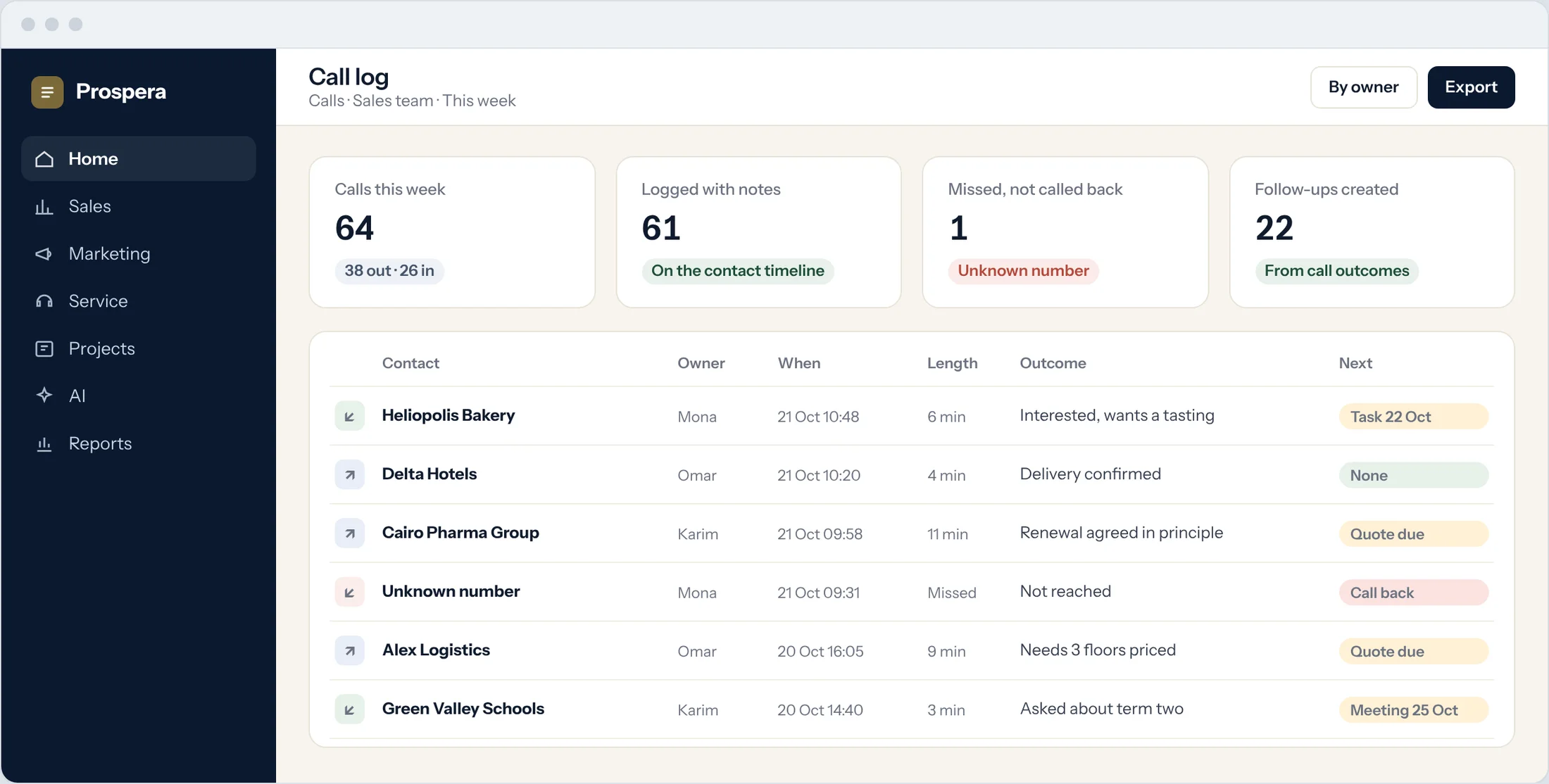
Log the outcome, the notes and the next step. The call lands on the contact's timeline for the whole team.
Outcome and notes
What was said, in a few words.
Follow-up
The next step becomes a task with a date.
Missed calls
Log a missed call and set the call back.
Calls next to everything else.
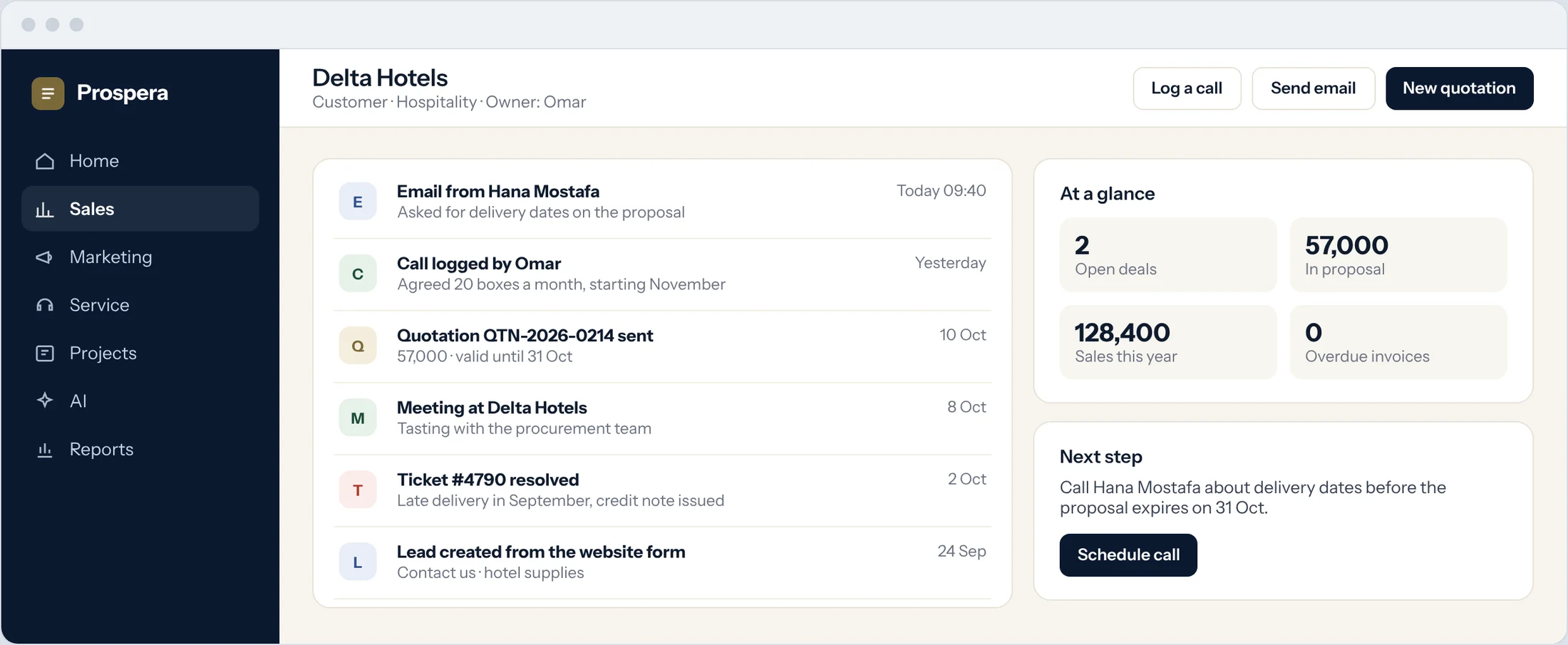
Calls sit with the emails, meetings and quotes on the customer's timeline.
In order
Every touch, in the order it happened.
For the whole team
Anyone can see what was agreed.
Call reports
Calls by owner, outcome and week.
Every call counts.
Six details that make calls part of the record.
Incoming and outgoing
Both directions logged on the contact.
Call intelligence
Calls read alongside the rest of your sales data.
Voice agents
Prospera Intelligence can handle calls with voice agents.
Linked to the deal
Calls sit on the opportunity they move.
On your phone
Log a call from the CloudOffix app for iPhone.
Permissions by role
Each person sees the calls their role allows.
Questions.
What do we see when a customer calls?
The contact, their company, their open deals and their last contact, so you answer with the full picture.
Where are calls kept?
On the contact's timeline, next to their emails, meetings and quotes.
Can a call create a follow-up?
Yes. Set the next step as you log the call, and it becomes a task with a date and an owner.
Can we connect our phone lines?
We review your phone setup with you during the demo and connect what fits.
Make every call count.
Book a demo and we will look at your calls with you.