
Fixed without a visit.
Start a remote session from the ticket, fix the problem on the customer's computer, and keep the log where the team can find it.

Connect from the ticket.
Start a TeamViewer remote session from the ticket. The session log is saved on the ticket, next to the conversation.
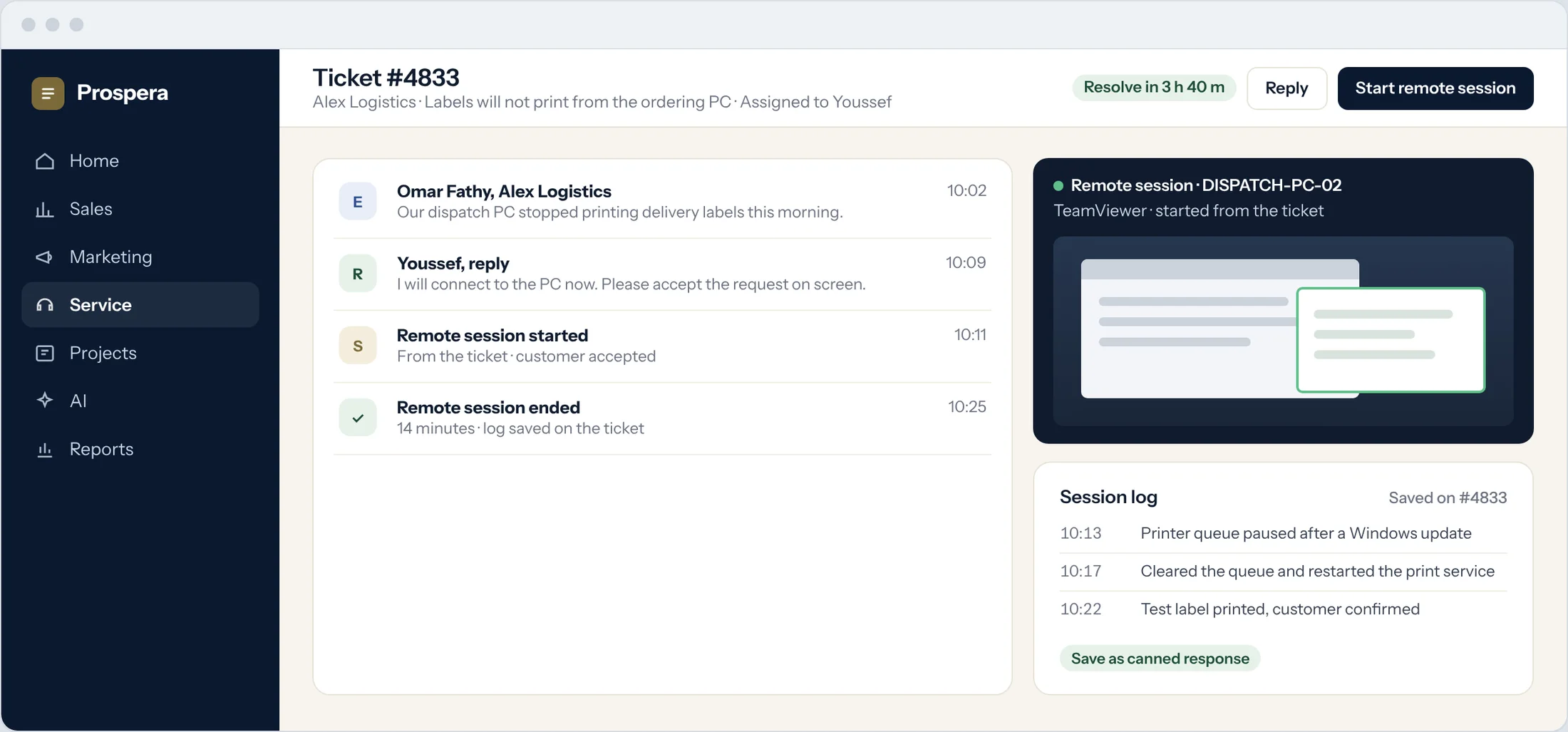
Started from the ticket
Open the session without leaving the ticket.
Session log kept
What was done, and when, stays on the ticket.
Deadlines still apply
The ticket keeps its service level throughout.
Solve it once. Reuse it.
Turn a session log into a canned response, so the next agent answers the same problem in seconds.
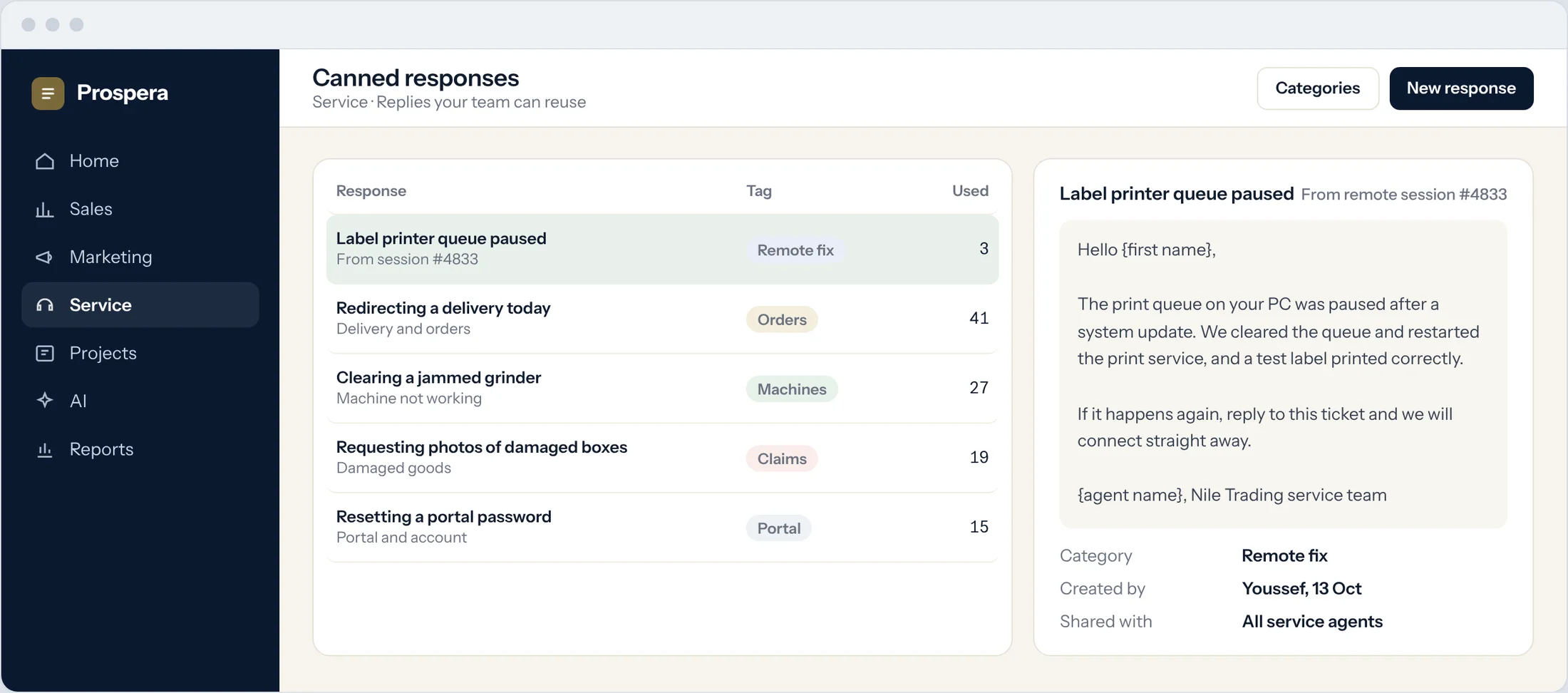
From session logs
Save what worked as a reply the team can reuse.
Organised by category
Find the right reply for the problem in front of you.
Shared with the team
Every agent answers with the same care.
From chat to ticket in one step.
When a chat needs follow-up, the agent creates a ticket from the conversation, with the customer and the chat attached.
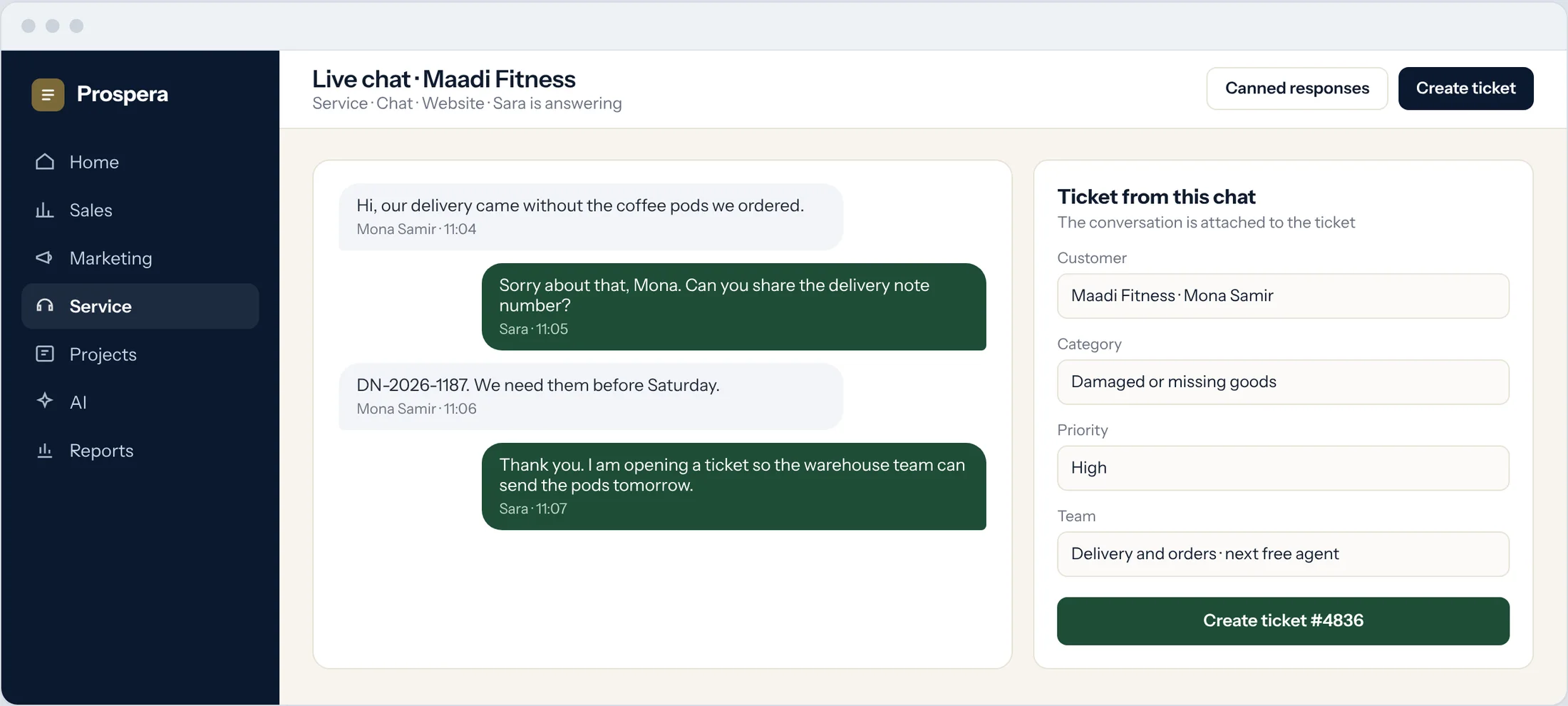
Chat becomes a ticket
The conversation travels with the ticket.
Routed on arrival
Category and priority send it to the right team.
One customer record
The chat and the ticket sit on the same customer.
Support that travels light.
Six details that cut the time to a fix.
Collaboration in the ticket
Bring in a colleague without leaving the ticket.
Ticket timesheets
Log the time spent in each session.
Rated by customers
A survey goes out when the ticket closes.
Knowledge base
Publish the fix as an article for every customer.
Reports
Closing times and ratings by agent and category.
Permissions by role
Each person sees what their role allows.
Questions.
Which remote access tool does it use?
TeamViewer. Sessions are started from the ticket, and we connect it during setup.
Can the fix help the next customer?
Yes. Save the session log as a canned response, or publish it as an article in the help centre.
Where is the session log kept?
On the ticket, next to the conversation, so anyone on the team can see what was done.
Can we bill for remote sessions?
Yes. Log the time on the ticket and mark it billable. It passes to Prospera Books, which raises the invoice. We connect the two for you during setup.
Fix it from where you are.
Book a demo and we will show you a remote session started from a ticket.