
Short messages. Quick replies.
Send text message campaigns from the same contacts and audiences as your email. Use them in automations for reminders that people read.
Write it once. Send it to the right people.
Pick an audience from your contacts, write the message, check it on a phone preview and schedule it.
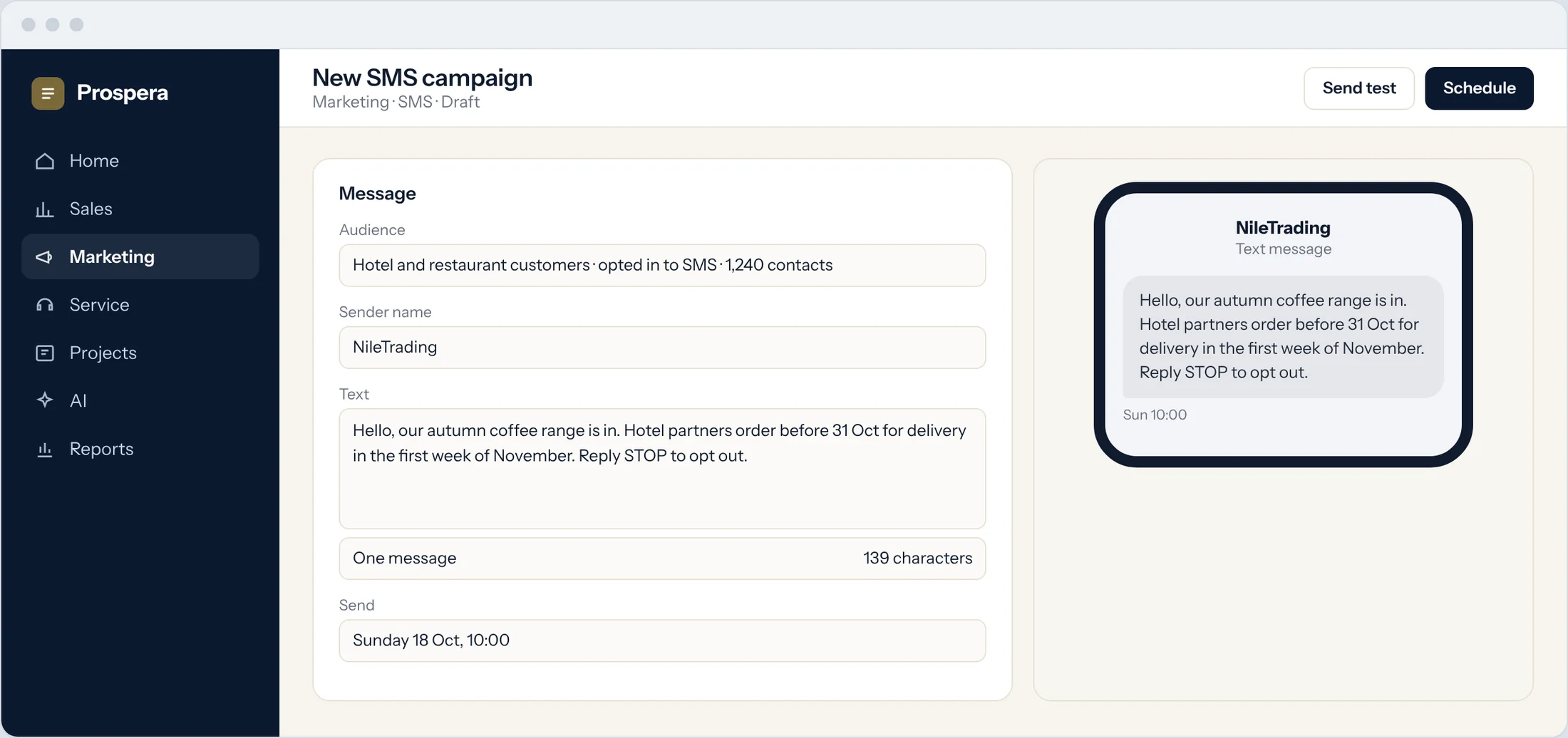
Audiences from the record
Use the same segments as your email campaigns.
Scheduled sends
Choose the day and time it goes out.
Phone preview
See the message as your customer will.
Every campaign, counted.
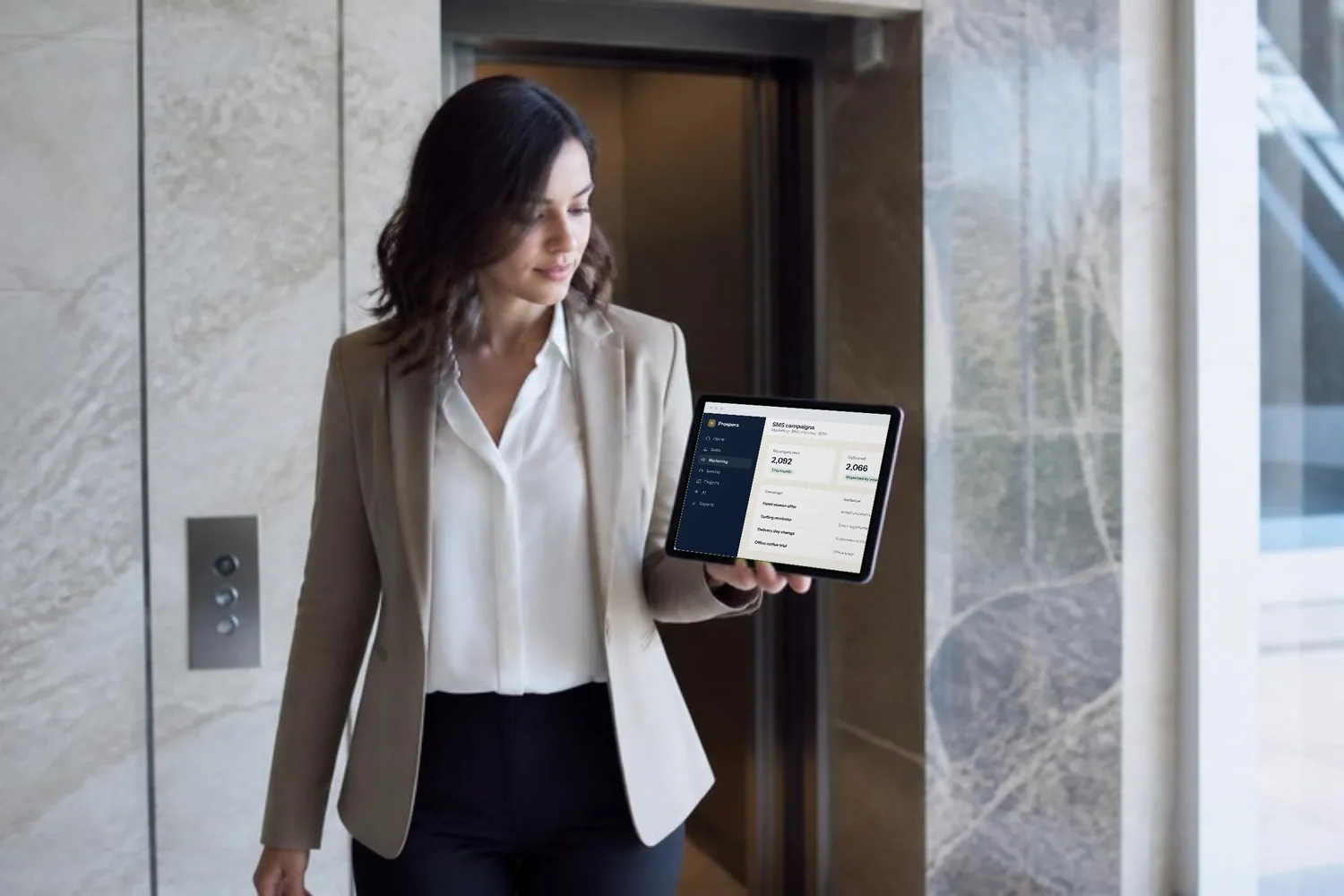
See each SMS campaign with its audience, the messages sent and the date, next to your email results.
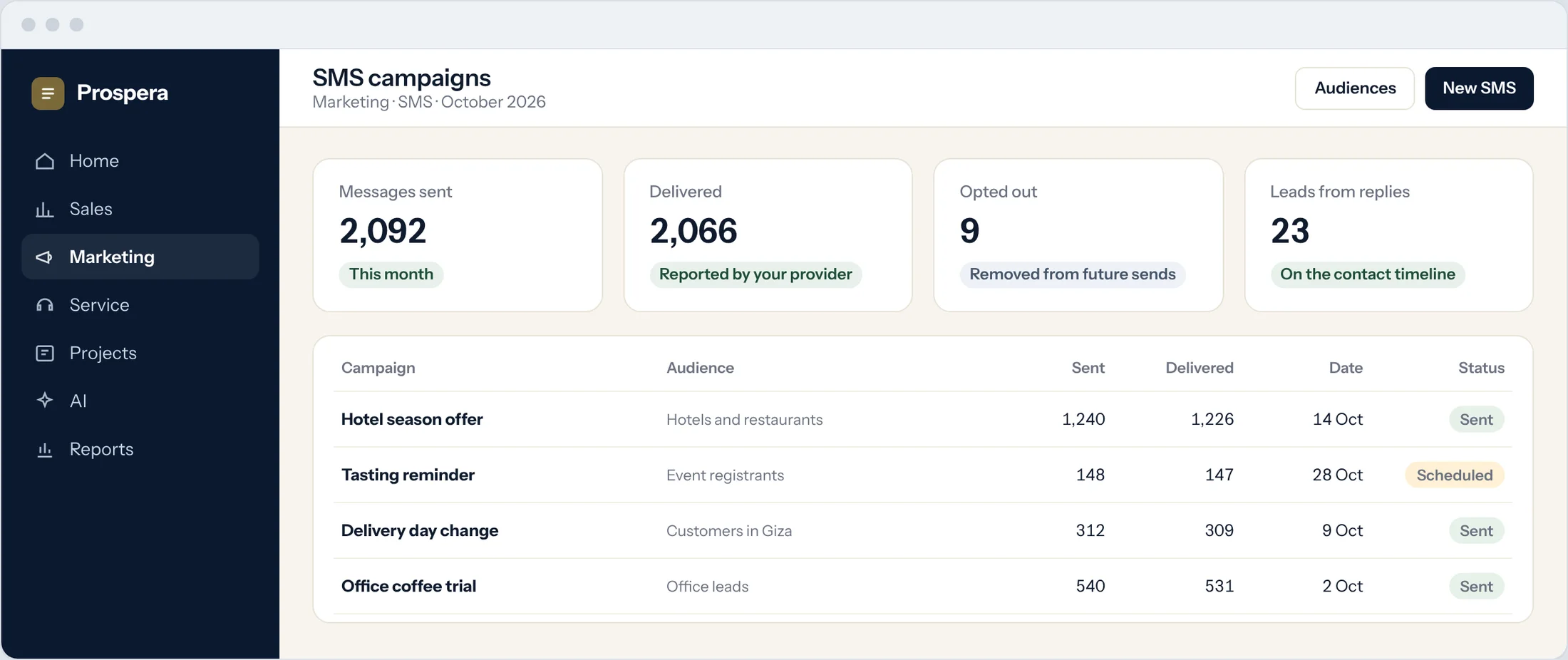
Campaign list
Sent, scheduled and past campaigns in one place.
Opt-outs respected
People who opt out are left out of future sends.
Next to email
Compare SMS with your other channels in campaign reports.
The reminder people read.
Add a text message to an automation, such as a reminder the day before an event, after the confirmation email.
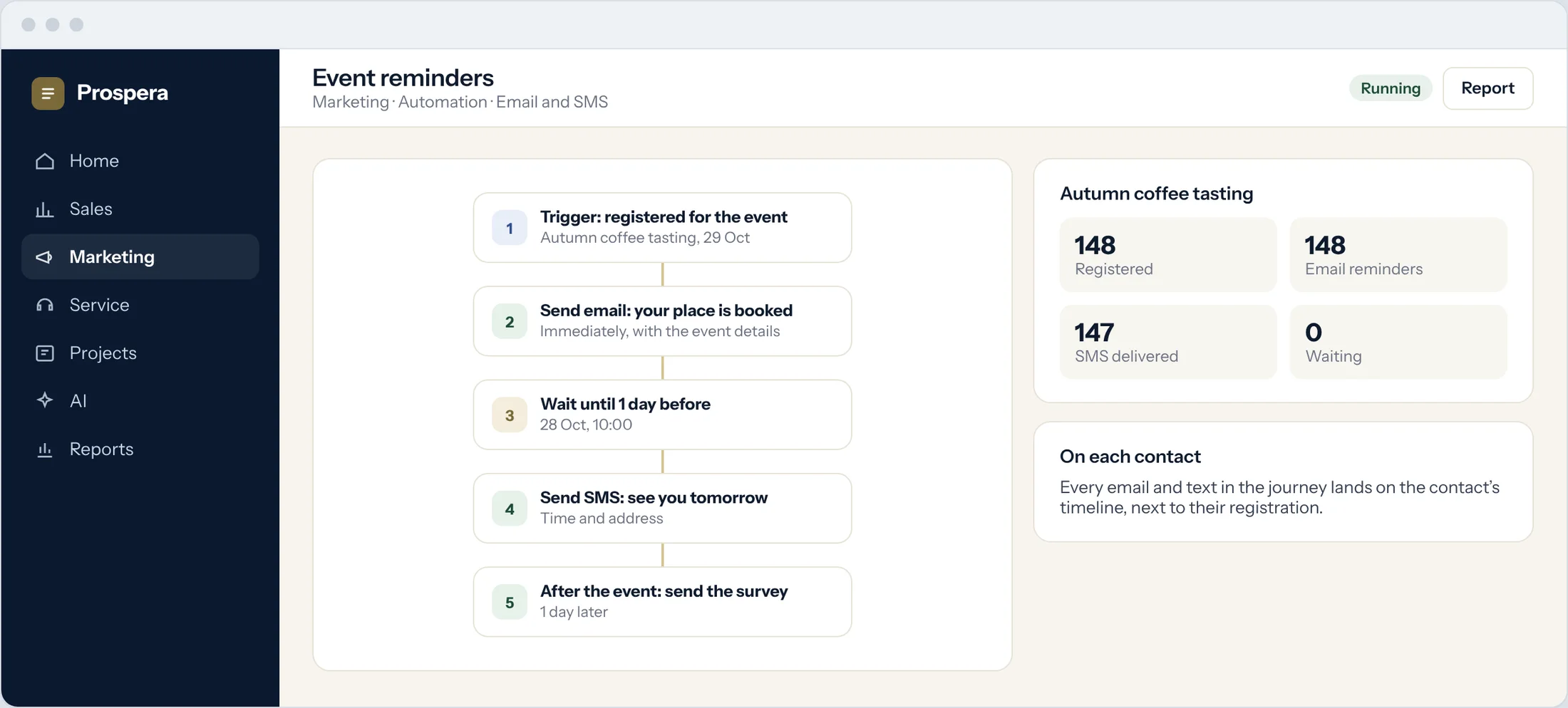
One step in a journey
Email first, a text when it matters.
Event reminders
Time and address the day before.
On the timeline
Each message lands on the contact record.
Texts that work with everything else.
Six details that keep SMS part of the plan.
Shared contacts
The same people as email and sales.
Send later
Schedule campaigns for the right hour.
Automation step
Texts inside your journeys.
Tracked links
Count the clicks from each message.
Campaign return
SMS in the same ROI report as email.
Permissions by role
Decide who can send to whom.
Questions.
Which SMS provider do we use?
We connect the SMS provider you choose for your region during setup, and messages go out with your own sender name where the provider allows it.
Can SMS be part of an automation?
Yes. A text message can be one step in a journey, next to emails and tasks.
Who receives our messages?
Only the audiences you choose from your contacts. People who opt out are left out of future sends.
Can we see results by campaign?
Yes. Each SMS campaign has its own results, next to your email campaigns.
Reach people where they read.
Book a demo and we will set up your first SMS campaign with you.