
Nobody overbooked.
See every person's hours across all projects, week by week. Plan who works on what, and give each person one clear list of their work.

See the crunch before it comes.
The workload view shows hours planned against capacity for each person and week. Over capacity stands out at once.
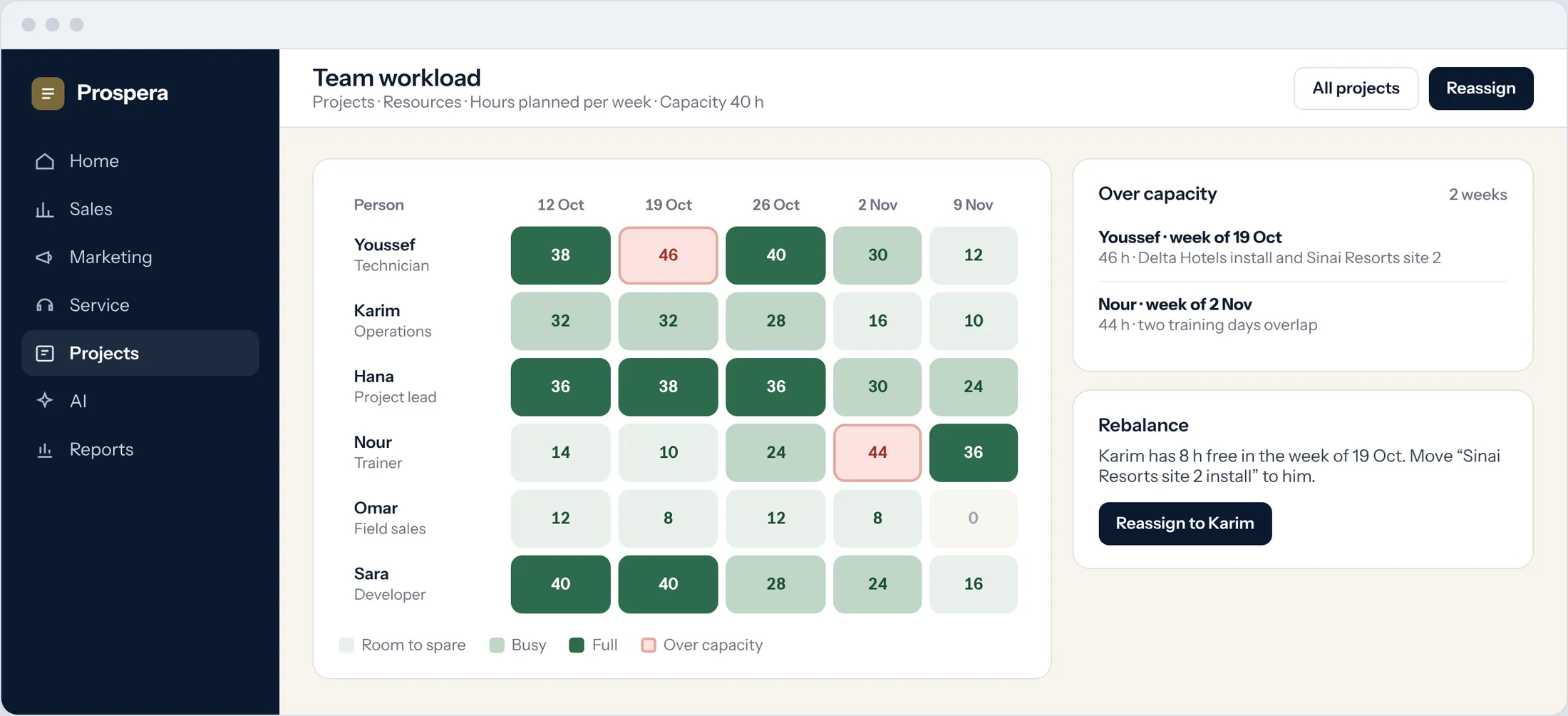
Week by week
Hours planned for each person across projects.
Over capacity
Overbooked weeks are flagged in red.
Reassign
Move work to someone with time to spare.
Every project, properly staffed.
Set the hours each project needs by role, then assign people. Open needs stay visible until they are covered.
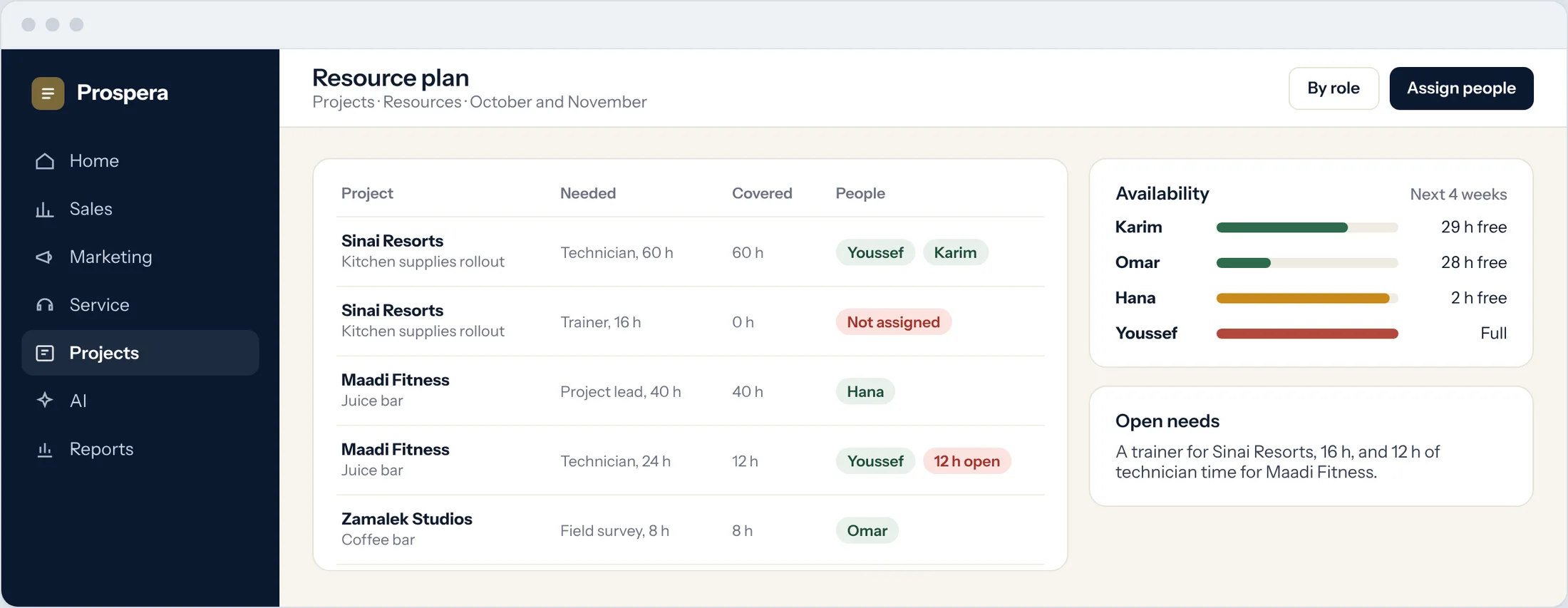
Allocation by role
Technicians, trainers and leads, by the hours needed.
Open needs
What is still not covered, and where.
Availability
Free hours for each person in the weeks ahead.
One list for everything I owe.
Each person sees their tasks from every project in one place, with due dates, to-dos and the day's meetings.
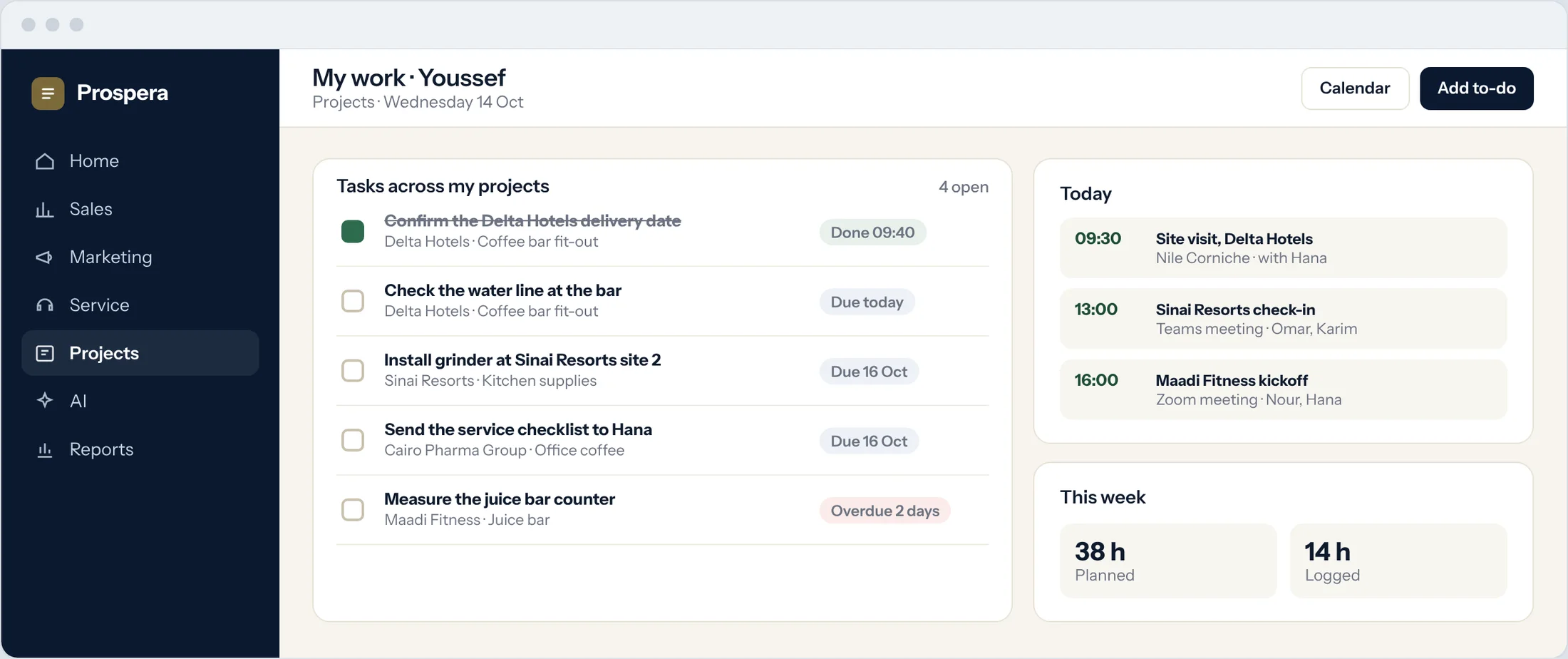
Tasks and to-dos
Everything assigned to me, by due date.
Calendar
Meetings with Teams and Zoom next to the work.
Overdue first
Late tasks are the first thing I see.
Less juggling, more delivery.
Six details that keep the team balanced.
Followers
Managers follow projects and see every update.
Reminders
People are reminded before a task is due.
Discussion in the task
Questions and answers stay with the work.
Kanban boards
Each person's tasks by stage.
Workload reports
Planned and logged hours by person.
Permissions by role
Each person sees what their role allows.
Questions.
Can we see workload across all projects?
Yes. The workload view adds up each person's hours from every project, week by week.
How do we know someone is overbooked?
Weeks above a person's capacity are highlighted, so you can move work before a deadline slips.
Do people see only their own work?
Each person has a list of their own tasks and to-dos. What else they see follows their role.
Do HR records live here?
No. HR and payroll are handled in Prospera Books. Project Cloud plans the work.
Balance the team.
Book a demo and we will map your team's workload with you.