
The right room, every time.
See every room for the day, find one that is free now, and book it as you plan the meeting.

The whole office, at a glance.
Every room and every booking for the day, with the time now marked.
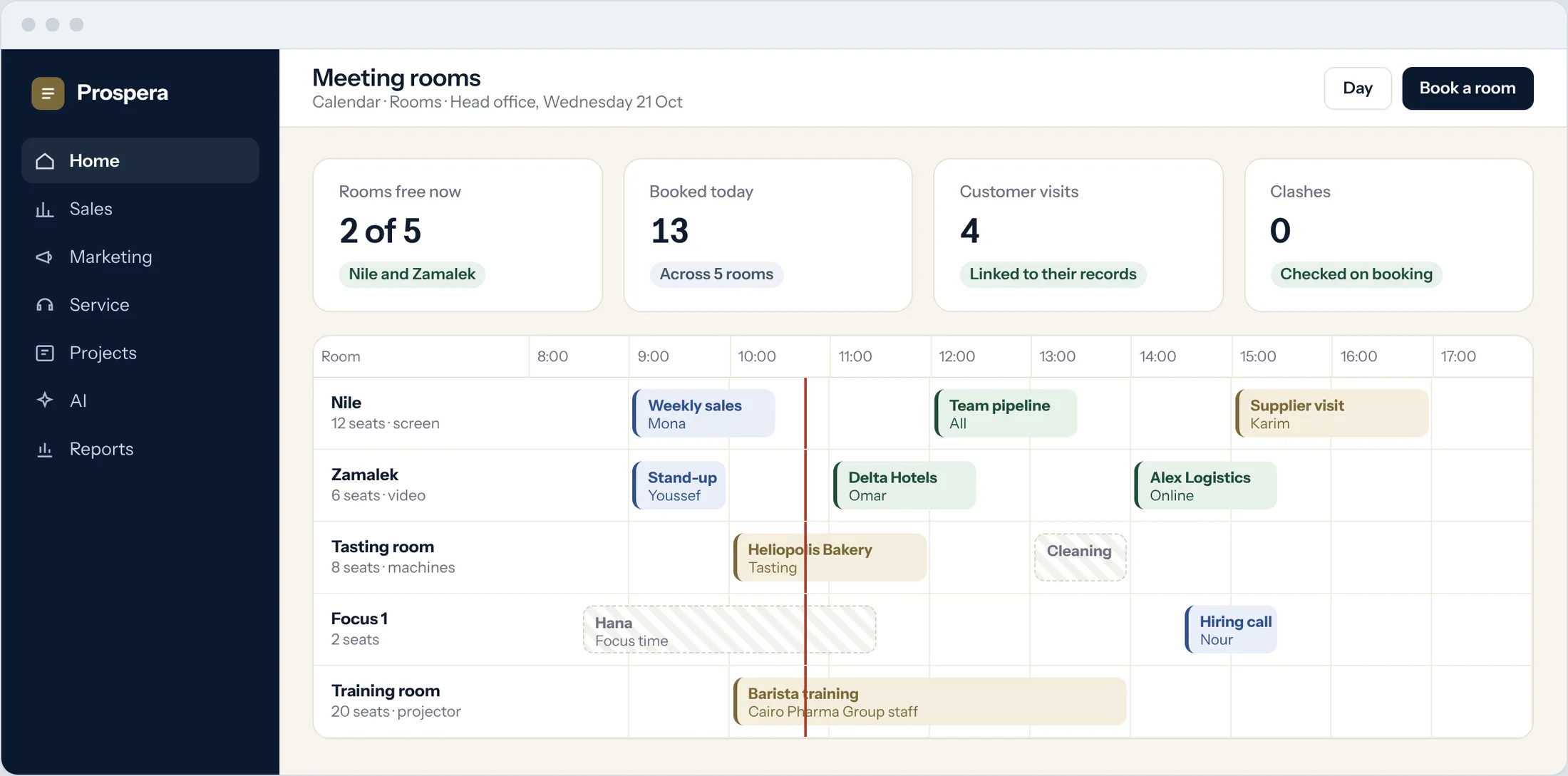
All rooms
Seats, screens and what each room is for.
Free now
See which rooms are open this minute.
Who booked it
Each booking shows its owner and meeting.
Plan the meeting, the room follows.
When you create a meeting, pick a room that is free at that time. The room goes on the invite.
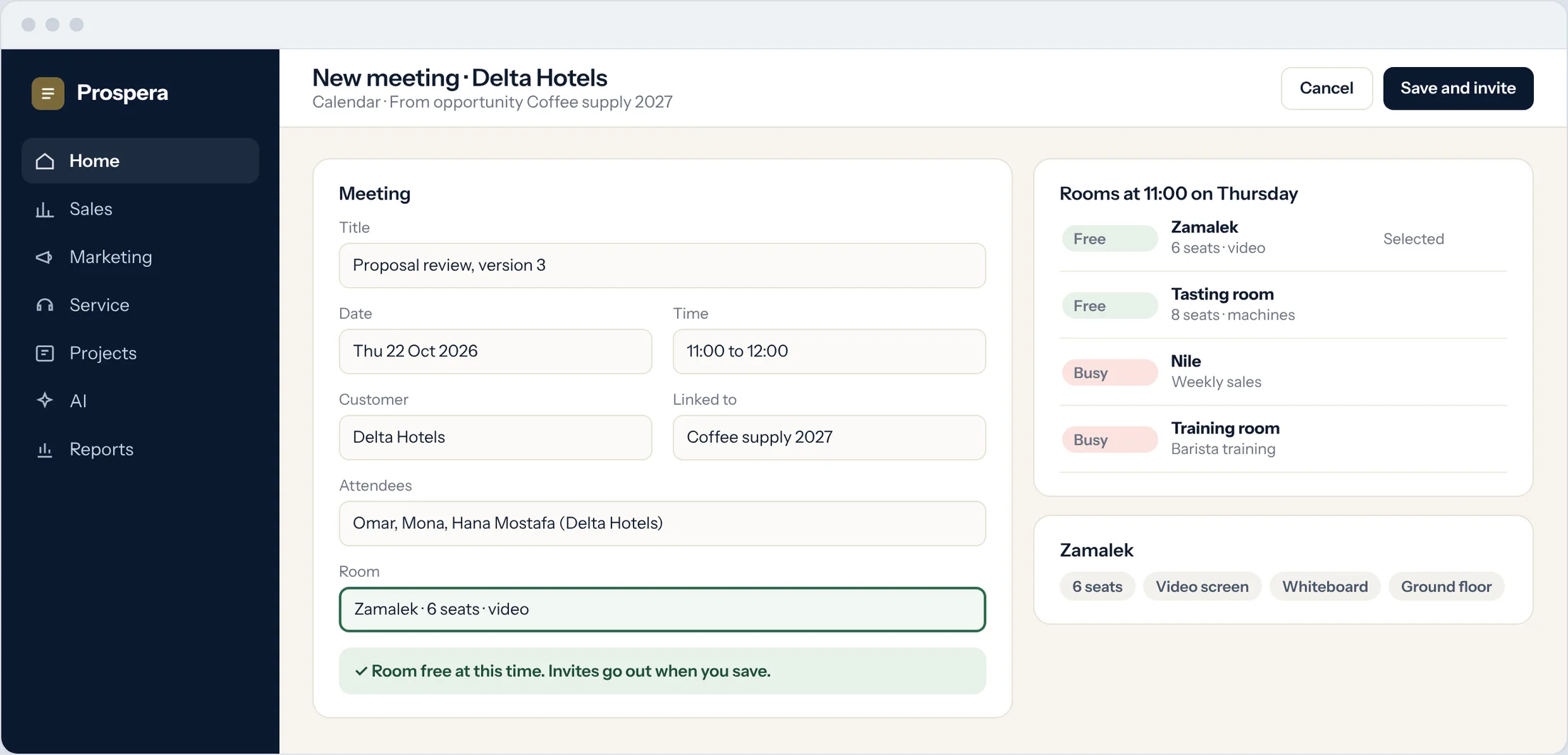
Only free rooms
Busy rooms are marked before you choose.
On the invite
Everyone knows where to go.
Linked to the customer
Customer visits stay on their record.
Rooms and people, in one calendar.
Room bookings sit with the meeting in each attendee's calendar.
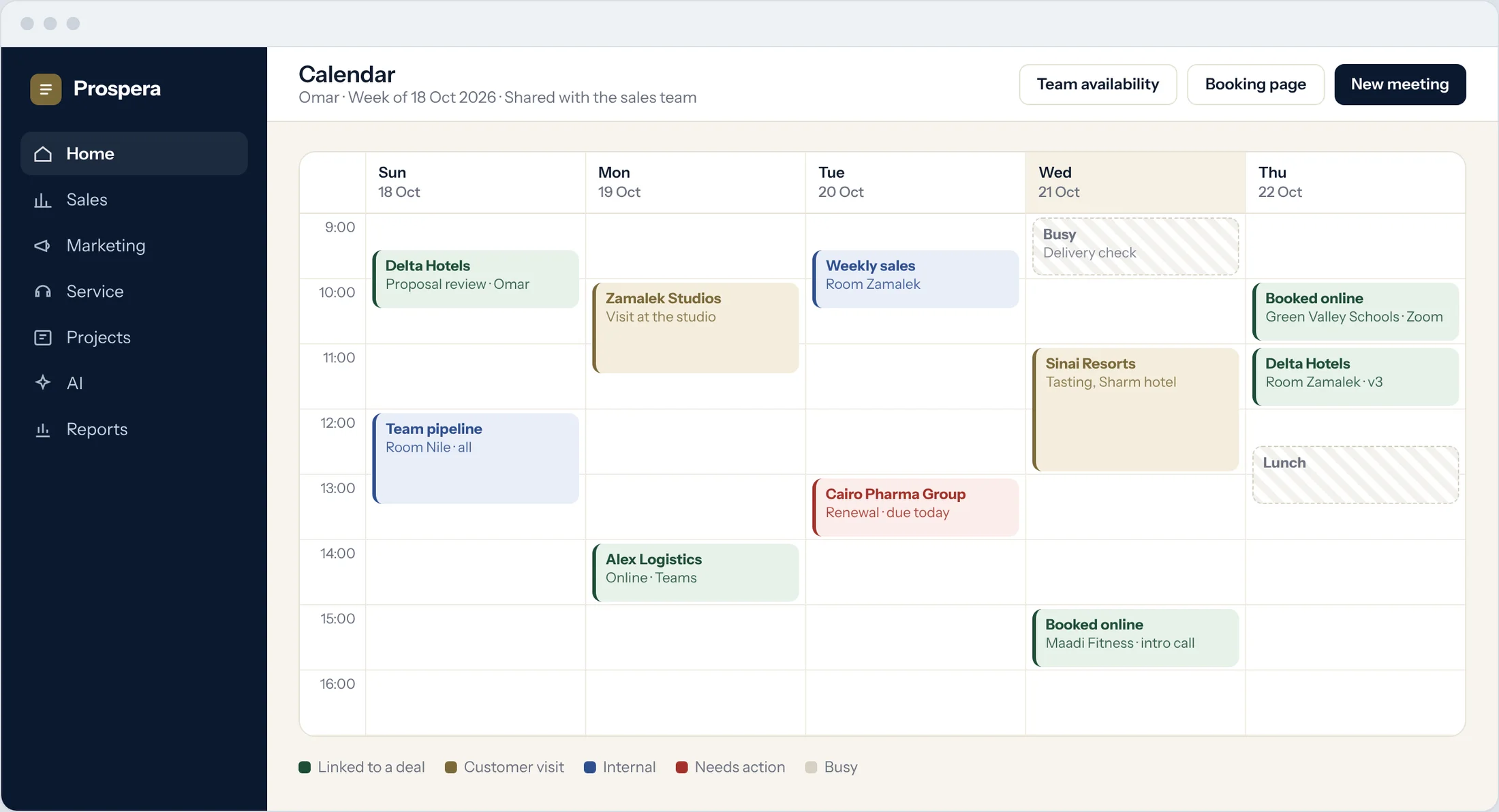
One calendar
Meetings and their rooms together.
Shared with the team
Everyone sees where the meeting is.
Reminders
A reminder before every meeting.
Rooms that run themselves.
Six details for a calmer office.
Room details
Seats, screen and floor for each room.
Day view
Every booking for the day in one view.
Customer visits
Visits linked to the customer's record.
With the calendar
Rooms booked from the meeting itself.
On your phone
Find a free room from the CloudOffix app for iPhone.
Permissions by role
Each person sees what their role allows.
Questions.
Can we see which rooms are free right now?
Yes. The day view shows every room, every booking and the time now.
Is the room booked with the meeting?
Yes. Pick a free room as you create the meeting, and it goes on the invite.
Can we add our own rooms?
Yes. We add your rooms, seats and equipment during setup.
Can we book from a phone?
Yes. Use the CloudOffix app for iPhone, or any phone browser.
Never hunt for a room again.
Book a demo and we will set up your rooms with you.