
Set up e-invoicing in Egypt
Connect your company to the Egyptian Tax Authority.
Prospera Books sends e-invoices and e-receipts to the Egyptian Tax Authority from the invoice itself. Our team completes the connection with you during setup, using your Tax Authority credentials and signing method.
Register with the Tax Authority
Make sure your company is registered on the Tax Authority e-invoicing portal and you have your client credentials and signing method ready.
Complete the company details
On your company, complete ETA Issuer Type, ETA Tax ID, ETA Issuer Name, ETA Default Branch and ETA Default Activity Code.
E-receipts for retail
Tick Enable E-Receipt if you sell at a point of sale.
Customer details
On each business customer, set ETA Receiver Type and the Tax ID.
Item codes
On each item, set the ETA Code Type and ETA Item Code. Items can also inherit them from their brand or item group.
Send
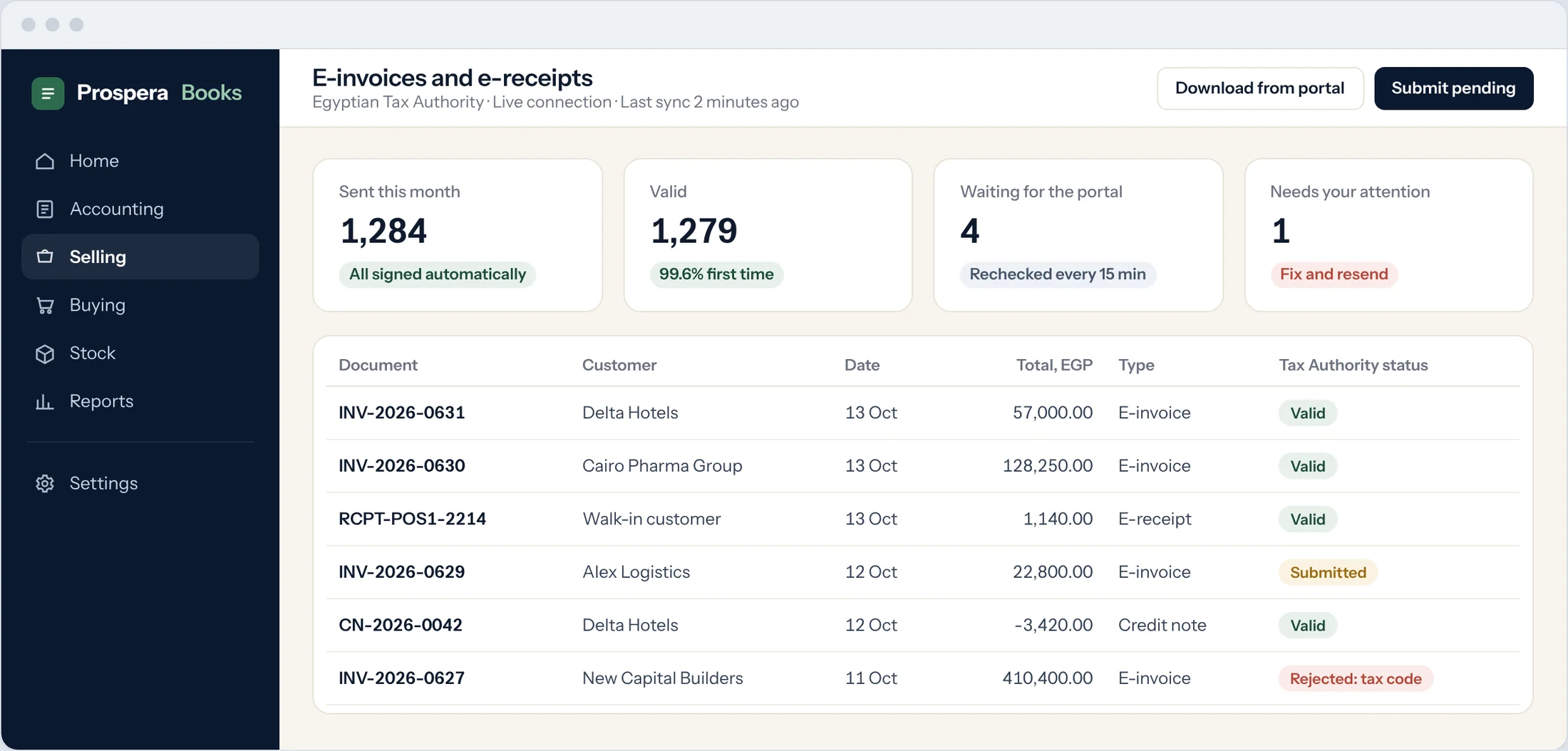
Submit a sales invoice. Its ETA Status shows on the invoice: Submitted, Valid, Invalid, Rejected or Cancelled, with the submission ID and UUID.
Good to know
- Test with the Tax Authority pre-production environment before you go live. Our team does this with you.