
Your chart of accounts
How accounts are organised, and how to add one.
The chart of accounts is a tree. Group accounts, such as Current Assets, hold other accounts. Ledger accounts, such as a bank account, hold the actual entries. Every account belongs to one of five root types: Asset, Liability, Equity, Income or Expense.
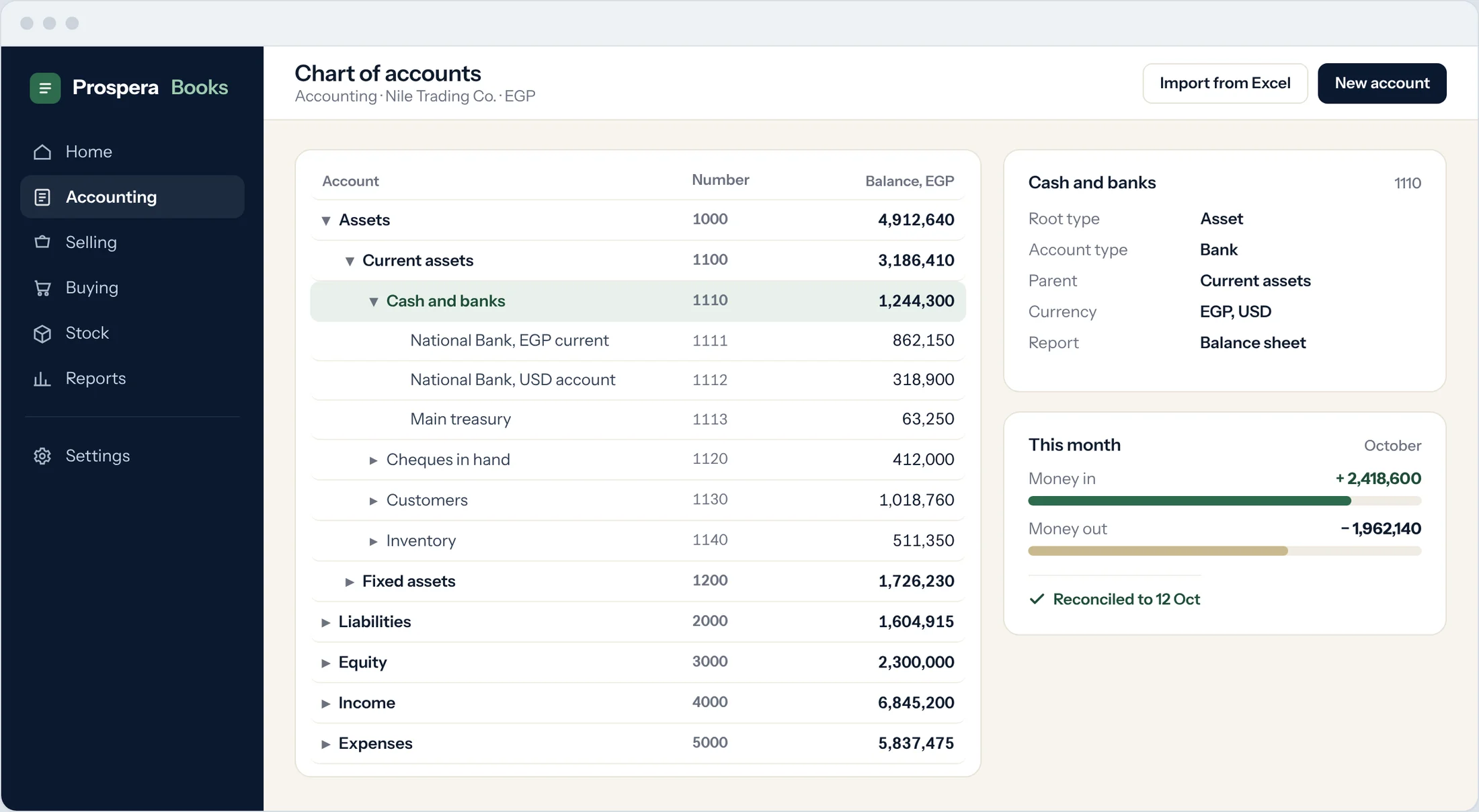
Open the chart
Type Chart of Accounts in the search bar at the top of any screen and press Enter. Choose your company. The tree shows every account with its balance.
Choose where the account belongs
Expand the tree and select the group the new account belongs under, for example Bank Accounts.
Add the account
Select Add Child. Enter the Account Name and, if you number your accounts, the Account Number.
Group or ledger
Tick Is Group only if other accounts will sit under it. Leave it clear for an account you will post to.
Set the account type
For bank, cash, receivable, payable, tax and stock accounts, choose the Account Type. Prospera Books uses it to suggest the right account on payments and invoices.
Create
Select Create New. The account appears in the tree straight away.
Good to know
- Set Frozen to Yes on an account to stop new entries, for example once an audit is complete.
- Balance must be Debit or Credit warns anyone who posts an entry that would turn the balance the wrong way.