
Record a journal entry
Post adjustments, accruals and opening balances.
Most entries are created for you by invoices, bills and payments. Use a journal entry for everything else: accruals, corrections, depreciation adjustments and opening balances.
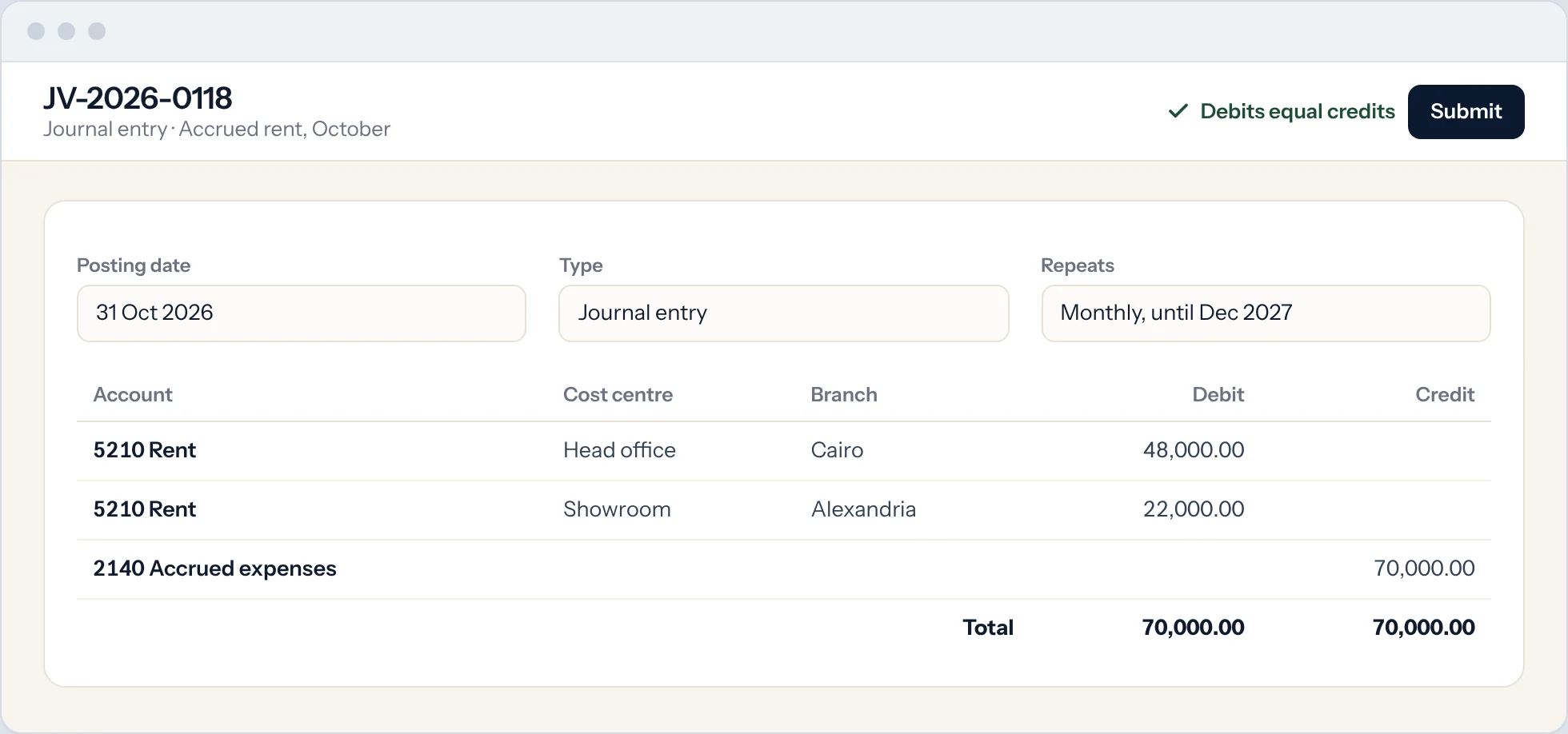
Start a new entry
Type Journal Entry in the search bar at the top of any screen and press Enter. Select Add Journal Entry.
Choose the entry type
Leave Entry Type as Journal Entry for most adjustments. Use Bank Entry or Cash Entry when money moves, and Opening Entry for opening balances.
Set the date
Enter the Posting Date. It decides which period the entry belongs to.
Add the lines
In Accounting Entries, add one row per account with a debit or a credit amount. Add a party (customer or supplier) when the line is a receivable or payable account.
Check it balances
Total Debit must equal Total Credit. The Difference must be zero.
Save and submit
Select Save, then Submit. Submitting posts the entry to the ledger. To correct a submitted entry, cancel it and amend it, so the history is kept.
Good to know
- Add a Reference Number and Reference Date so the entry is easy to find later.
- Use Auto Repeat for entries that recur every month, such as rent accruals.