
Help centre › Reports
Read the general ledger
Every entry, by account, party or document.
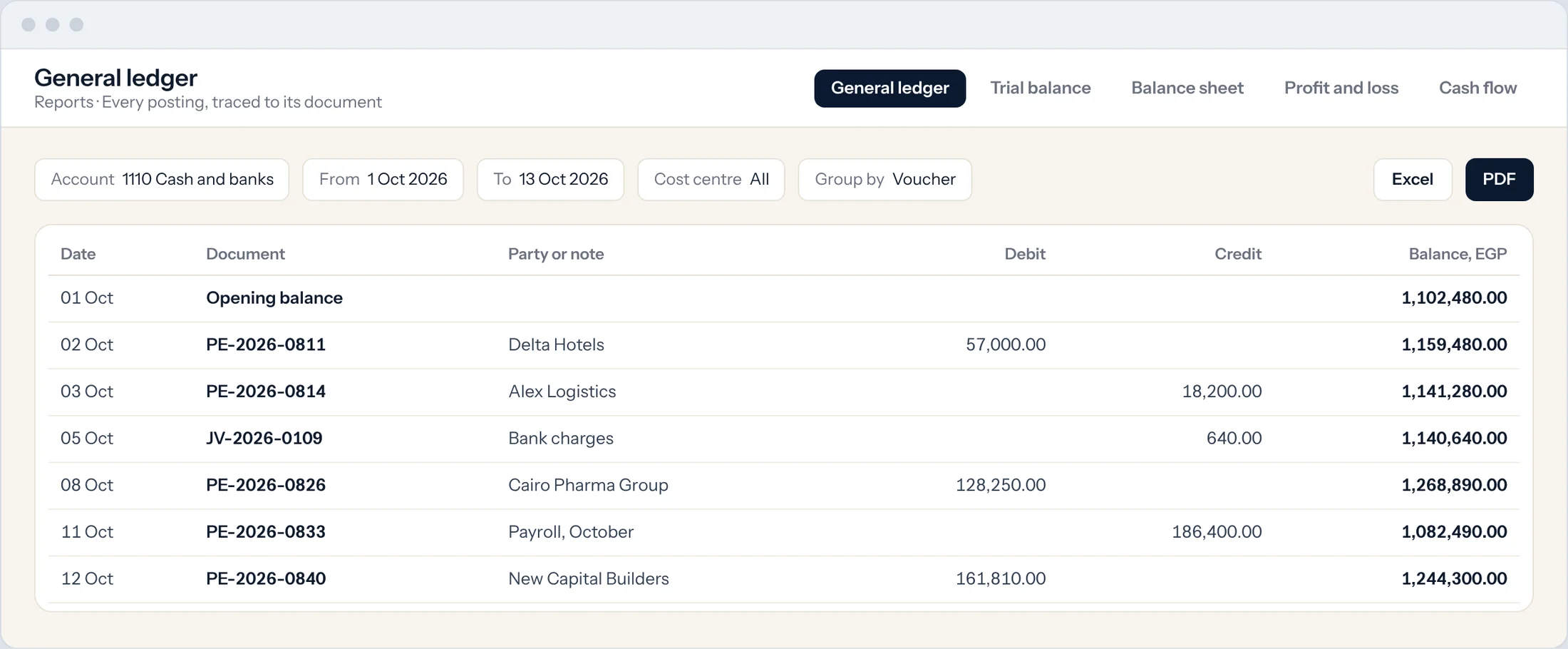
The general ledger lists every posted entry with its account, date, debit, credit and running balance.
Open the ledger
Type General Ledger in the search bar at the top of any screen and press Enter.
Set the dates
Choose the Company, From Date and To Date.
Narrow it down
Filter by Account, Party, Voucher No, Cost Center or Project.
Group the lines
Use Categorize by to group by account, party or voucher.
Open the document
Select any voucher number to open the invoice, payment or journal entry behind it.
Still need help?WhatsApp and email answered 24/7. Live support Sunday to Thursday, 8 am to 6 pm.
Book a training session