
Help centre › Reports
Run your financial statements
Profit and loss, balance sheet and cash flow.
Financial statements are ready the moment entries post. There is nothing to run overnight.
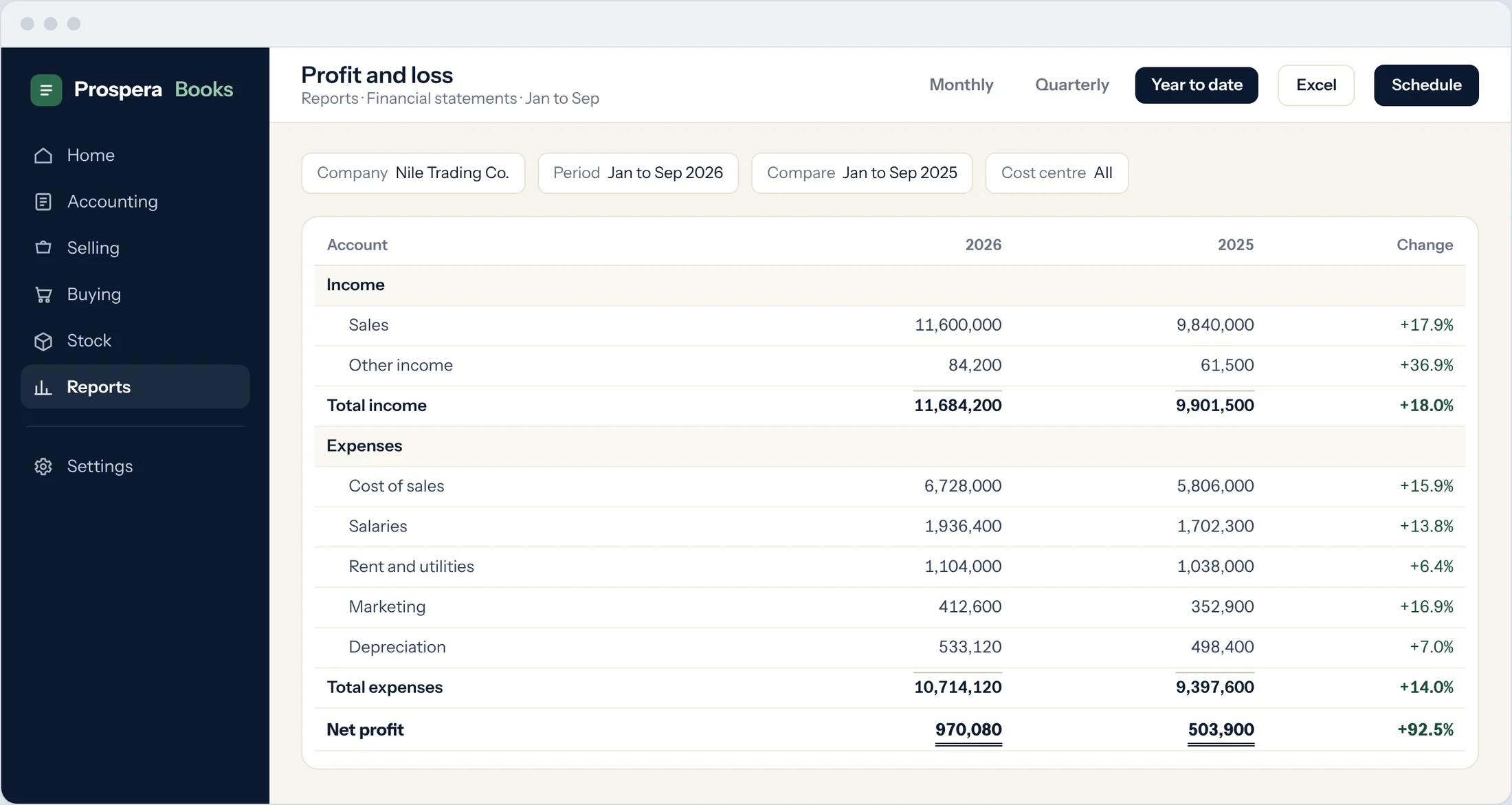
Open a statement
Type Profit and Loss Statement in the search bar at the top of any screen and press Enter. The same works for Balance Sheet and Cash Flow.
Choose the company and period
Pick the company and the period you want: a fiscal year or a date range, shown monthly, quarterly or yearly.
Choose the view
Use Select View to switch between the report, growth (period against period) and margin views.
Change the detail
Use Account Detail Level to show only top-level groups or every account.
Drill down
Select any amount to open the general ledger lines behind it.
Export or schedule
Export to Excel or PDF from the menu, or set up an automatic email of the report every week or month.
Good to know
- Filter by cost centre to see the statement for one branch.
Still need help?WhatsApp and email answered 24/7. Live support Sunday to Thursday, 8 am to 6 pm.
Book a training session