
Help centre › Inventory and warehousing
Add an item
Products and services you buy, sell or stock.
Every product and service is an item. Stock items track quantity and value in each warehouse; service items do not.
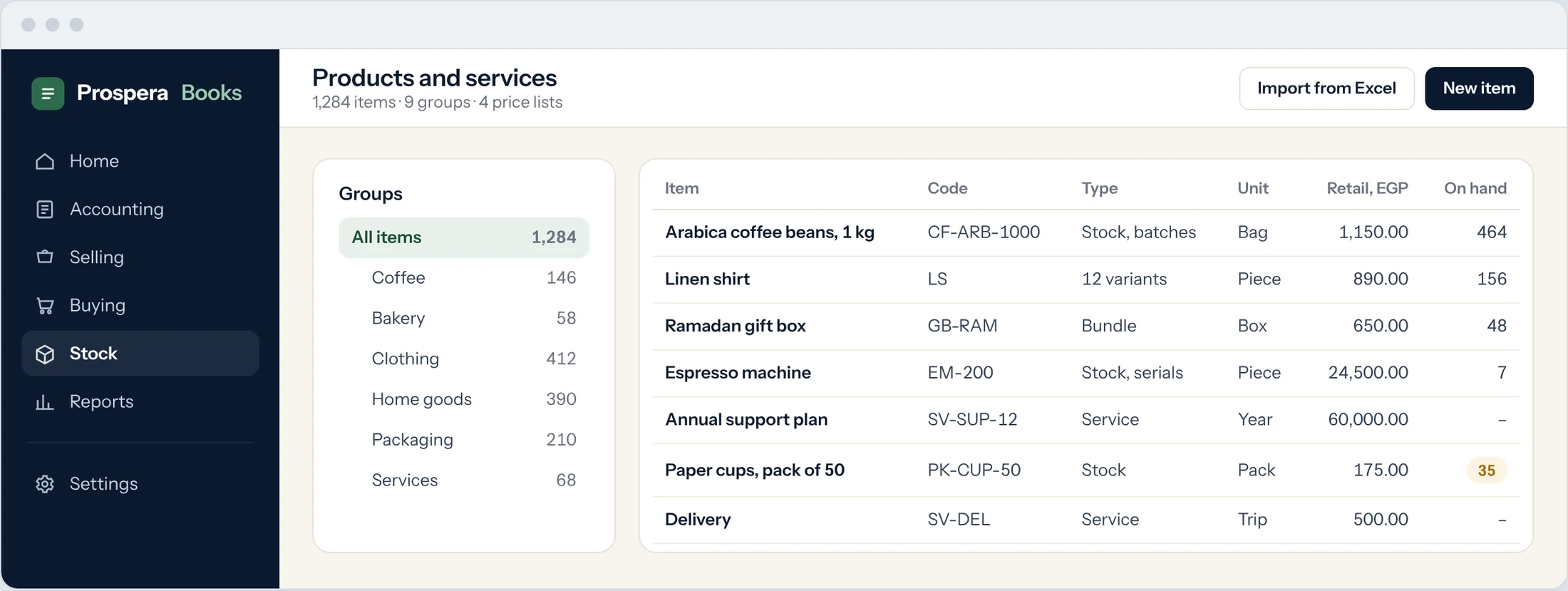
Start the item
Type Item in the search bar at the top of any screen and press Enter. Select Add Item.
Name and group
Enter the Item Code, the Item Name and the Item Group. Choose the Default Unit of Measure.
Stock or service
Leave Maintain Stock ticked for physical goods. Clear it for services.
Prices
Enter a Standard Selling Rate, or set prices in price lists.
Batches, serials and expiry
Tick Has Batch No, Has Expiry Date or Has Serial No if you need to trace them. Set these before the first transaction.
Save
Select Save. The item is ready for quotations, orders and invoices.
Good to know
- Valuation Method (FIFO or Moving Average) decides how stock is valued. Choose it before the first transaction.
- Use Has Variants for items that come in sizes or colours.
Related
Set up warehousesInventory and warehousingMove stock between warehousesInventory and warehousingStill need help?WhatsApp and email answered 24/7. Live support Sunday to Thursday, 8 am to 6 pm.
Book a training session